
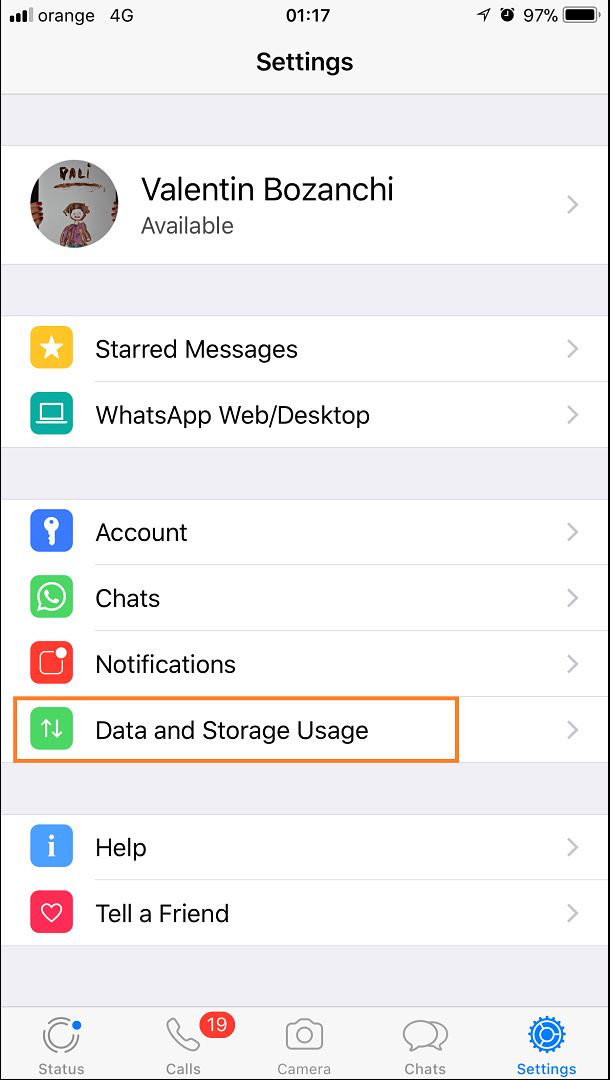
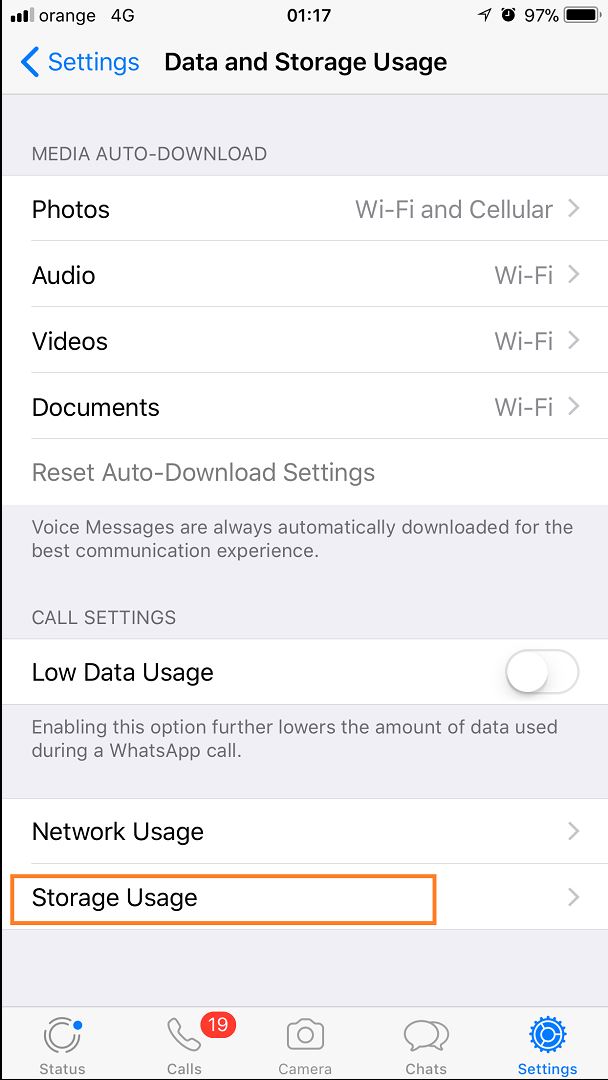
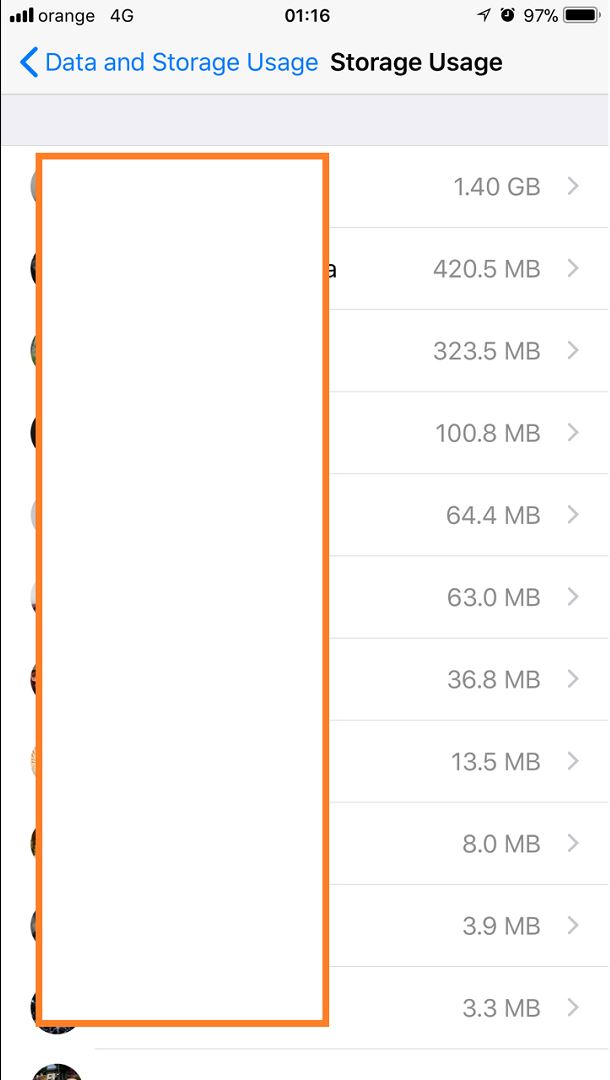
Afla cum poti face curatenie pe WhatsApp si castigi si spatiu ! Data 11/12/2017 Autor Valentin Bozanchi Categorie Mobile 2 945 Configurare noua (How To) SituatieNu mai ai suficient spatiu de stocare pe mobil si nu stii de unde sa mai eliberezi? Solutie Pasi de urmat Dechide aplicatia WhatsApp si mergi in meniul de “Settings” –> “Data and Storage Usage” Apoi in “Storage Usage” Iar aici poti vedea dimensiunea pentru fiecare contact si ulterior sterge ! Tip solutiePermanent Etichetare: Afla cum poti face curatenie pe WhatsApp si castigi si spatiuaskitaskit.roData and Storage UsagesettingsStorage Usagewhatsapp Voteaza Up Down (31 din 60 persoane apreciaza acest articol) ShareTweetShare Despre Autor Valentin Bozanchi Solutii Asemanatoare How to update iOS on your iPhone -3 Cum reduceți consumul de date fără a pierde conectivitatea 1 How to customize the Always-on Display on a Samsung Galaxy Phone -3 Cum se blocheaza reclamele Pop-Up pe Android si IPhone -6 Can Google Wallet Work without Wi-Fi or Mobile Data? 2 Cum realizezi un restart fortat pe un iPhone sau iPad -4 Leave A Comment? × Cancel Reply Save my name, email, and website in this browser for the next time I comment. seven − two =
Leave A Comment?