
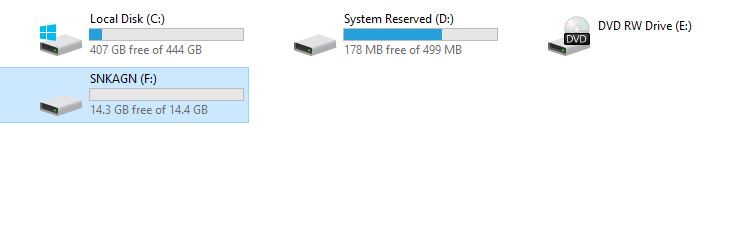
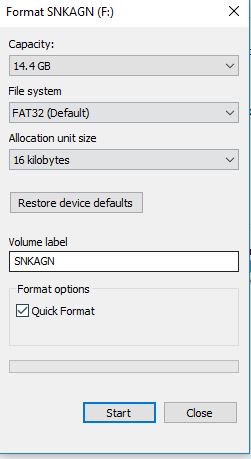
Cum se formateaza un USB Data 06/01/2018 Autor clapan iulian Categorie Soluții -12 943 Configurare noua (How To) SituatieCand vrei sa formatezi un USB Solutie Pasi de urmat Se intra in fisierul documents Se da click dreapta pe partitia unde este introdus USB-ul si selectam format Se va deschide o fereastra unde selectam butomul start si USB-ul va incepe formatarea Tip solutiePermanent Etichetare: askitaskit.roCum se formateaza un USBdocumentsformatare usbpartitie Voteaza Up Down (17 din 46 persoane apreciaza acest articol) ShareTweetShare Despre Autor clapan iulian Solutii Asemanatoare Cum deschidem un RDP in full screen folosind Command Prompt in Windows 10 6 Cum deschidem fereastra Sound folosind Run in Windows 10 0 How to enter text with your voice on a Chromebook 5 Can’t Delete a Windows File or Folder? 3 Top 10 Linux Easter Eggs 2 How to fix – Reading a File: Permission Denied on Linux 1 Leave A Comment? × Cancel Reply Save my name, email, and website in this browser for the next time I comment. × five = five

Leave A Comment?