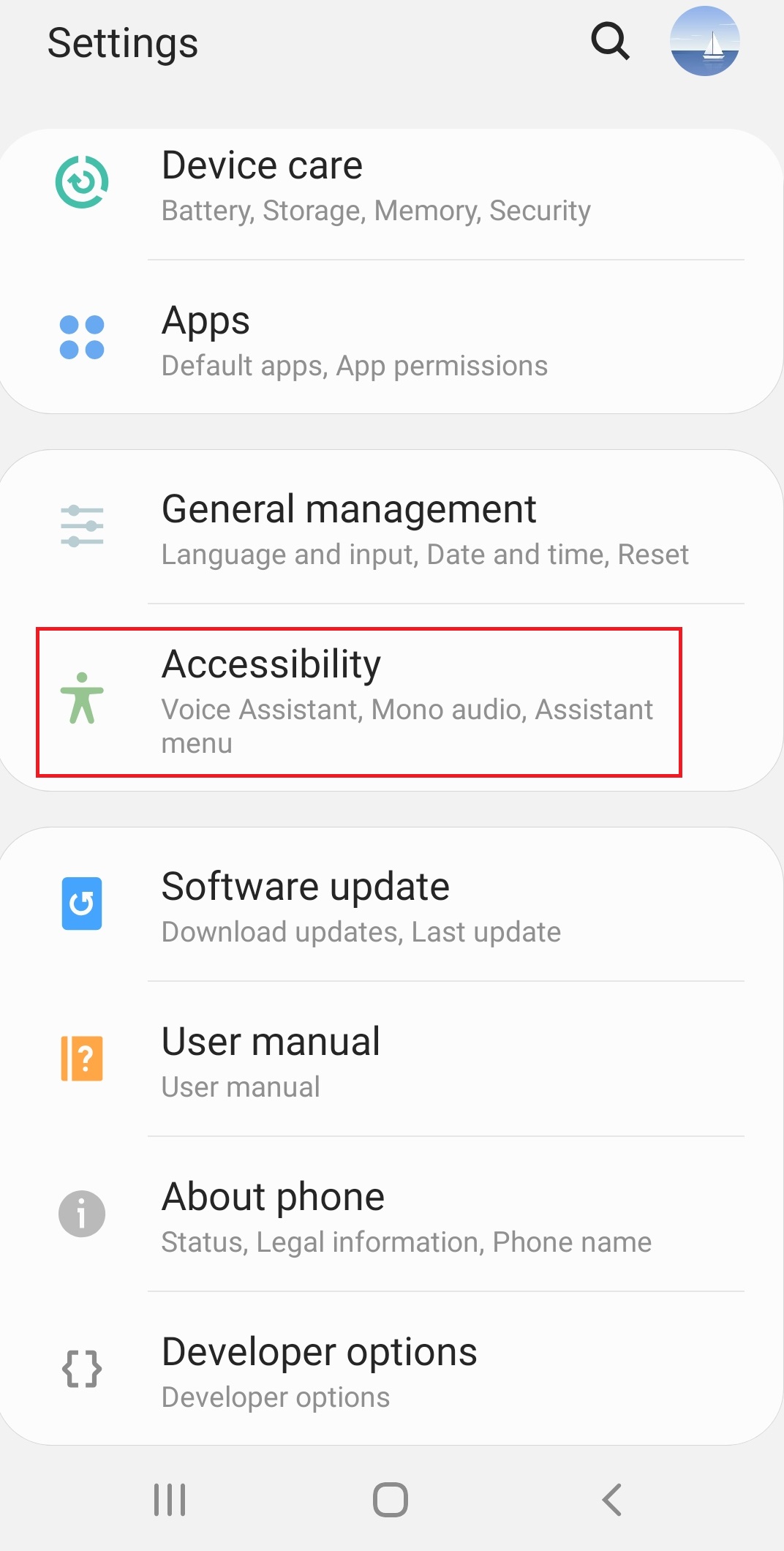
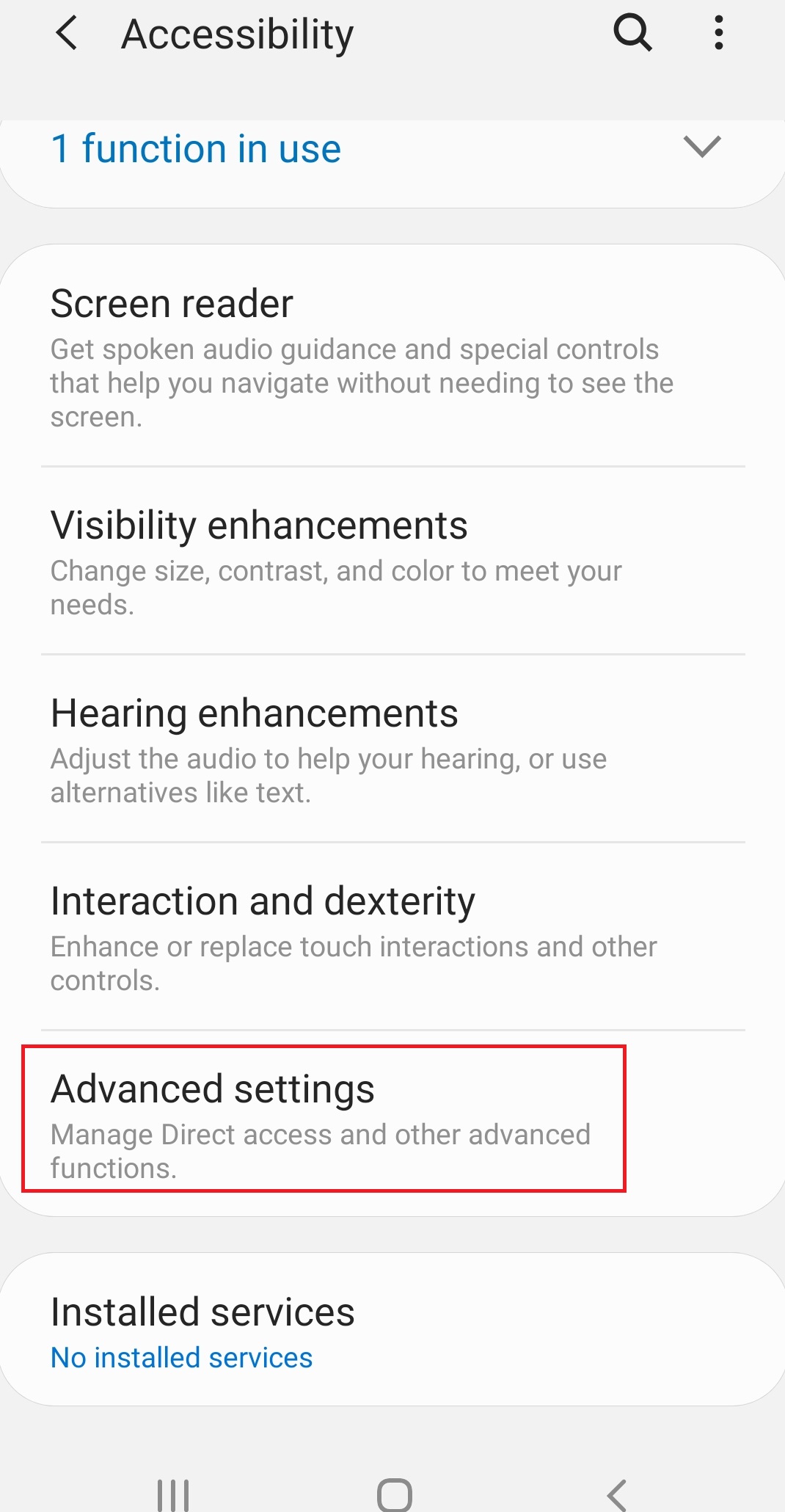
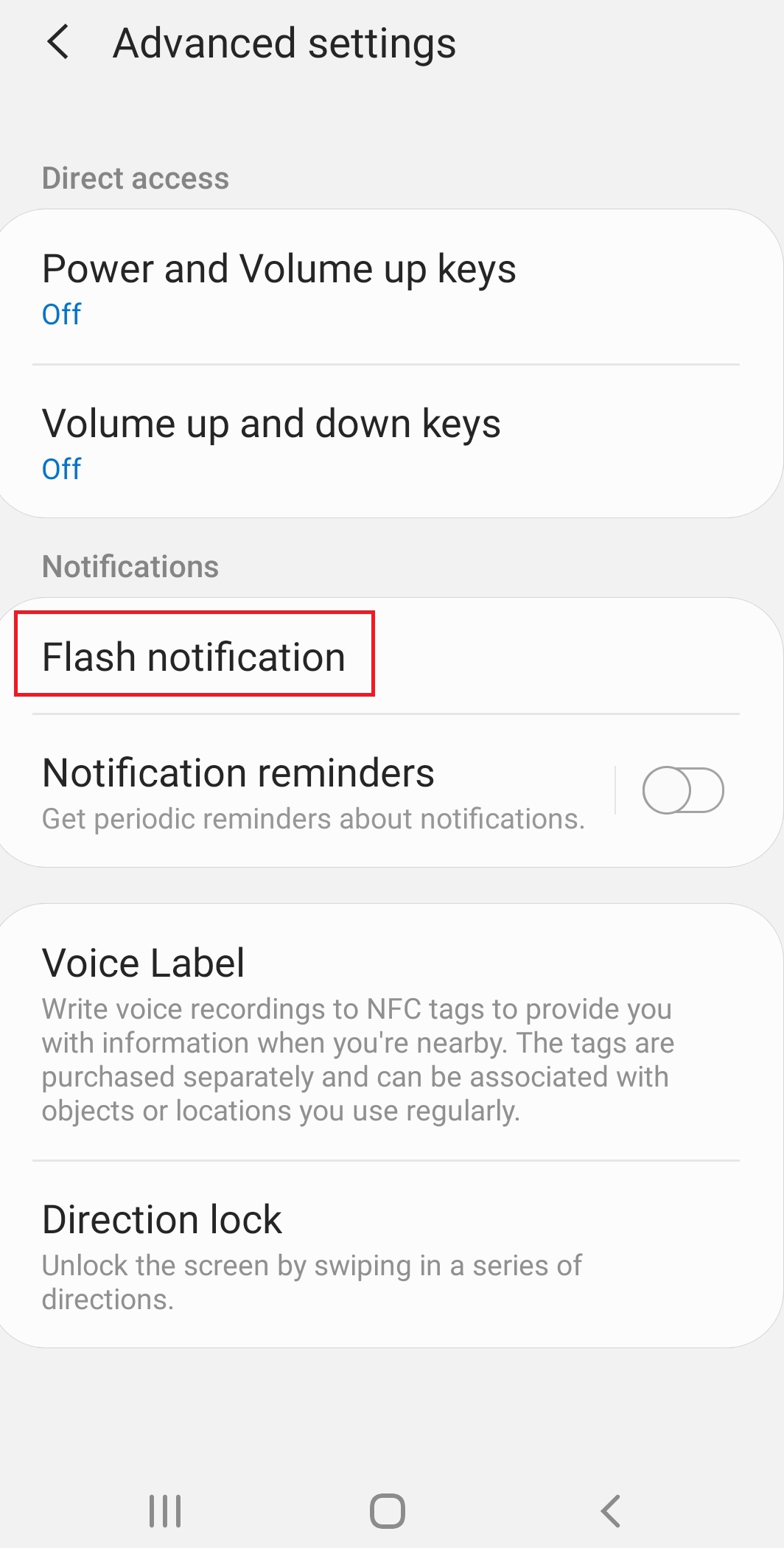
How to Enable “Screen flash” notification on Samsung Android 9.0 Data 10/12/2019 Autor Ionut Pavel Categorie Mobile -2 600 Configurare noua (How To) Situatie Solutie Pasi de urmat Accesati Settings>Accessibility: Accesati Advanced settings: Accesati Flash notification: Activati optiunea Screen flash: Tip solutiePermanent Voteaza Up Down (21 din 44 persoane apreciaza acest articol) ShareTweetShare Despre Autor Ionut Pavel Solutii Asemanatoare How to update iOS on your iPhone 1 Cum reduceți consumul de date fără a pierde conectivitatea 3 How to customize the Always-on Display on a Samsung Galaxy Phone -5 Cum se blocheaza reclamele Pop-Up pe Android si IPhone -5 Can Google Wallet Work without Wi-Fi or Mobile Data? 4 Cum realizezi un restart fortat pe un iPhone sau iPad -3 Leave A Comment? × Cancel Reply Save my name, email, and website in this browser for the next time I comment. one + eight =
Leave A Comment?
