How to turn off Notifications from apps/Remove them from startup

There are a couple simple steps that you have to go through if you want to stop seeing notifications from apps,or that app that bothers you by starting everytime you start your computer.

1.Press your Windows key button on your keyboard/click on the windows icon on your pc,type “Notifications”

2.Click on Notifications and actions settings and scroll down a bit as shown
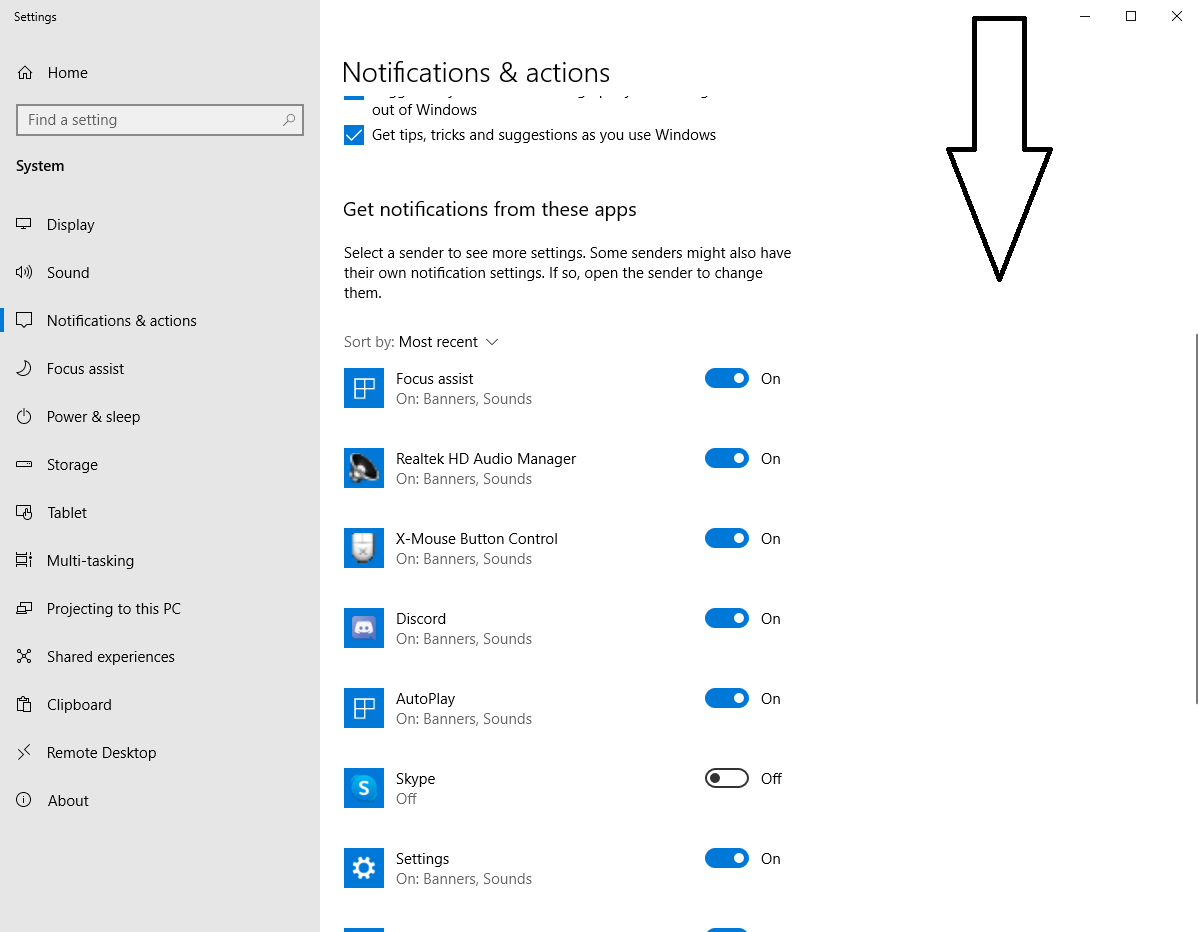
3.Unclick the apps that you don’t want Windows bothering you with their notifications.

4.To stop an app from starting on your computer startup,press your Windows key button on your keyboard/click on the windows icon on your pc,type “Startup”.
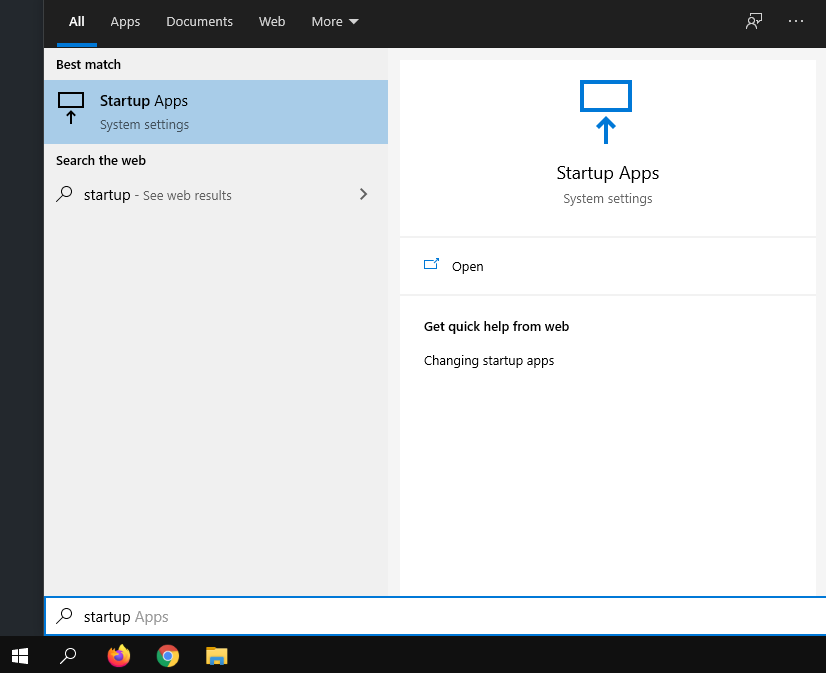
5.Click on Startup Apps

6.Unclick the ones that you don’t want starting up on their own anymore.

[mai mult...]
Fix “Fn” keys / touchpad not working-Lenovo laptops

How to fix the Fn and/or touchpad not working after reinstalling Windows.

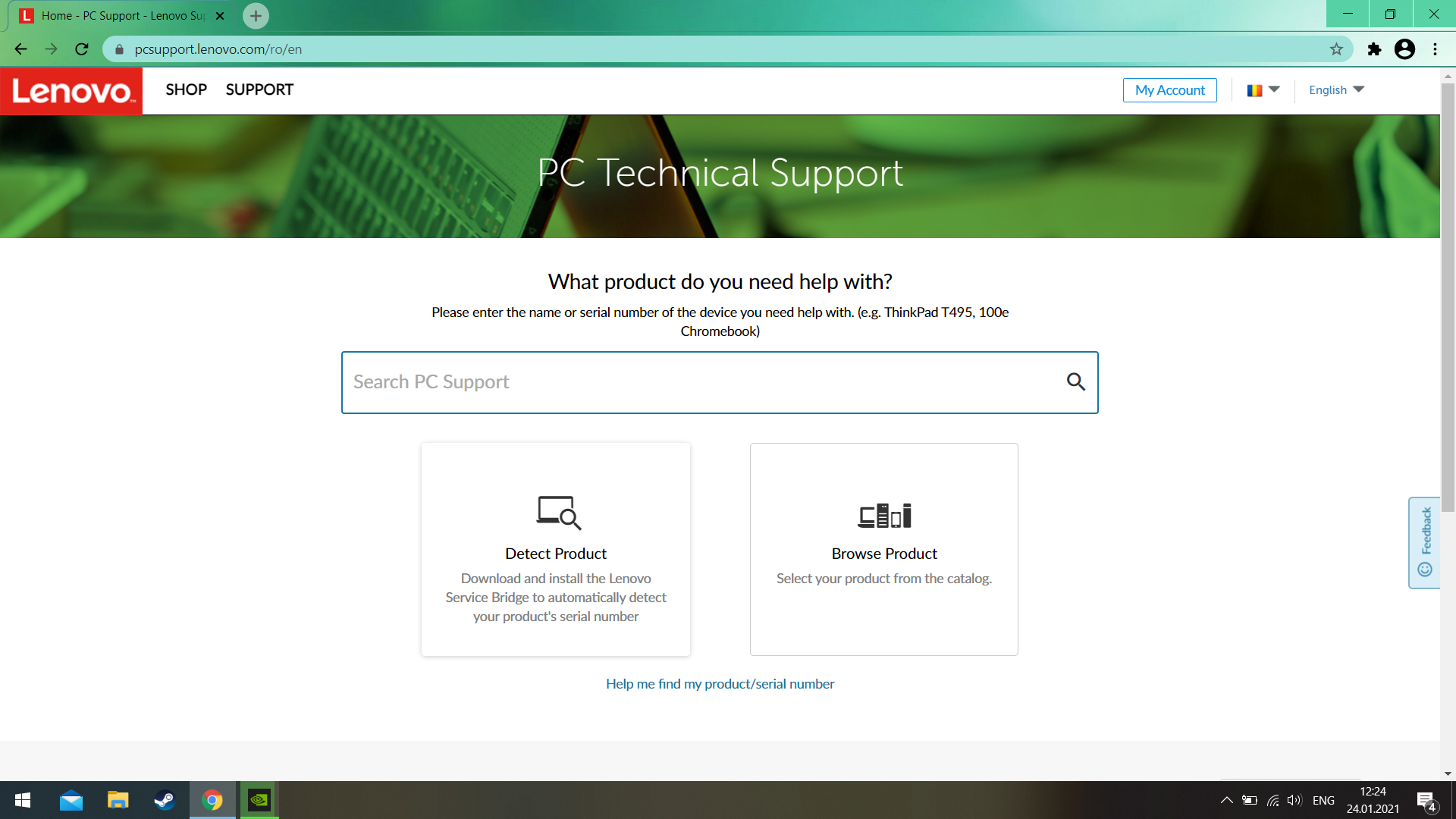
1.Go to https://pcsupport.lenovo.com/ro/en/

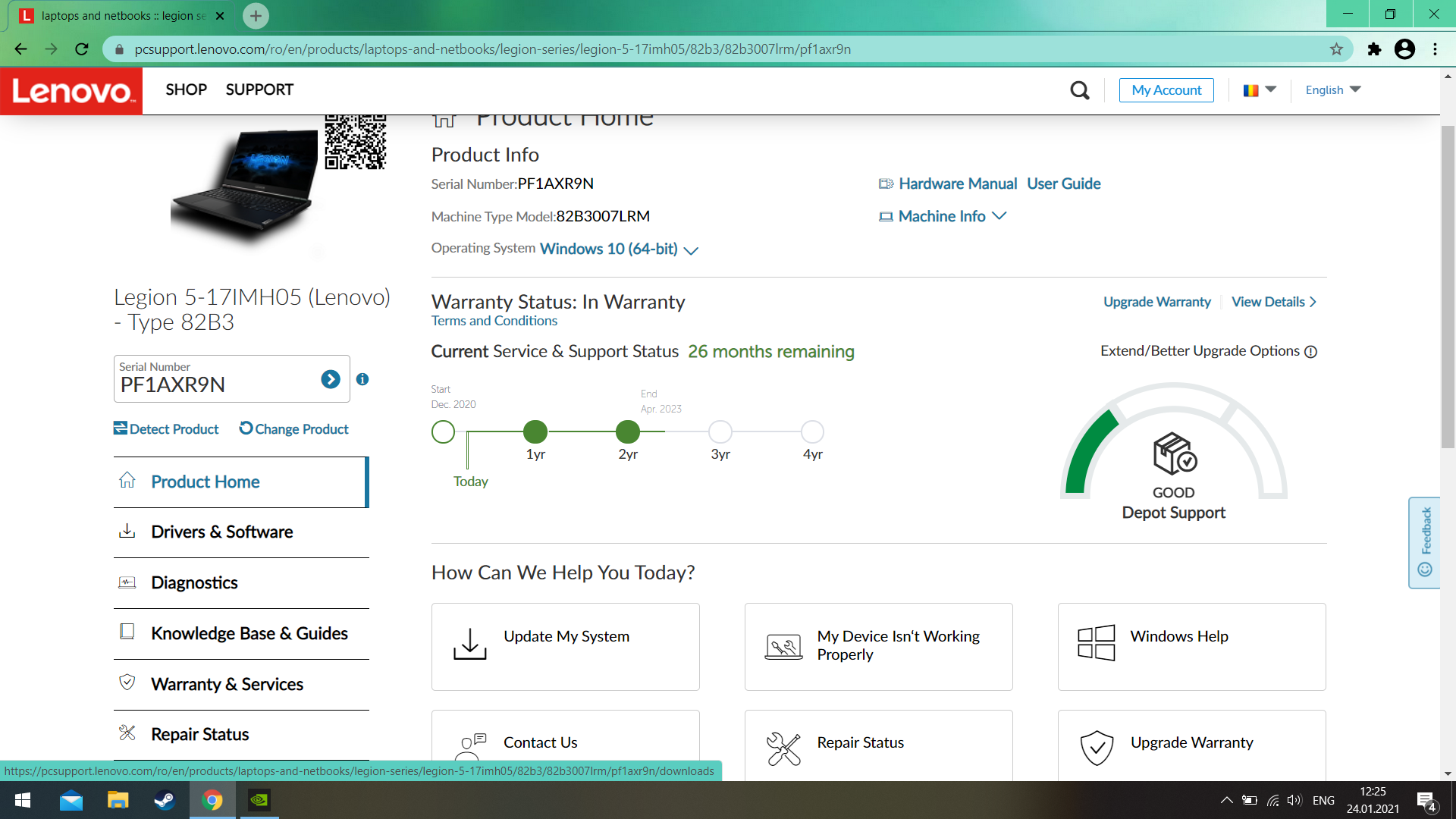
2.Click on “Detect Product”

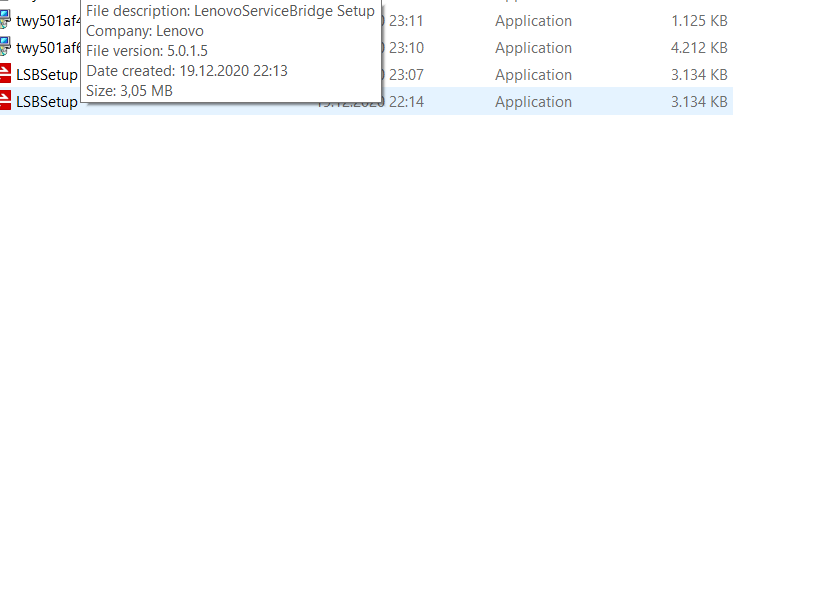
3.Download the .exe that showed up:

4.Run it,it will automatically detect your product like so:

5.Click on “Drivers & Software”

6.Go to “Mouse,Pen and Keyboard”

7.Download the Driver.

8.Run the .exe that just downloaded,wait for it to finish and restart your laptop.

[mai mult...]

Instalare unitate de stocare

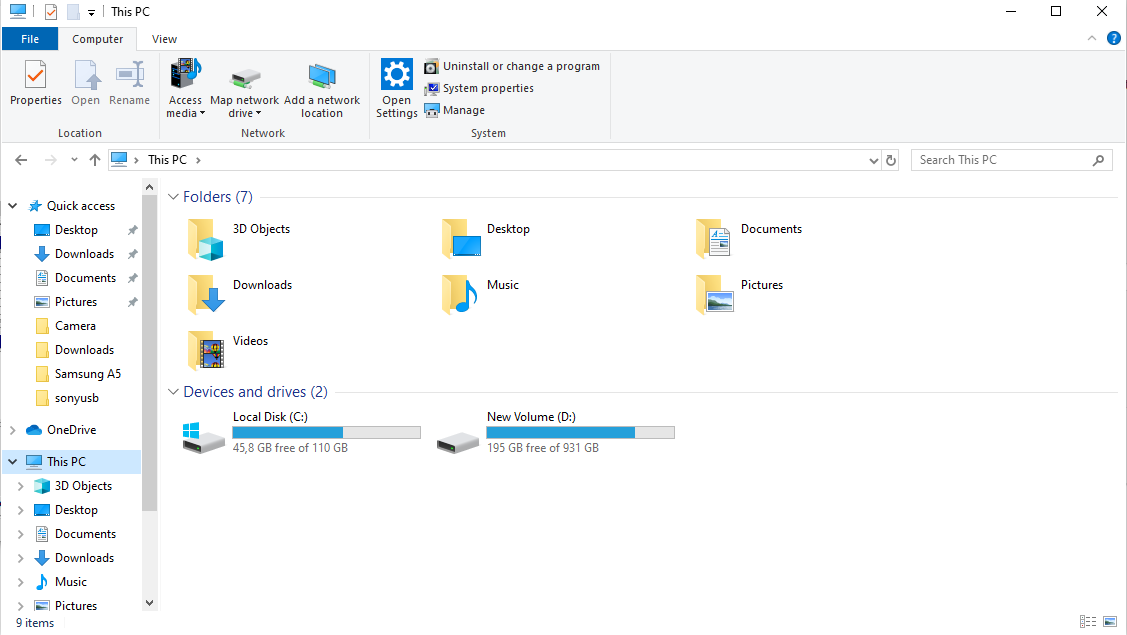
Daca dupa ce ati instalat o unitate noua de stocare acesta nu apare in lista de “Devices and drives” din My computer:

Rezolvare:

Trebuie formatat dupa urmatorii pasi:

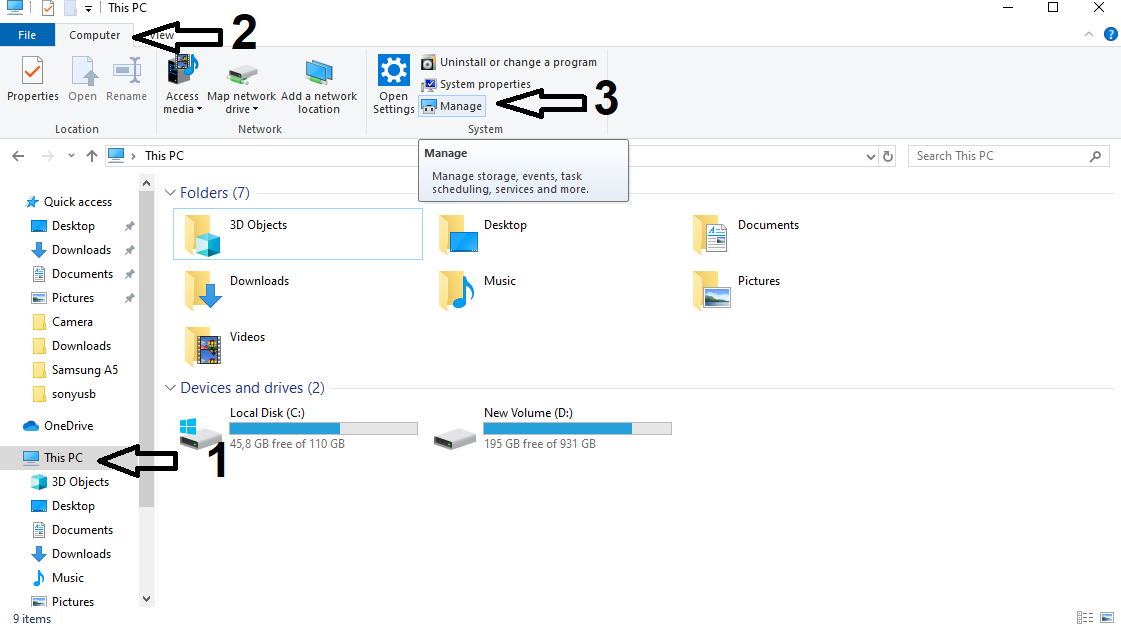
My computer->Computer->Manage:

Storage->Disk Management:

Partitia neformatata o sa fie hasurata cu negru->click dreapta pe hasura neagra->new simple volume:

Denumiti partitia,dupa care asteptati sa se termine formatarea.

[mai mult...]

Windows hidden files

You can hide/unhide windows’s hidden files in 4 steps:

1.Press the windows key on your keyboard + E

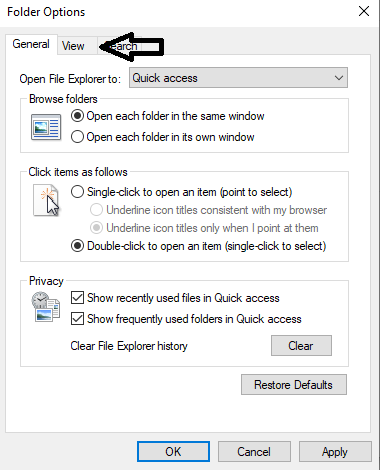
2.Go to the “view”tab and then to “options”,as such:

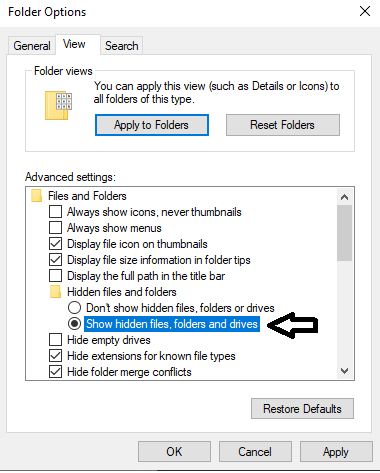
3.Press on the options highlight,then go to the view tab of that pop-up

4.”show hidden files,folders and drives”

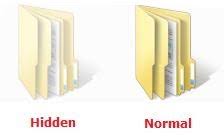
To be able to differentiate them here’s a before and after.


[mai mult...]

Cum sa actualizati Windows 10 la ultima versiune

1.Din browserul dvs. cautati “google windows update assistant”

2.Click stanga pe primul link:

3.Click stanga pe hyperlink-ul numit “update now”:

4.Dublu click pe “Windows10Upgrade ” pentru a lansa executabilul:

Puteti folosi aplicatia in amanunt. Exemplu:

-identificarea unui cod de eroare

-dezinstalarea unui anumit driver al windows-ului

-instalare anumite update-uri

[mai mult...]