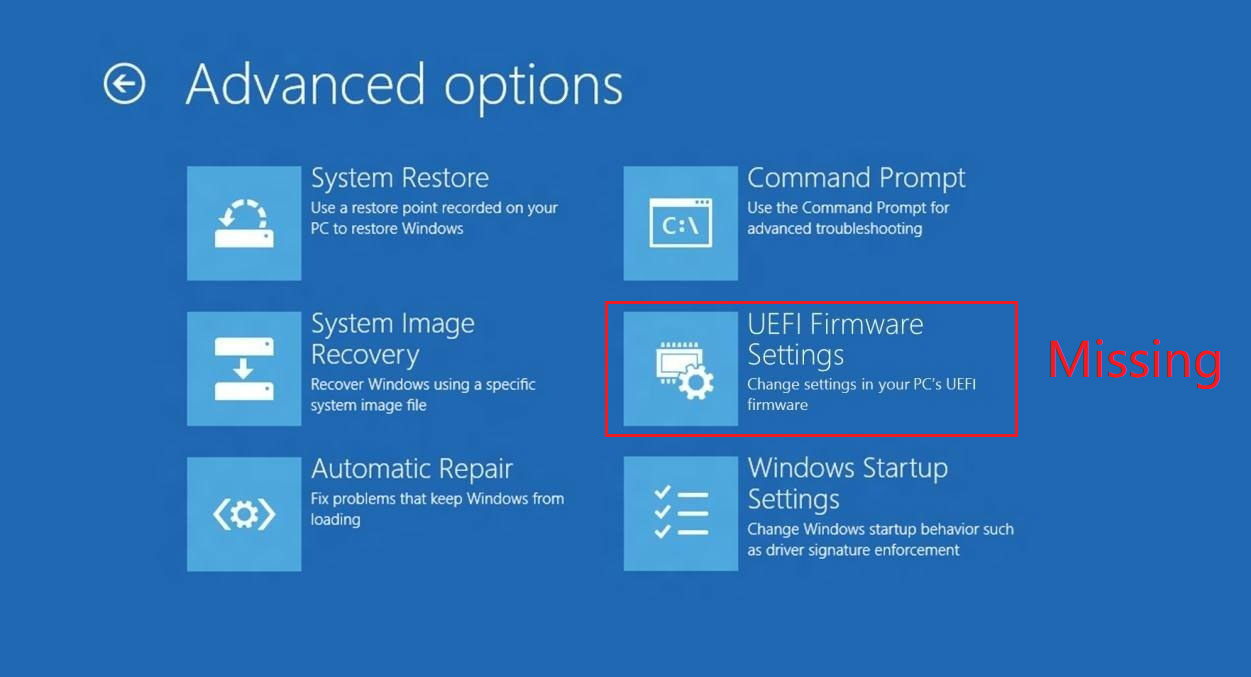
The UEFI Firmware settings are missing in the Advanced Options screen.
[mai mult...]
If you’re seeing the “This app has been blocked for your protection” error on Windows, your system has restricted the application from running for security reasons. You can reset the Windows Update components, which means restarting certain services that manage the update process and enable you to launch the application.
[mai mult...]If you’re seeing the “This app has been blocked for your protection” error on Windows, your system has restricted the application from running for security reasons.
[mai mult...]If you’re seeing the “This app has been blocked for your protection” error on Windows, your system has restricted the application from running for security reasons. You can tweak the Registry Editor to adjust the User Account Control settings and unblock the application.
[mai mult...]If you’re seeing the “This app has been blocked for your protection” error on Windows, your system has restricted the application from running for security reasons.
The group policy editor allows you to adjust security settings on Windows and control which applications are blocked. If the other steps didn’t work, you can try to modify the group policy settings and unblock the application that triggered the error.
[mai mult...]For this project you will need any computer running a Linux operating system. We’ve chosen Ubuntu 24.04, but it will also work on Debian, Fedora or many other Linux distributions.
[mai mult...]When trying to restore a database from one SQL instance to another SQL instance, the .bak files are not available for selection in SQL Server Management Studio. They exist in the folder, but SSMS cannot find them. This prevents the restore process.