Soluții
Cum instalam panoul ZesleCP pe Debian
ZesleCP este un panou de control simplu, rapid si sigur, pe care il puteti folosi pentru a gazdui domenii nelimitate, e-mailuri, baze de date dintr-o interfata web simpla.
[mai mult...]Blocare porturi USB utilizand gpedit
Blocarea porturilor USB pe o statie de lucru se poate face urmarind pasii de mai jos:
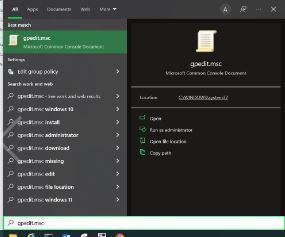
- In partea din stanga jos in start se scrie gpedit.msc
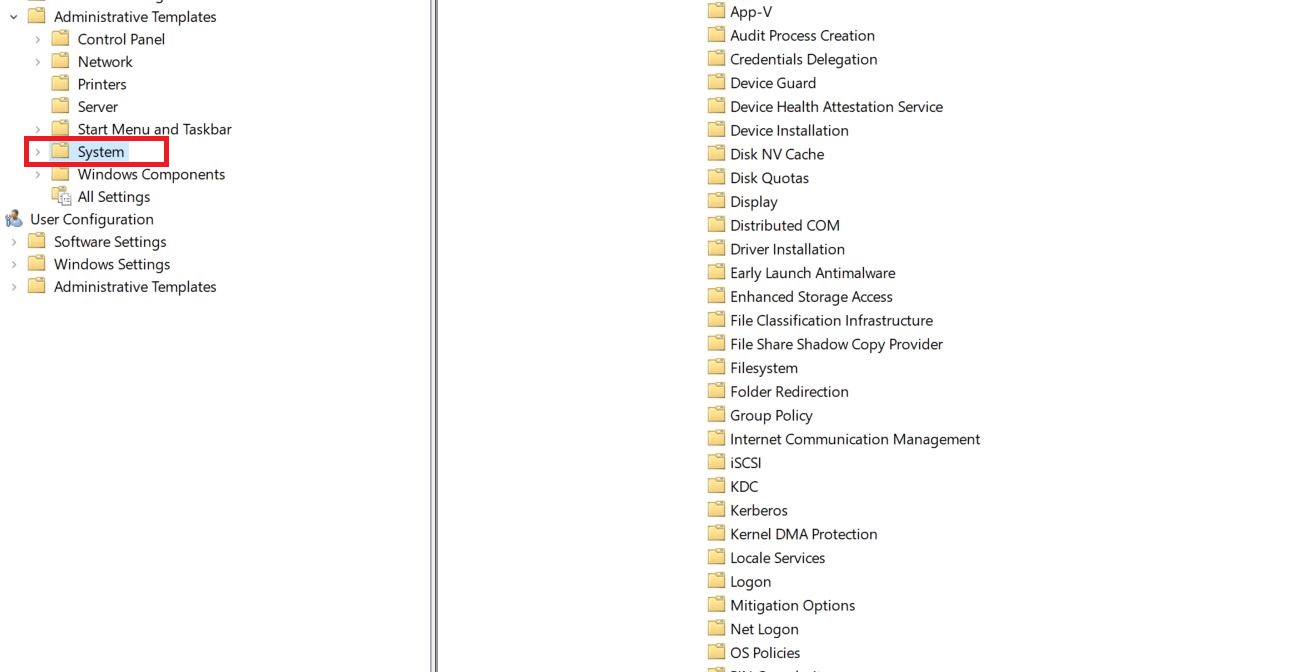
2. Administrative Templates

3. System
4. Removable Storage Access
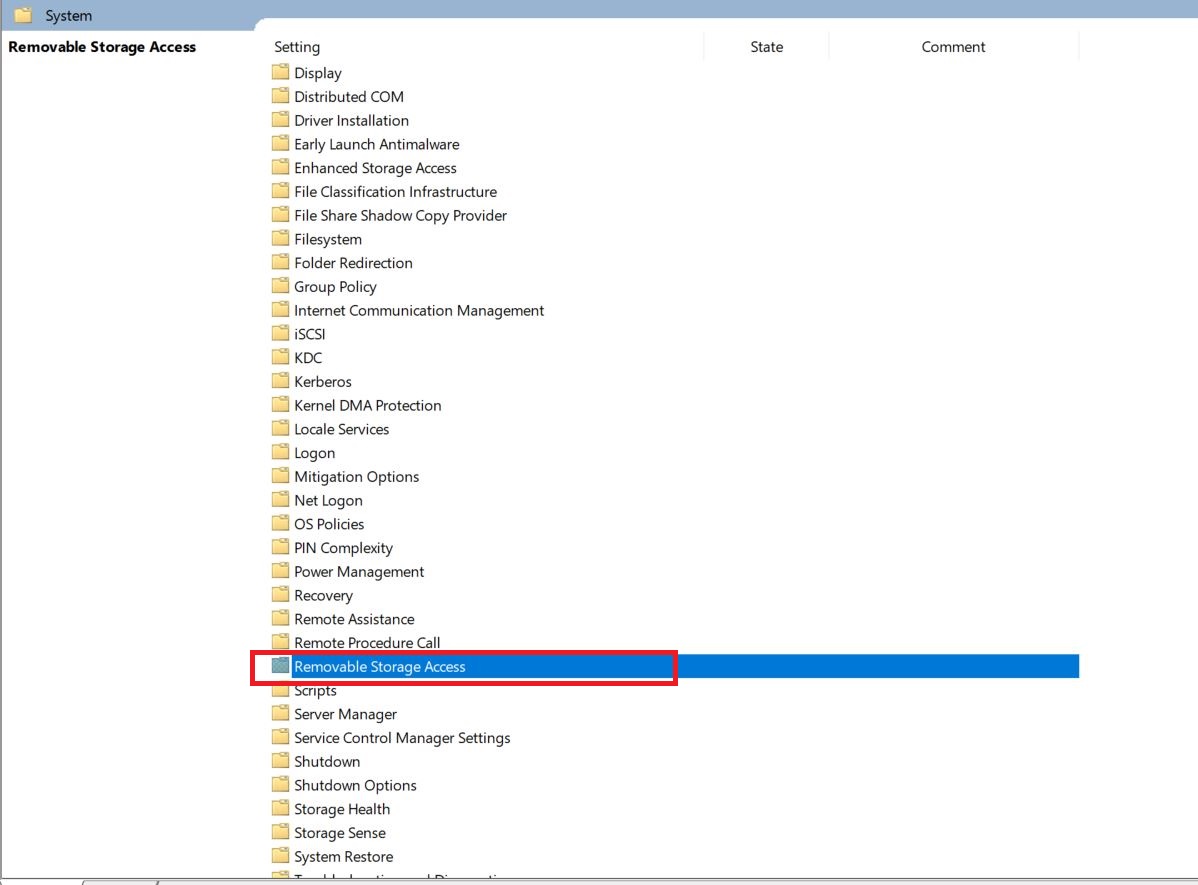
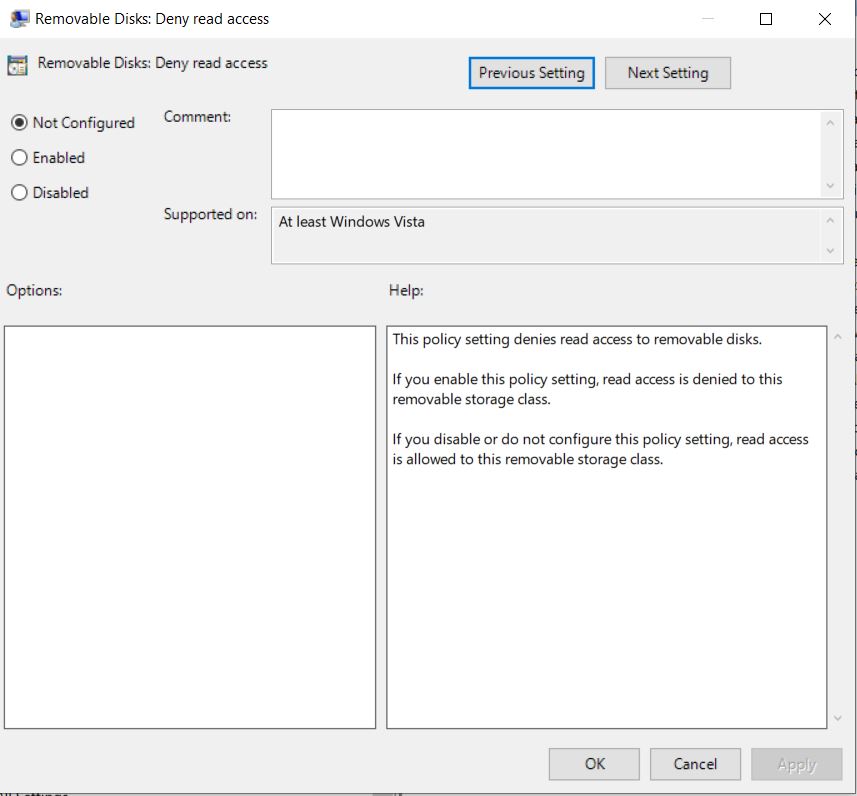
5. Se face dublu-click pe Removable Storage access si se va deschide urmatoarea fereastra unde se vor dezactiva porturile usb sau orice alte porturi disponibile pe statia de lucru.
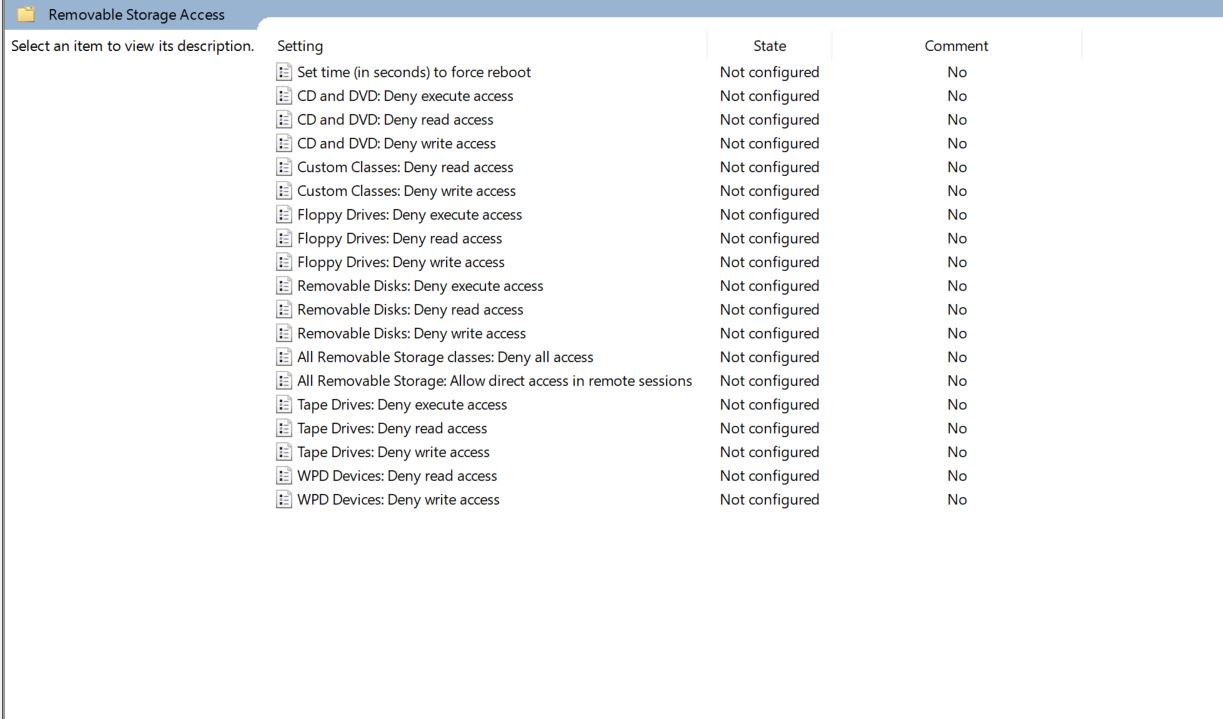
Observatie: Editarea campului dorit se face prin dublu-click si modificarea statusului: Not configured, Enabled, Dissabled.
Instalare antivirius Comodo in Ubunt 18.04
Pasii de instalare a antivirusului Comodo in Ubuntu
[mai mult...]How to Change the Background in Microsoft PowerPoint
In your Microsoft PowerPoint presentations, you can change your slides’ background to a picture, solid color fill, gradient fill, texture fill, and even pattern fill. You can apply a custom background to all or select slides in your presentation.
[mai mult...]How to start Windows 11 in safe mode – The advanced start method
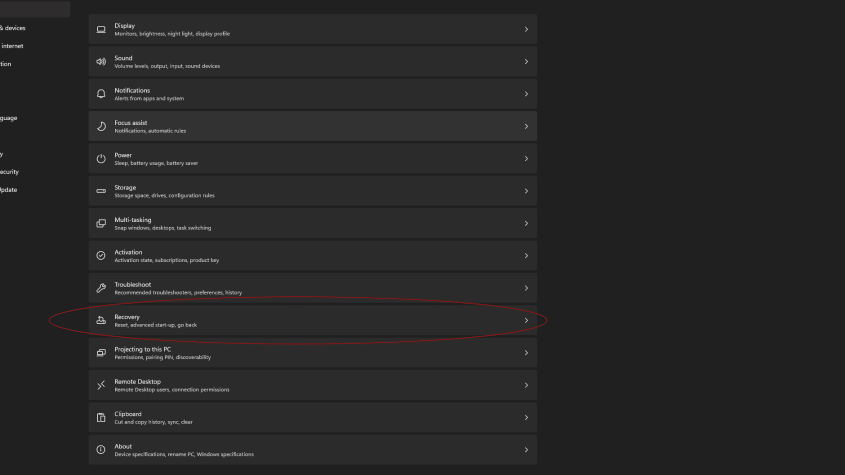
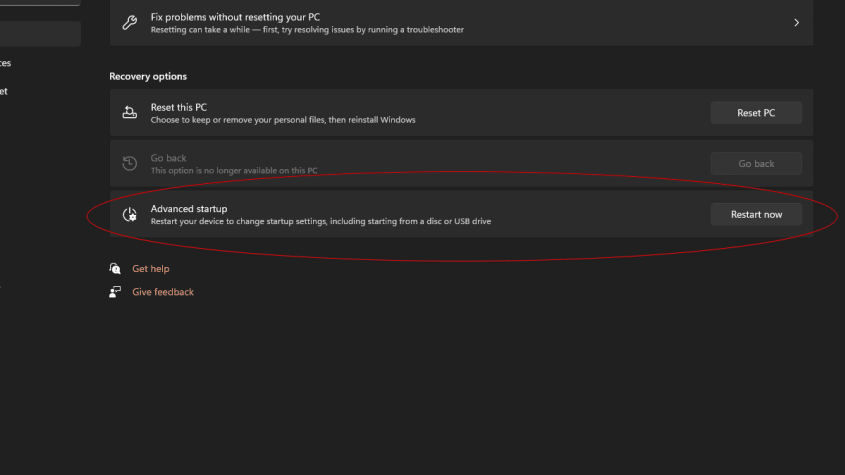
- Click on the Windows key + i (or open Settings from the Start Menu)
- Click on System from the sidebar menu (you should already be in this menu)
- In the main window, look for Recovery and click it
- Click on ‘Advanced Startup’
- A pop up will tell you ‘We will reboot your device, so save your work’
- Click on ‘Restart Now’
- Wait for the reboot.