Cum dezactivam High Contrast in Windows 11 Pro?
Ne aflam in situatia in care dorim sa dezactivam “High Contrast” in Windows 11 PRO, dar nu stim de unde sa facem acest lucru.
[mai mult...]
Soluții pentru problemele tale IT

Ne aflam in situatia in care dorim sa dezactivam “High Contrast” in Windows 11 PRO, dar nu stim de unde sa facem acest lucru.
[mai mult...]Ne aflam in situatia in care dorim sa activam “High Contrast” in Windows 11 PRO, dar nu stim de unde sa facem acest lucru.
[mai mult...]Ne aflam in situatia in care dorim sa stergem o aplicatie din Linux-CentOS si nu stim de unde sa facem acest lucru.
[mai mult...]Couple steps you need to follow:
1.Go to your Start button(bottom left of the screen) and type “sleep”
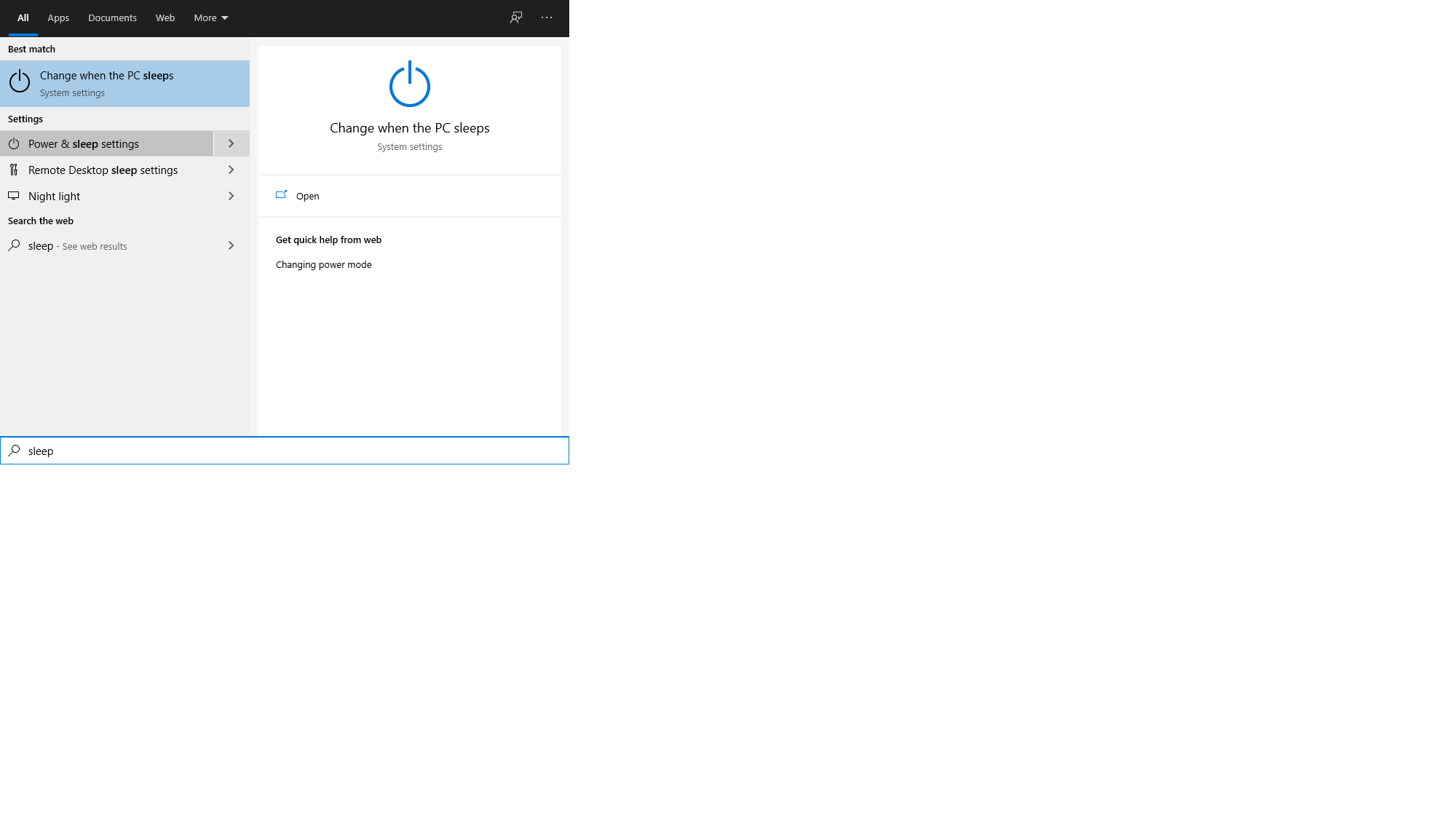
2.Click on Power & Sleep

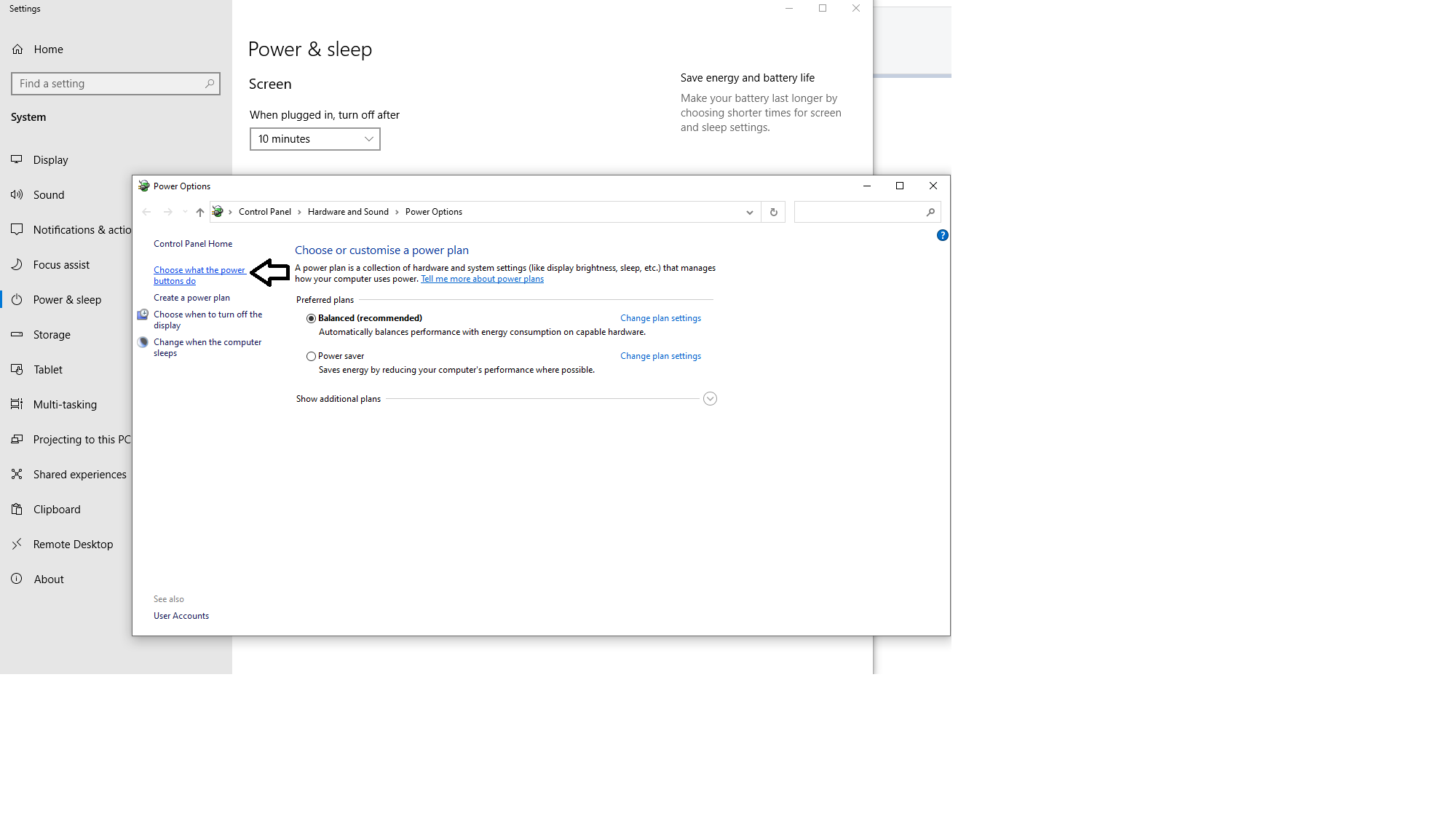
3.Choose what the power buttons do,top left of the options menu that poped up
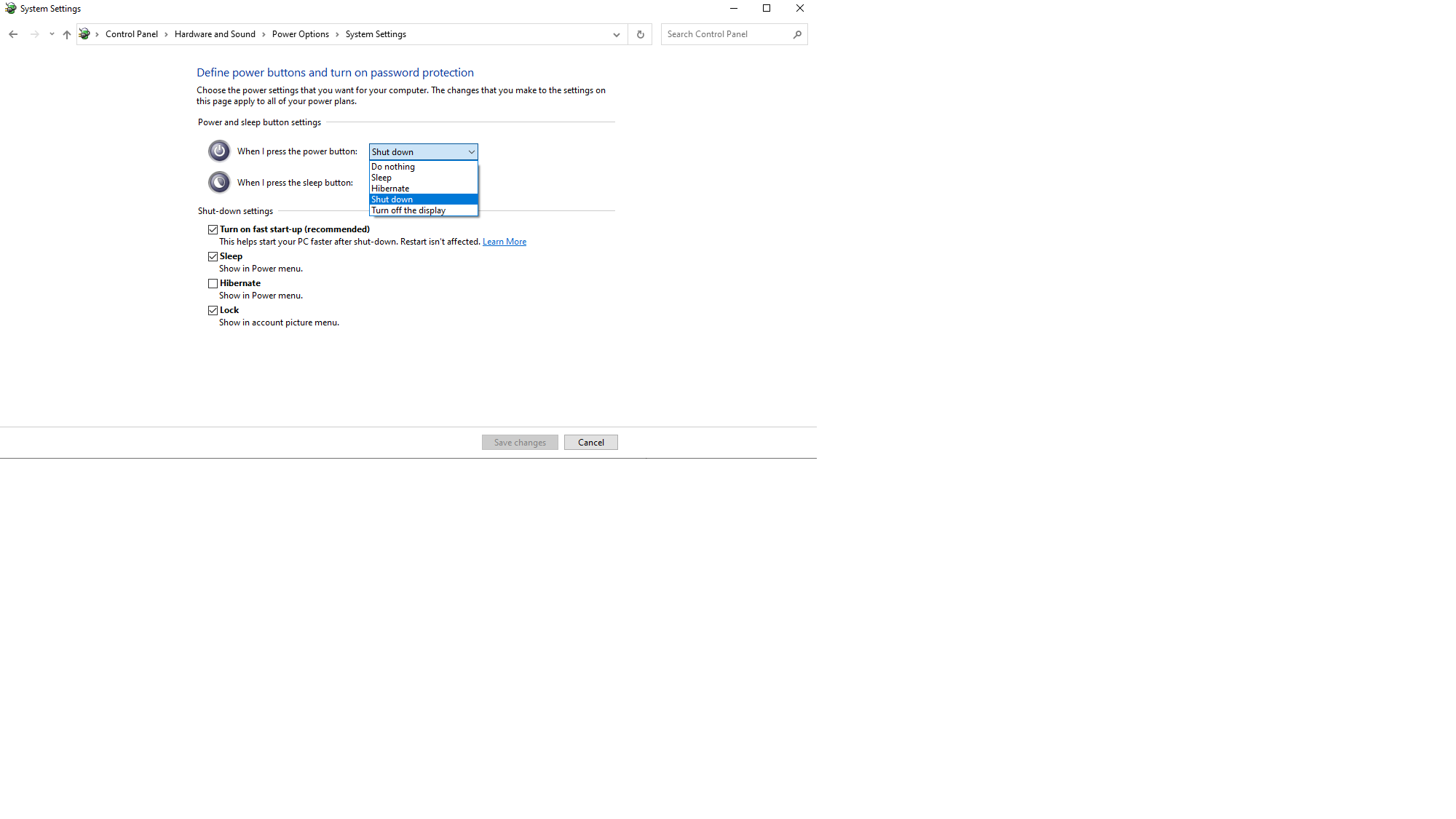
4.Click on the down arrow near the power button,there are a couple of choices for you to pick.
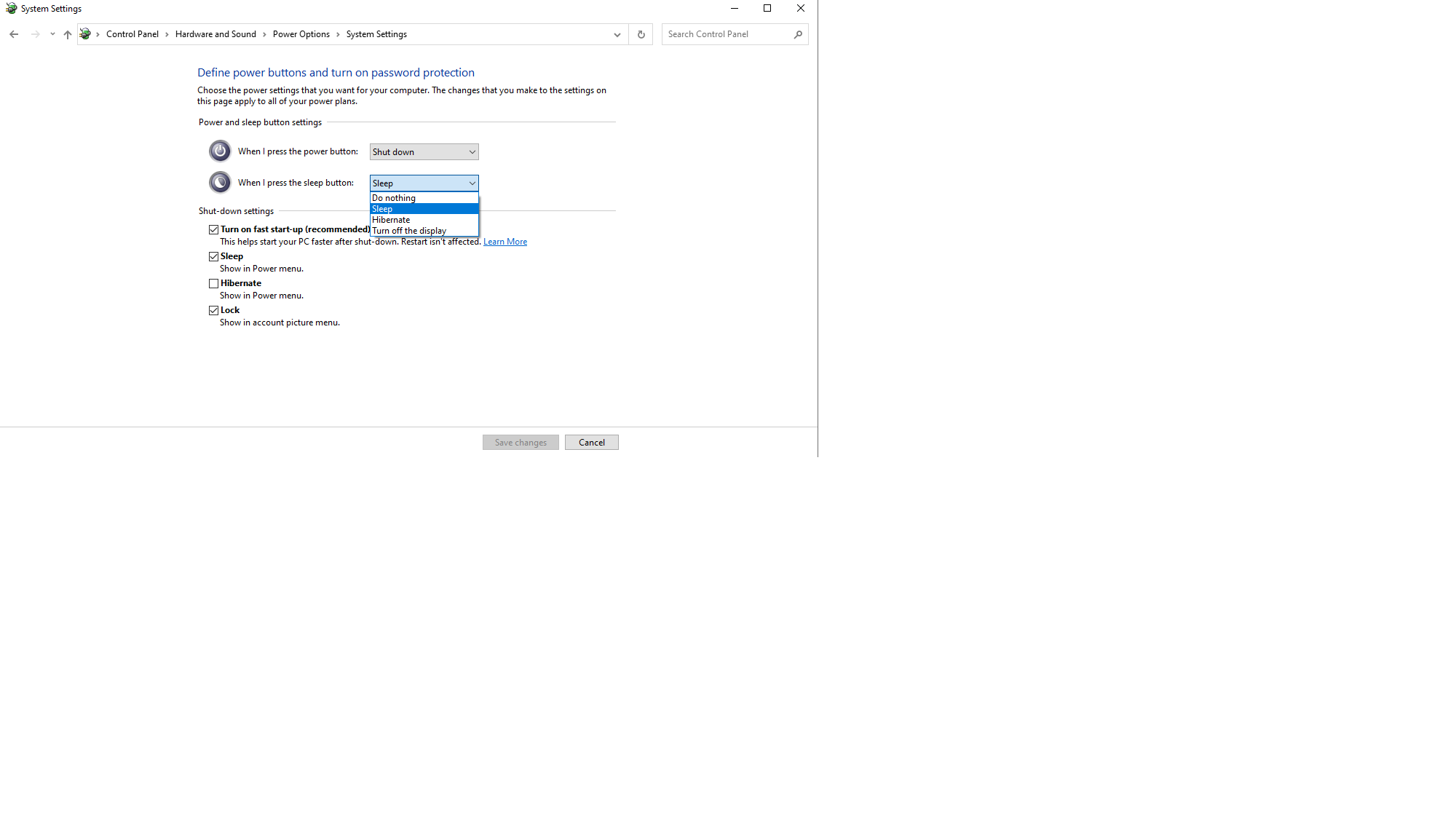
Same for the restart button:
Check the steps below to see how you can create rules to allow or block an IP address via the Windows Defender Firewall.
[mai mult...]