How to Set a Default Zoom Level for All Websites
Safari, the default web browser on Mac, gives you the ability to shrink or enlarge both the content and the text on all websites or just specific ones.
[mai mult...]
Soluții pentru problemele tale IT

Safari, the default web browser on Mac, gives you the ability to shrink or enlarge both the content and the text on all websites or just specific ones.
[mai mult...]In Safari, you may be familiar with increasing or decreasing the font size on a website-to-website basis using the Command+Plus (“+”) and Command+Minus (“-“) keyboard shortcuts. But if you don’t want to fiddle with those settings for every site, Safari allows you to increase the minimum font size and have it apply to all the websites you visit.
[mai mult...]Pleaae follow these steps in order to turn off autocorrect in Google’s Gboard keyboard.
[mai mult...]Please follow the steps in order to disable autocorrect for the default Samsung Keyboard that comes on Galaxy smartphones.
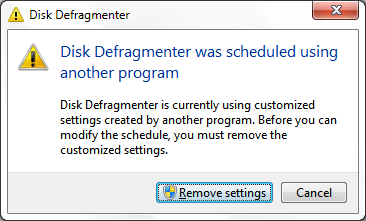
[mai mult...]When you try to defragment the hard drive, you receive the following error, and the Remove Settings button does not work:
When trying to sign in to Teams, you receive this error:
