Cum sa alocam mai multe Core-uri pe un VM facut in HyperV?
Ne aflam in situatia in care avem un VM facut in HyperV, dar am alocat prea putine resurse/core-uri pentru puterea de procesare, si dorim sa mai adaugam.
[mai mult...]
Soluții pentru problemele tale IT

Ne aflam in situatia in care avem un VM facut in HyperV, dar am alocat prea putine resurse/core-uri pentru puterea de procesare, si dorim sa mai adaugam.
[mai mult...]Ne aflam in situatia in care avem un VM facut in HyperV, dar am alocat prea multe resurse, si dorim sa fie folosite doar daca sunt necesare, si nu in mod automat, capacitatea maxima a memoriei RAM alocate.
[mai mult...]La pornirea Windows primim eroarea “There was a problem starting c:\<path>\*Printername*.dll. The specified module could not be found.”
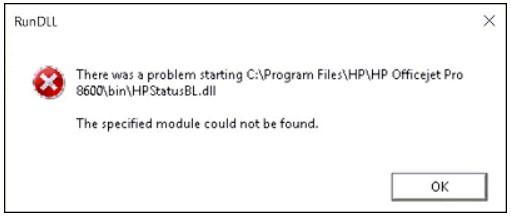
There are a couple simple steps that you have to go through if you want to stop seeing notifications from apps,or that app that bothers you by starting everytime you start your computer.
1.Press your Windows key button on your keyboard/click on the windows icon on your pc,type “Notifications”

2.Click on Notifications and actions settings and scroll down a bit as shown
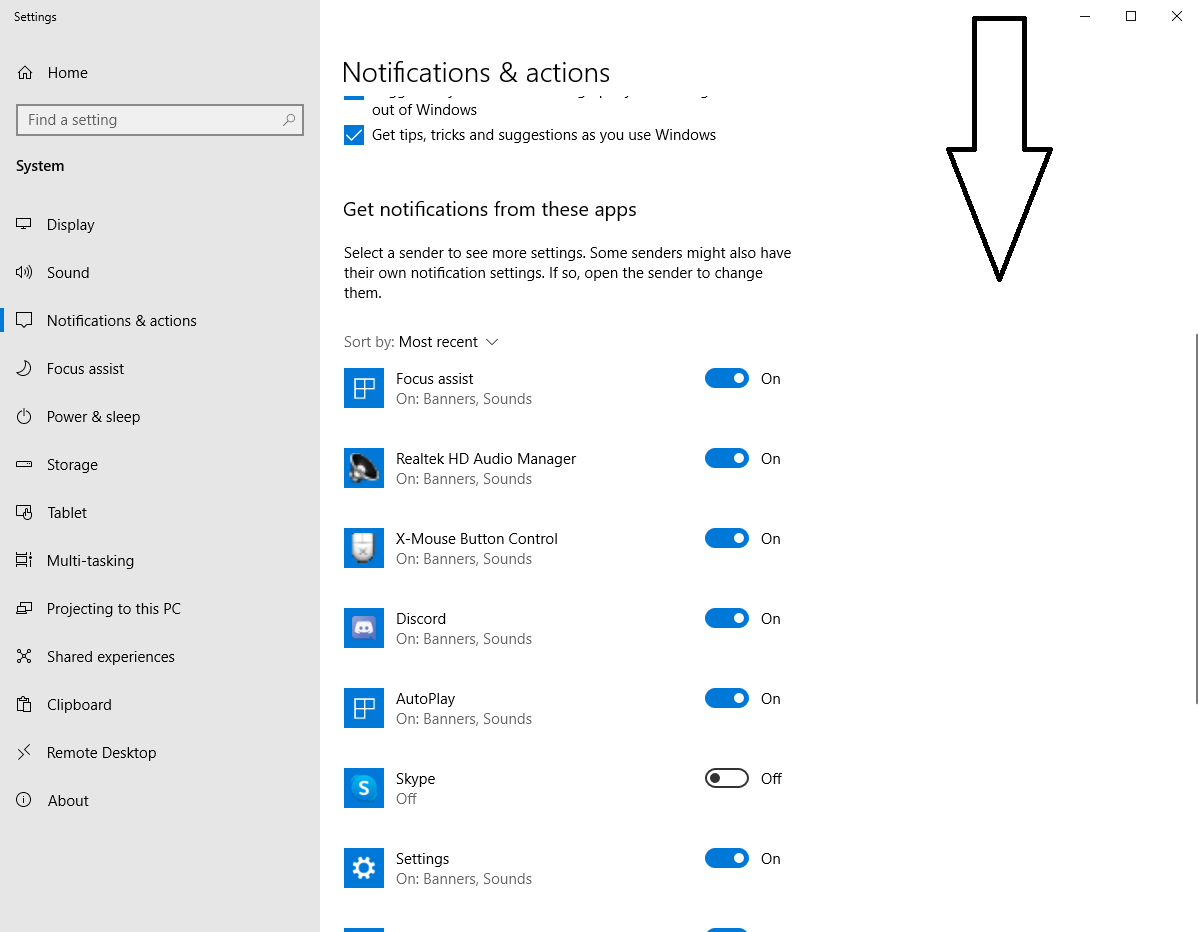
3.Unclick the apps that you don’t want Windows bothering you with their notifications.
4.To stop an app from starting on your computer startup,press your Windows key button on your keyboard/click on the windows icon on your pc,type “Startup”.
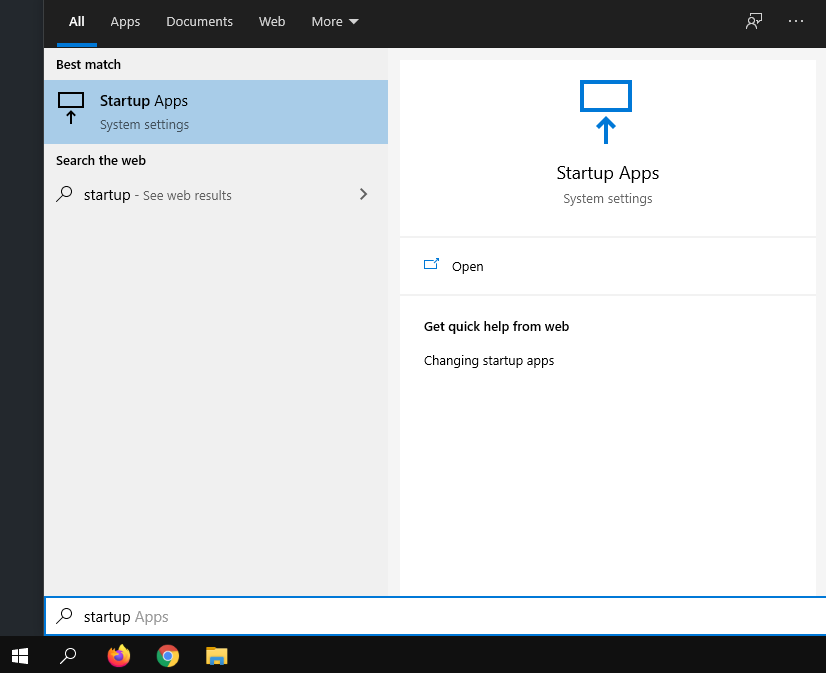
5.Click on Startup Apps

6.Unclick the ones that you don’t want starting up on their own anymore.
[mai mult...]A QR code (abbreviated from Quick Response code) is a type of matrix barcode (or two-dimensional barcode),QR codes often contain data for a locator, identifier, or tracker that points to a website or application. A QR code uses four standardized encoding modes (numeric, alphanumeric, byte/binary, and kanji) to store data efficiently; extensions may also be used.
[mai mult...]