Cum generez și trimit un jurnal de scanare folosind Bitdefender
Modul în care poate puteți genera și trimite un jurnal de scanare cu ajutorul Bitdefender il aflam din informatiile de mai jos.
[mai mult...]
Soluții pentru problemele tale IT

Modul în care poate puteți genera și trimite un jurnal de scanare cu ajutorul Bitdefender il aflam din informatiile de mai jos.
[mai mult...]There are two ways to write in a file:
De obicei, problema cu direcția mouse-ului este vizibilă după finalizarea configurației monitorului secundar. Practic, observați că nu puteți să mutați mouse-ul de la monitorul laptopului la monitorul secundar din direcția stânga la dreapta. Deși acest lucru dă impresia că cursorul este blocat, observați, de asemenea, că mutarea mouse-ului în partea stângă a monitorului laptopului face de fapt să apară în partea dreaptă a monitorului secundar.
Asadar, cum puteți face să lucrați invers, adică monitorul primar – dreapta, iar cel secundar – stânga?
[mai mult...]This error causes the documents to appear in inverted colors, if you are printing a black and white document, then your whites will appear in black and the black text will appear white.
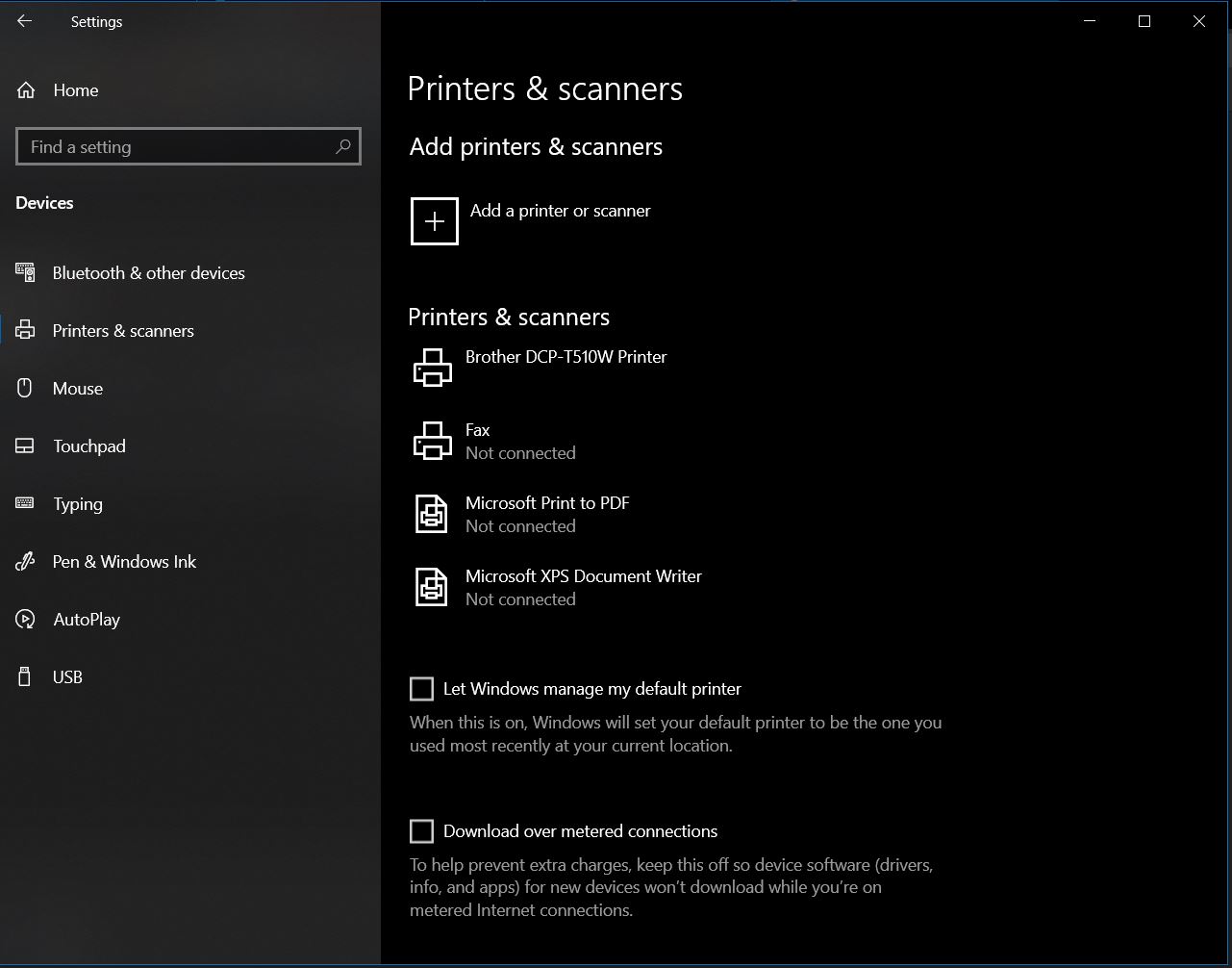
1. Type Printer in the Windows Search bar or open “Settings” then go to “Devices” -> “Printers & Scanners”
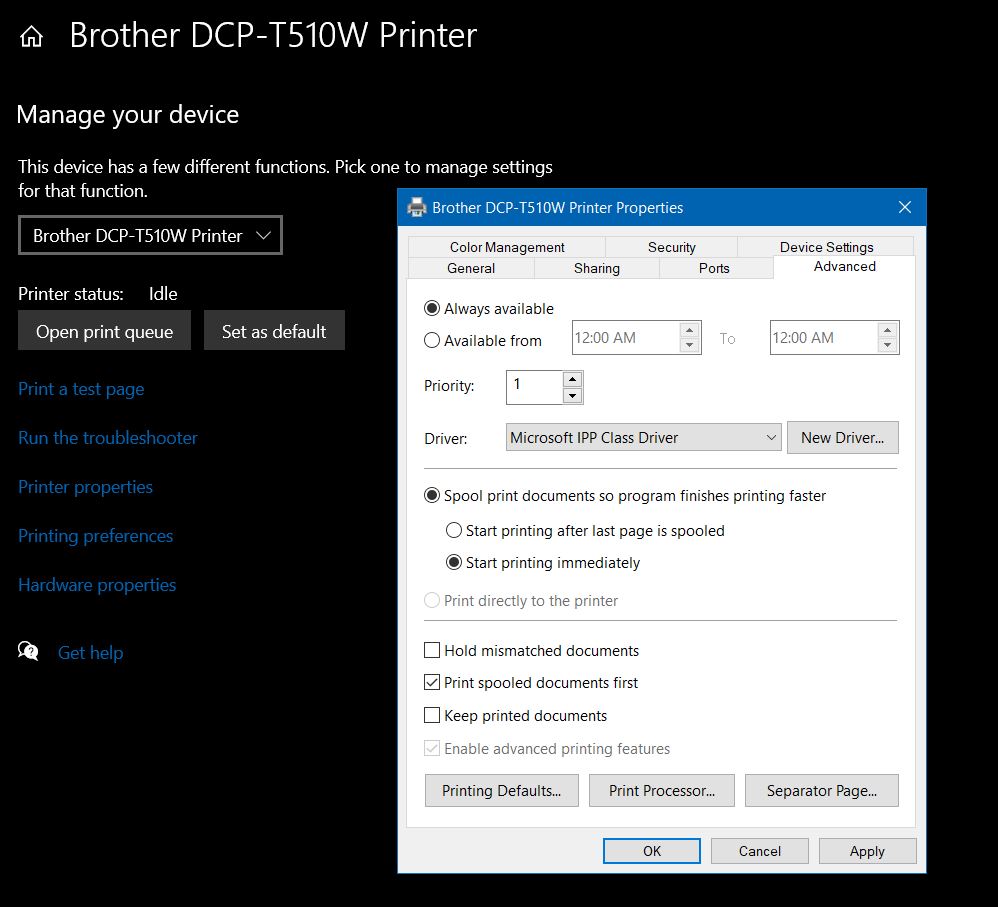
2. Open your Printer properties and go to the Advanced tab. Click on that tab named Printing Defaults.
Why would you do that, you may ask? Well if you are like me, some updates may mess with your pc, in some cases if wont even work after an update. In my case i preffer to delay the updates so it wont mess with my workflow.
Usually, it’s not necessary to disable the Windows Update settings permanently. If you want to skip an update, you can pause updates until the day you want to apply them. Using the Settings app, you can stop system updates for up to 35 days on Windows 10 Pro or Home.
[mai mult...]