Soluții

Kali Linux on Android using Linux Deploy

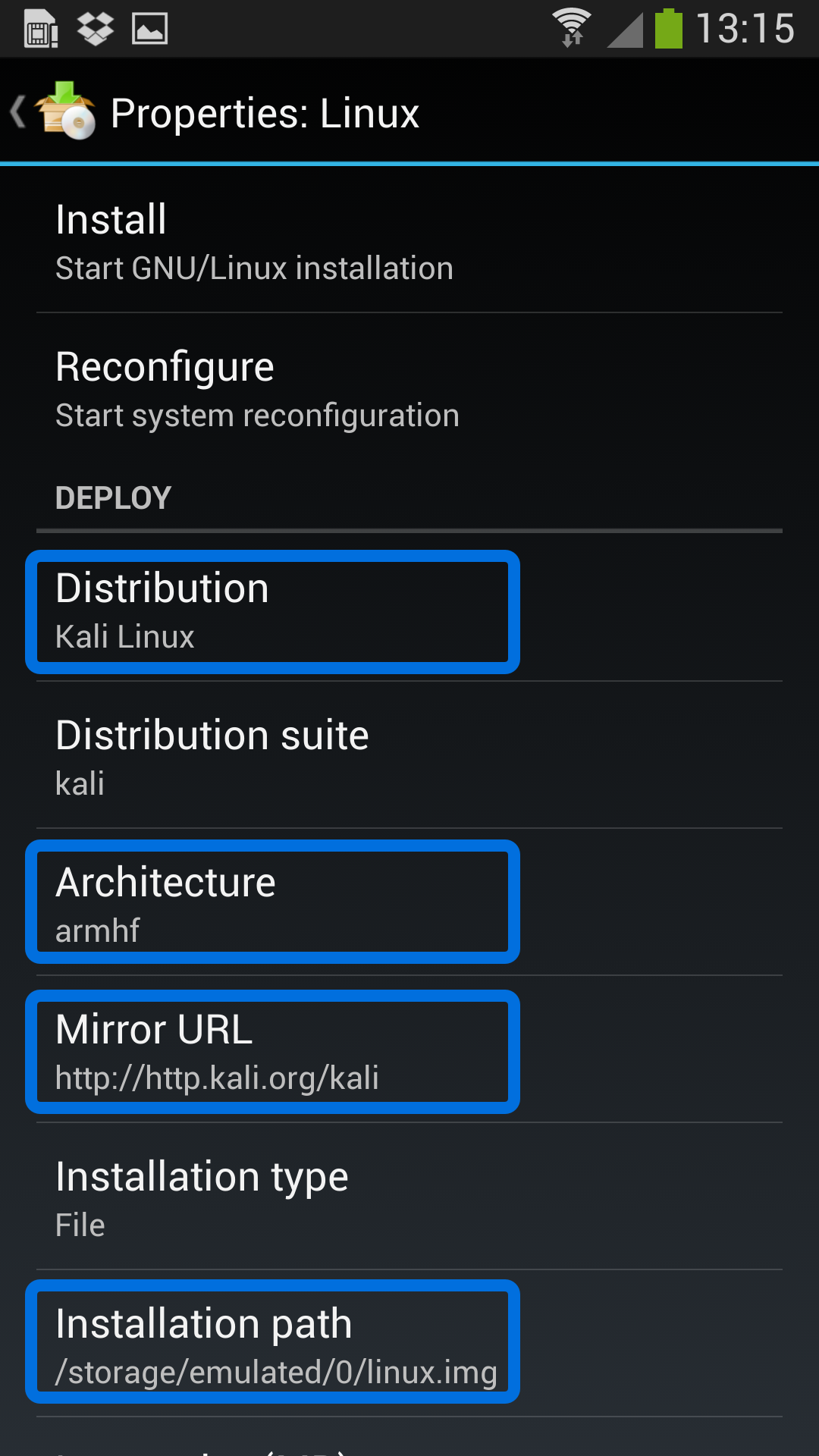
Getting Kali Linux to run on ARM hardware has been a major goal for us since day one. So far, we’ve built native images for the Samsung Chromebook, Odroid U2, Raspberry Pi, RK3306, Galaxy Note 10.1, CuBox, Efika MX, and BeagleBone Black to name a few. This however does not mean you cannot install Kali Linux in a chroot on almost any modern device that runs Android. In fact, the developers of Linux Deploy have made it extremely easy to get any number of Linux distributions installed in a chroot environment using a simple GUI builder.

[mai mult...]

Installing PowerShell on Kali Linux

PowerShell Package Installation in Kali

We begin by installing the necessary dependencies, most of which should already be installed in your Kali installation by default.

apt update && apt -y install curl gnupg apt-transport-https

Next, we need to download and add the public repository GPG key so APT will trust the packages and alert you to any issues with package signatures.

curl https://packages.microsoft.com/keys/microsoft.asc | apt-key add –

With the GPG key added, we proceed to add the Microsoft package repository to its own package list file under /etc/apt/sources.list.d/ and update the list of available packages.

echo “deb [arch=amd64] https://packages.microsoft.com/repos/microsoft-debian-stretch-prod stretch main” > /etc/apt/sources.list.d/powershell.list
apt update

Finally, we proceed to install the powershell package.

apt -y install powershell
[mai mult...]

Wireguard on Kali

With Wireguard added to the repos, installation is nice and easy:

apt install wireguard resolvconf

And we are off. Next comes time for configuration. This is where Wireguard really shone for us, as it took next to nothing to get up and running.

On the server, we have to generate a public/private key pair and set up an initial config file.

wg genkey | tee privatekey | wg pubkey > publickey
umask u=rwx,go= && cat > /etc/wireguard/wg0.conf << EOF
[Interface]
Address = 10.222.222.1/24
SaveConfig = true
ListenPort = 51820
PrivateKey = -SERVER PRIVATE KEY-

[Peer]
PublicKey = -CLIENT PUBLIC KEY-
AllowedIPs = 10.222.222.2/32
EOF

And we do the same process on the client to establish its key pair and config.

wg genkey | tee privatekey | wg pubkey > publickey
umask u=rwx,go= && cat /etc/wireguard/wg0.conf  << EOF
[Interface]
Address = 10.222.222.2/32
PrivateKey = -CLIENT PRIVATE KEY-
DNS = 8.8.8.8

[Peer]
PublicKey = -SERVER PUBLIC KEY-
Endpoint = public.ip.of.server:51820
AllowedIPs = 0.0.0.0/0
PersistentKeepalive = 21
EOF

[mai mult...]