Soluții

Pointerul this din C++

Apelarea unei functii membru pozitioneaza un pointer la obiectul de tipul clasei asociate. In momentul apelului, acest pointer apare ca un argument suplimentar nevizibil. El poate fi referit, totusi, cu ajutorul cuvantului cheie this (aici). Utilizarea de baza a cuvantului cheie this este legata de descrierea functiilor membru care manipuleaza pointeri. Deoarece this este un cuvant cheie in C++, el nu poate fi declarat explicit iar, in orice functie membru nestatica a unei clase, pointerul this este declarat implicit ca nume_clasa *this si initializat sa adreseze spre obiectul pentru care este apelata functia membru. Utilizarea pointerului this poate fi pusa in evidenta in functia care insereaza o componenta intr-o lista dublu inlantuita.

[mai mult...]
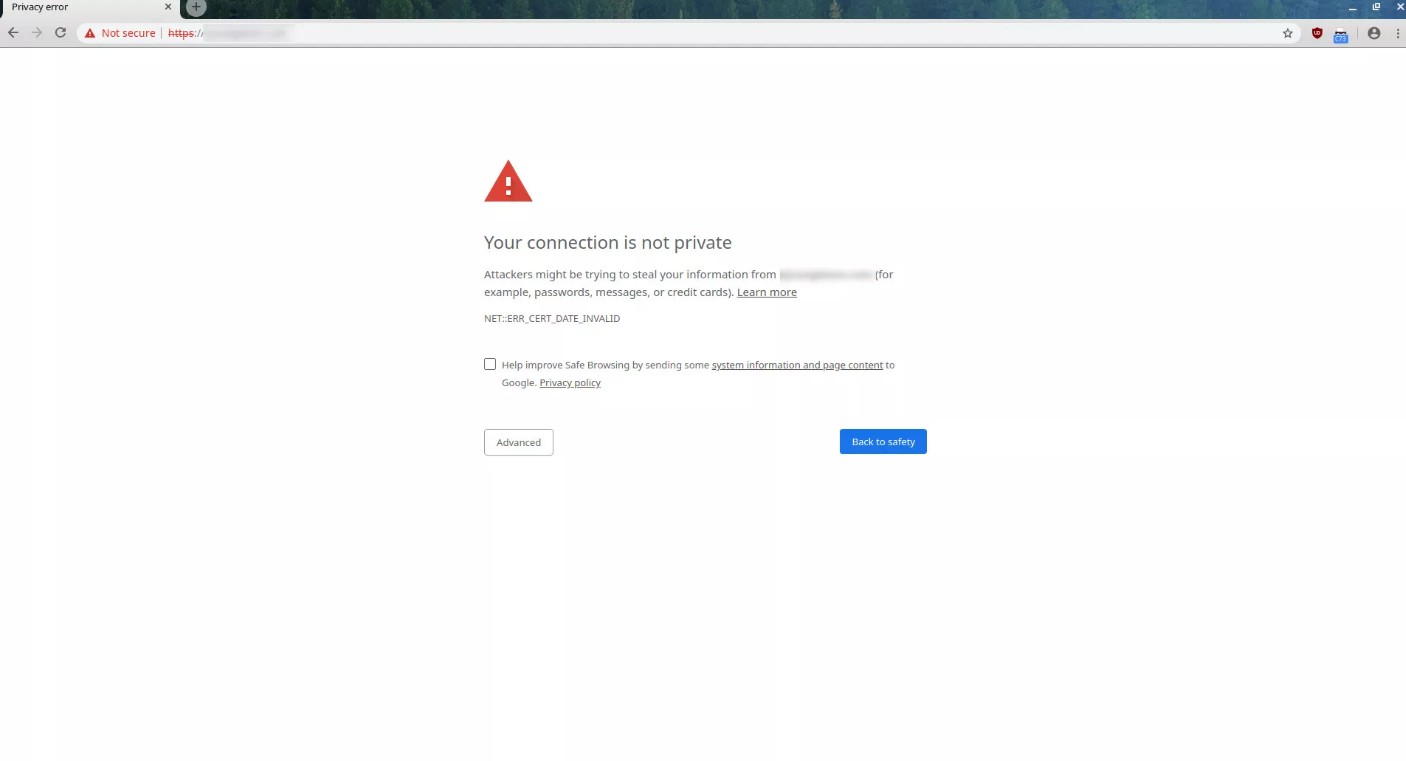
Certificate Error Navigation Blocked: What That Means and How to Fix It

There are plenty of reasons Certificate Error Navigation Blocked comes up. Before you start digging around and trying to fix the problem, you should first consider that there may not actually be a problem. Maybe the site isn’t configured properly, and your browser is doing its job.

There are common causes, though, that you can fix. Many involve something being configured incorrectly on your system, like your clock. Missing updates can also raise the error. Antivirus programs and firewalls are common causes as well.

[mai mult...]

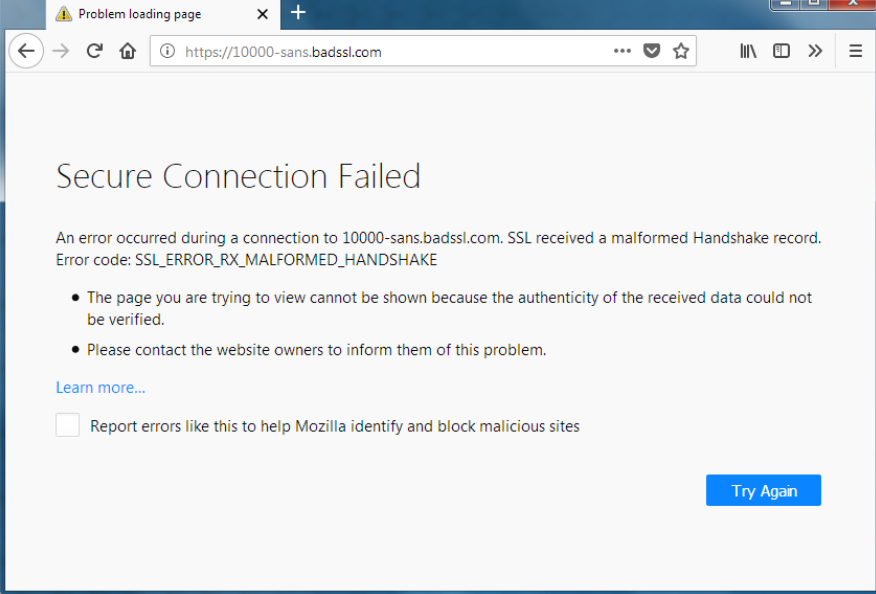
How to Fix SSL_ERROR_NO_CYPHER_OVERLAP

Aside from a website potentially experiencing server-side SSL issues, it’s possible your Firefox settings are causing a miscommunication between the website server and your computer. This is a far likelier case if many different websites are throwing the error code SSL_ERROR_NO_CYPHER_OVERLAP.

You should always keep Firefox up to date anyhow, but an outdated version of Firefox is a potential cause of Firefox error SSL_ERROR_NO_CYPHER_OVERLAP appearing.

If either TLS or SSL3 are disabled or otherwise misconfigured in your Firefox TLS settings, the error code will also commonly spring up. Finally, any website that uses RC4 (Rivest Cipher 4) in its encryption will run into issues with Firefox TLS no matter what. This is because RC4 was prohibited from TLS in 2015.

[mai mult...]

Cum să vezi calea completă a unui folder de rețea mapat

Dacă folosiți foldere de rețea mapate, probabil ca v-ați întâlnit cu situația în care v-a fost trimisă o cale ce conține numele drive-ului mapat, spre exemplu “Z:\Nume Folder”, pe care nu il puteți accesa, primind mesajul că nu găsește calea respectivă.

Pentru a evita aceasta problema, trebuie sa trimiteți calea reală către resursa respectivă, iar pentru a o afla, puteți folosi una dintre metodele enumerate mai jos.

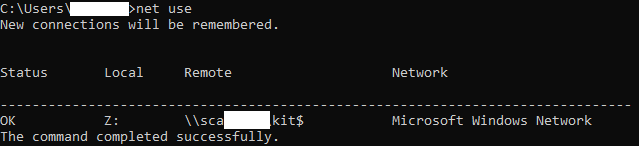
1. Deschideți comand prompt, prin apăsarea combinației de taste Windows key+R, si tastați cmd. Apoi, tastați comanda net use, care vă va afișa calea completă către toate locațiile mapate. Dacă folosiți aceasta metodă, trebuie sa completați  manual calea pentru a ajunge la fișierul/folderul dorit.


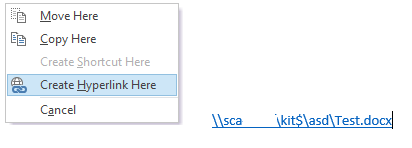
2.Dacă folosiți Microsoft Outlook, deschideți o fereastră pentru crearea unui mail nou, țineți click dreapta apăsat pe share-ul respectiv și trageți către fereastra din Outlook deschisa anterior. Va apărea un meniu, din care selectați opțiunea Create Hyperlink Here. Aceasta metodă vă va afișa cu succes calea completă către fișierul/folderul dorit.


[mai mult...]

Microsoft Excel 2016 crashes after opening certain documents

If you’re working with large excel files, or with ones that use Macros, you might have ran across  this issue, where the program crashes after opening those files.

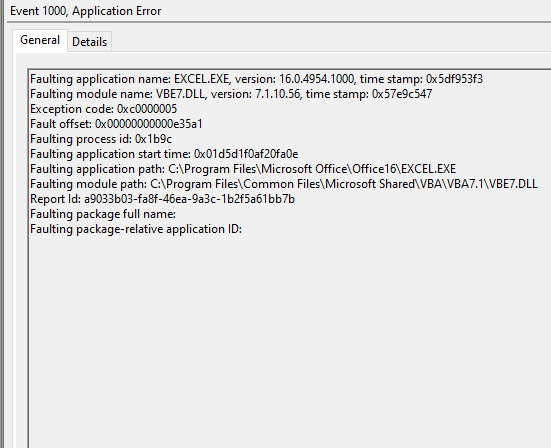
Usually, in order to start troubleshooting these issues,you should check Microsoft Event Viewer for logs reffering to that application.The most common event I’ve run into is Event 1000, reffering to VBE7.dll.


To fix this problem, you must have administrator rights on that device, since you need modify the registry.

First,press Windows Key+R and type regedit in order to open the Registry Editor.

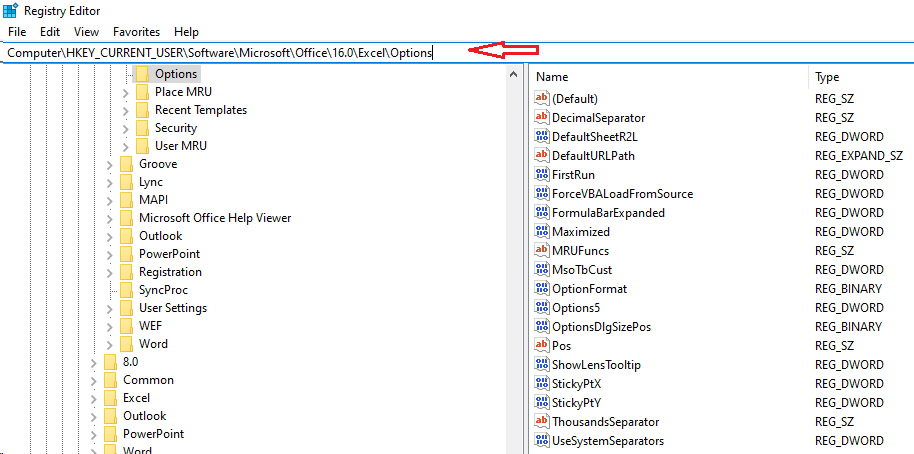
Copy the following path Computer\HKEY_CURRENT_USER\Software\Microsoft\VBA\7.1\Common in the address field at the top of the editor window and create a new DWORD entry(for me it worked with 32 bit entry, while using a 64 bit Office) named CompileOnDemand with the 0 value.Now go to Computer\HKEY_CURRENT_USER\Software\Microsoft\Office\16.0\Excel\Options and add another DWORD entry ForceVBALoadFromSource with the value 1.


[mai mult...]