Soluții

How to view wireless driver details on Win11

To generate a list of the driver information for the wireless adapter on Windows 11, use these steps:
  1. Open Start.
  2. Search for Command Prompt, right-click the top result, and select the Run as administrator option.
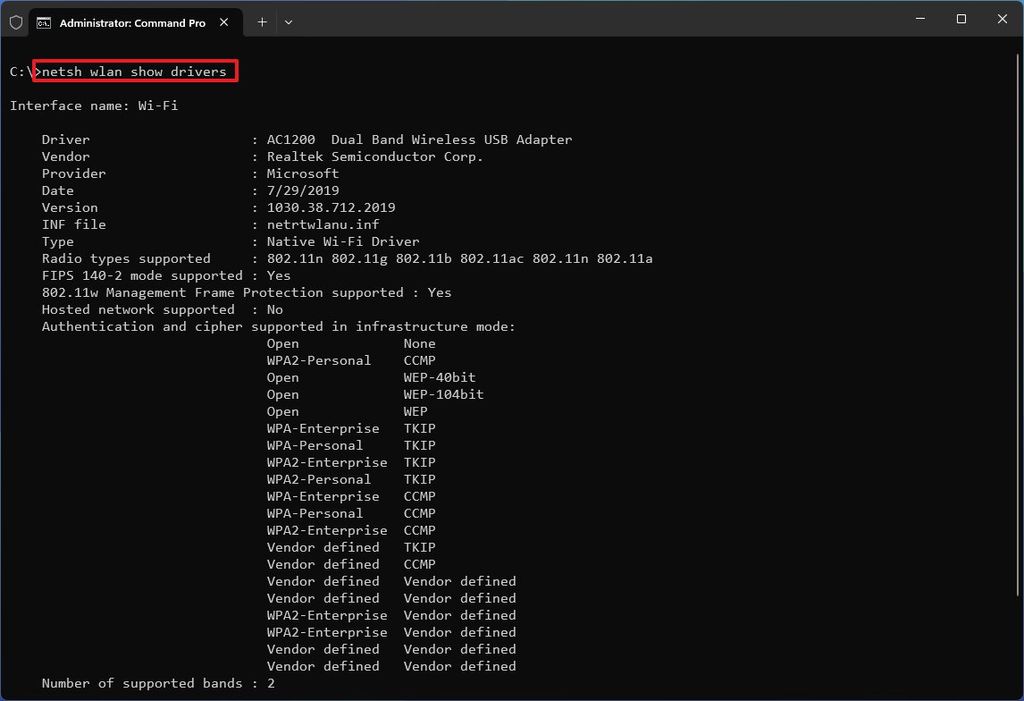
  3. Type the following command to view the wireless profiles stored on the computer and press Enternetsh wlan show drivers

After you complete the steps, the netsh command will print the driver details, including vendor, version, radio type (802.11ax, 802.11a, 802.11n, etc.), wireless authentication support, and other relevant information.

[mai mult...]

How to reset network adapter Win 11

  1. Left-click on the Start button Windows logo to bring up the Start menu and select Settings in the pinned apps.
  2. In the left-hand column, left-click on the Network and internet category.
  3. In the right-hand column, left-click on Advanced network settings.
  4. In the right-hand column, left-click on Network reset.
  5. Left-click on Reset now. You will get a prompt asking you are sure you want to reset your network settings.
  6. Left-click on Yes, and your computer will restart within five (5) minutes.

or

  1. Right-click on the Start button Windows logo to bring up the Power User menu.
  2. Left-click on Settings.
  3. In the left-hand column, left-click on the Network and internet category.
  4. In the right-hand column, left-click on Advanced network settings.
  5. In the right-hand column, left-click on Network reset.
  6. Left-click on Reset now. You will get a prompt asking you are sure you want to reset your network settings.
  7. Left-click on Yes, and your computer will restart within five (5) minutes.

or

  1. Press the Windows logo key Windows logo key + X to bring up the Power User menu.
  2. Press the letter N to select Settings.
  3. In the left-hand column, left-click on the Network and internet category.
  4. In the right-hand column, left-click on Advanced network settings.
  5. In the right-hand column, left-click on Network reset.
  6. Left-click on Reset now. You will get a prompt asking you are sure you want to reset your network settings.
  7. Left-click on Yes, and your computer will restart within five (5) minutes.

or

  1. Press the Windows logo key Windows logo key + I to bring up Settings.
  2. In the left-hand column, left-click on the Network and internet category.
  3. In the right-hand column, left-click on Advanced network settings.
  4. In the right-hand column, left-click on Network reset.
  5. Left-click on Reset now. You will get a prompt asking you are sure you want to reset your network settings.
  6. Left-click on Yes, and your computer will restart within five (5) minutes.
[mai mult...]

How to use layers in Paint in Windows 11

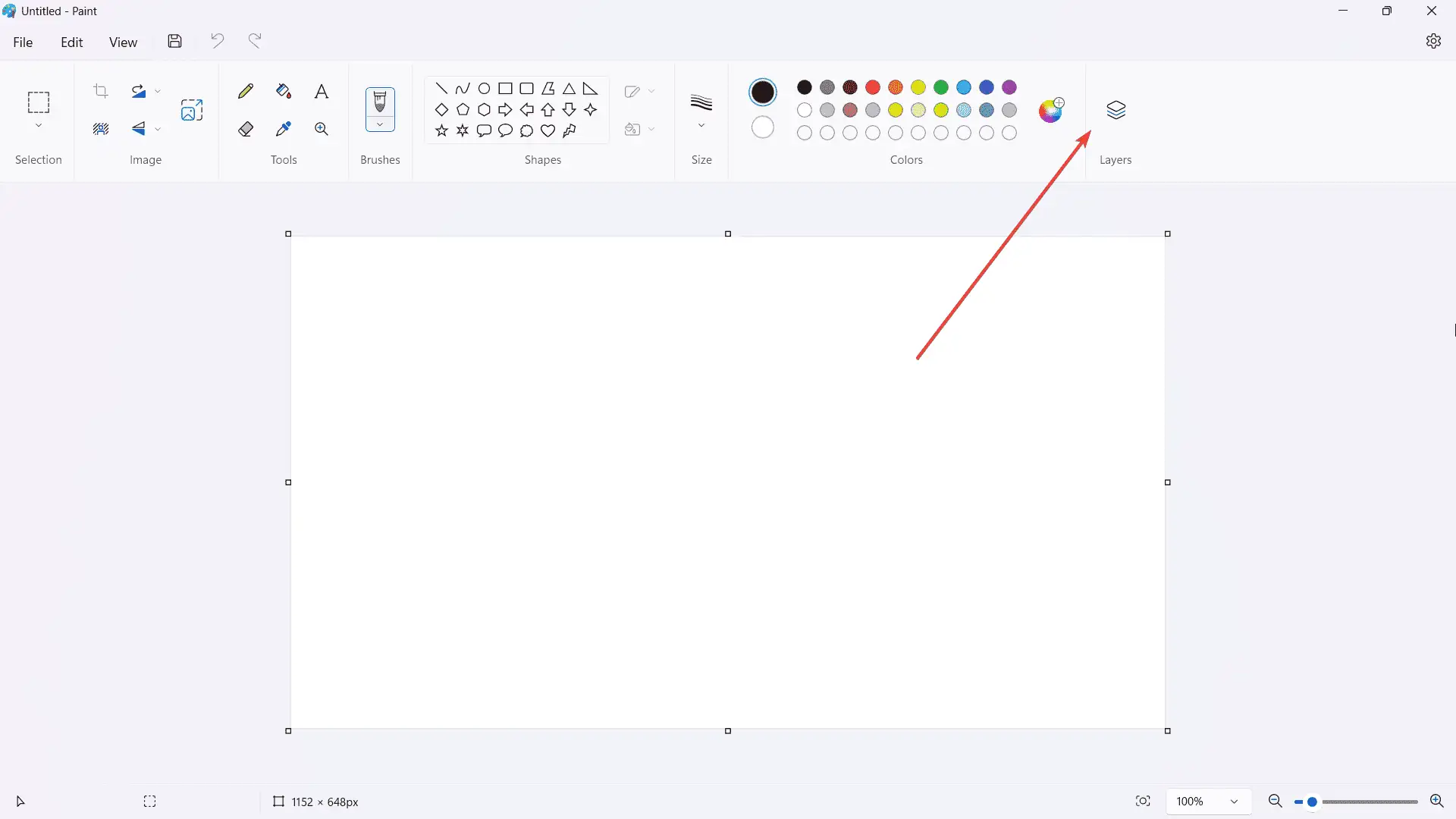
  • Click Layers on the top right of the ribbon. Alternatively, you can also click on it again to completely turn off the layers feature.

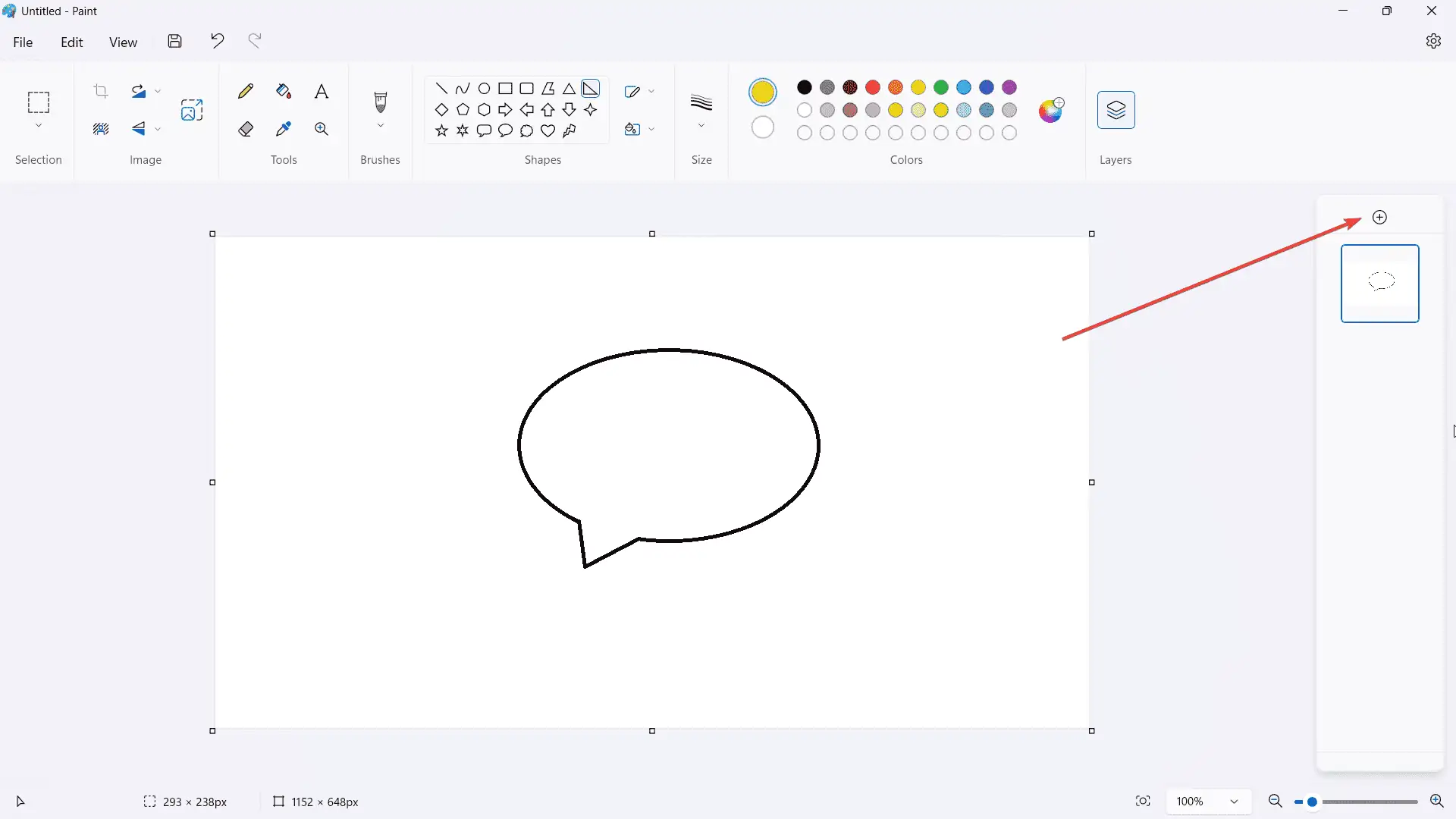
  • Draw any object that you want, then click + to add a new layer

  • If you right-click on the layer, there are options to hideduplicatemerge, or delete — pretty much self-explanatory.

[mai mult...]