Soluții

How to Use Google Fit On Galaxy Watch

The Samsung Galaxy Watch is a Wear OS-powered smartwatch and supports apps from the Google Play Store. It uses Samsung Health by default, but some may prefer Google Fit which is maybe the most popular health and fitness app among fitness enthusiasts.

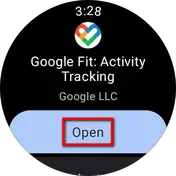
Step 1: Open the Google Play Store on your watch and click on the Search button.

Step 2: Search Google Fit and install the app.

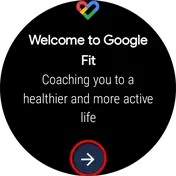
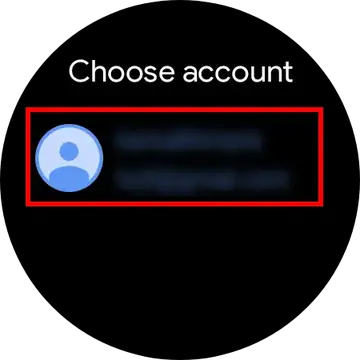
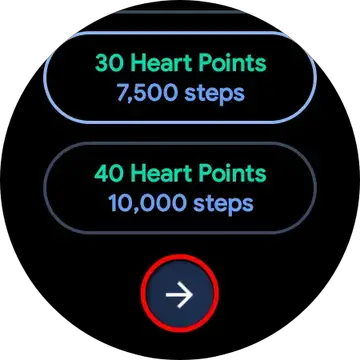
Step 3: Open the app, click on the arrow and select your Google Account to sign in.

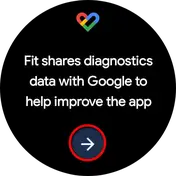
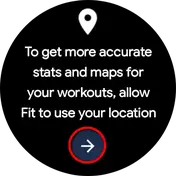
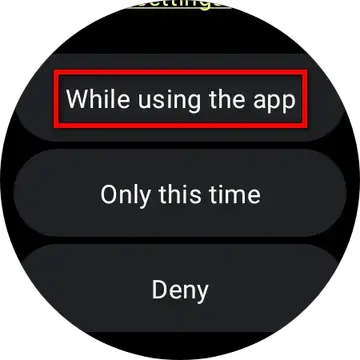
Step 4: Skip the information and allow the location permission.

Step 5: Allow the app to track physical activity and access to use sensor data.

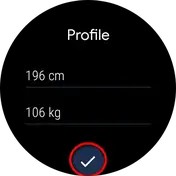
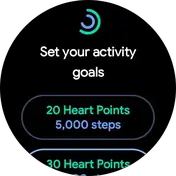
Step 6: Enter your weight and height and set your fitness goals.

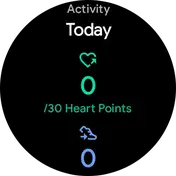
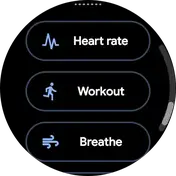
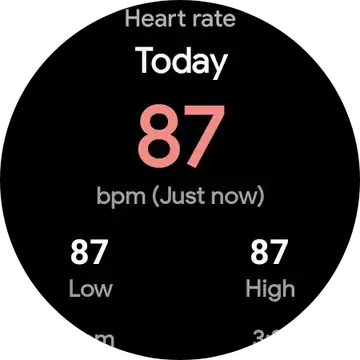
You can check all the activity and health data on the home page. Also, you can scroll down to enable workout modes, check heart rate, and do breathing exercises directly through the Google Fit app.

You can use Google Fit as your default app for tracking health and fitness data recorded from the Galaxy Watch. Although, if you want to use features like ECG and Blood Pressure, you’ll have to use the Samsung Health app.

[mai mult...]

How to use fall detection on your Apple Watch

Apple Watch is known for its health and productivity features. One such important health feature known to save lives across the world is Fall Detection.

Fall Detection in Apple Watch

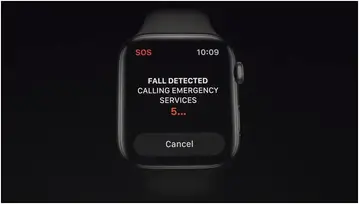
Fall Detection on Apple Watch is designed to detect when you go through a hard fall while the watch is on your wrist. When it detects one, it sounds an alarm, taps you on the wrist, and shows an alert.

How Does Fall Detection Work in Apple Watch

The Fall Detection feature relies on Accelerometer and Gyroscope sensors on the Apple Watch. It uses data from the sensors to analyze the wrist trajectory and impact acceleration paired with a custom algorithm to detect a hard fall.

When you have a hard fall, it automatically enables an emergency alarm and hand vibrations on the watch. After sending the alert, it waits for the wearer to respond- you can choose to call the emergency services or dismiss the alert by tapping Close, the crown, or “I’m OK” on the screen. However, suppose the watch does not get any response within a minute and detects that you’re immobile. In that case, it will make an alert sound that gets louder significantly to capture the attention of the people around for help.

[mai mult...]

Setting Up a Virtual Machine with VirtualBox

VirtualBox is a powerful, open-source virtualization software developed by Oracle. It allows you to run multiple operating systems on a single physical machine simultaneously. Essentially, VirtualBox enables you to create and manage virtual machines (VMs), which are isolated environments that act like standalone computers within your main operating system.

Here’s what VirtualBox allows you to do:

  1. Run Multiple OSes: With VirtualBox, you can run different operating systems (such as Windows, Linux, macOS, etc.) on the same physical machine without the need for separate hardware.
  2. Isolation: Each virtual machine operates independently of the host system and other virtual machines. This isolation prevents conflicts and allows you to test software or configurations safely.
  3. Testing and Development: Virtual machines are widely used for software testing and development. They allow developers to test their applications on different platforms without needing separate physical devices.
  4. Legacy Software: You can run older operating systems or software that might not be compatible with your current hardware.
  5. Education: Virtual machines are valuable for learning about different operating systems, networking, server management, and more.
  6. Snapshot and Rollback: VirtualBox supports snapshots, which allow you to save the current state of a virtual machine. If you make changes that you later want to reverse, you can easily revert to a previous snapshot.
  7. Resource Allocation: You can allocate specific amounts of RAM, CPU cores, and storage to each virtual machine, allowing you to optimize performance according to your needs.
  8. Networking: VirtualBox provides various networking options, including NAT (Network Address Translation), bridged networking, and host-only networking, allowing virtual machines to communicate with each other and the host system.
  9. Portable Environments: Virtual machines can be packaged into files, making them portable. You can transfer and run these files on different physical machines with VirtualBox installed.
  10. Guest Additions: VirtualBox offers “Guest Additions” software that enhances the interaction between the host system and the guest virtual machine. This includes features like better display integration, mouse synchronization, and shared folders.
[mai mult...]