11 moduri de a deschide Notepad în Windows
Deschiderea Notepad-ului pe un computer cu Windows 11 sau Windows 10 este la fel de ușor ca selectarea câtorva opțiuni, rularea unei comenzi sau apăsarea unei comenzi rapide de la tastatură.
[mai mult...]
Soluții pentru problemele tale IT

Deschiderea Notepad-ului pe un computer cu Windows 11 sau Windows 10 este la fel de ușor ca selectarea câtorva opțiuni, rularea unei comenzi sau apăsarea unei comenzi rapide de la tastatură.
[mai mult...]Actualizarea revoluționară a iOS 16 pentru telefoanele Apple: S-a terminat monotonia unei singure imagini de fundal. Acum, prin această metodă, imaginea de fundal se va modifica la fiecare activare a ecranului prin butonul On/Off, atunci când dispozitivul este blocat.

Packer is another pacman and AUR wrapper that eases the complexity of manually compiling and installing packages. Like Yaourt, it allows a user to install, upgrade, search and show information about any package.
First off, install the required dependencies
sudo pacman -S base-devel fakeroot jshon expac git wget
Thereafter, download the PKGBUILD script from AUR using the command below
$ wget https://aur.archlinux.org/cgit/aur.git/plain/PKGBUILD?h=packer
For convenience’s sake, rename the folder
$ mv PKGBUILD\?h\=packer PKGBUILD
To compile the downloaded package and create packer installation file run
$ makepkg
Packer’s installation file comes in the form of a tarball. You can verify its existence using
ls
Finally, to install packer run
$ sudo pacman -U packer-*.pkg.tar.xz
That’s it! Packer is finally installed. You can use packer to install, upgrade and display information about installed packages.
To install packages using Packer run
packer -S packagename
You can update all AUR packages by running,
$ packer -Syu[mai mult...]
Cider is available as a Flatpak in the Flathub repository, and hence can be easily installed on any Linux distribution. Just make sure that you have enabled the Flathub repository on your distribution, and then type the following commands in your Terminal window:
flatpak install flathub sh.cider.Cider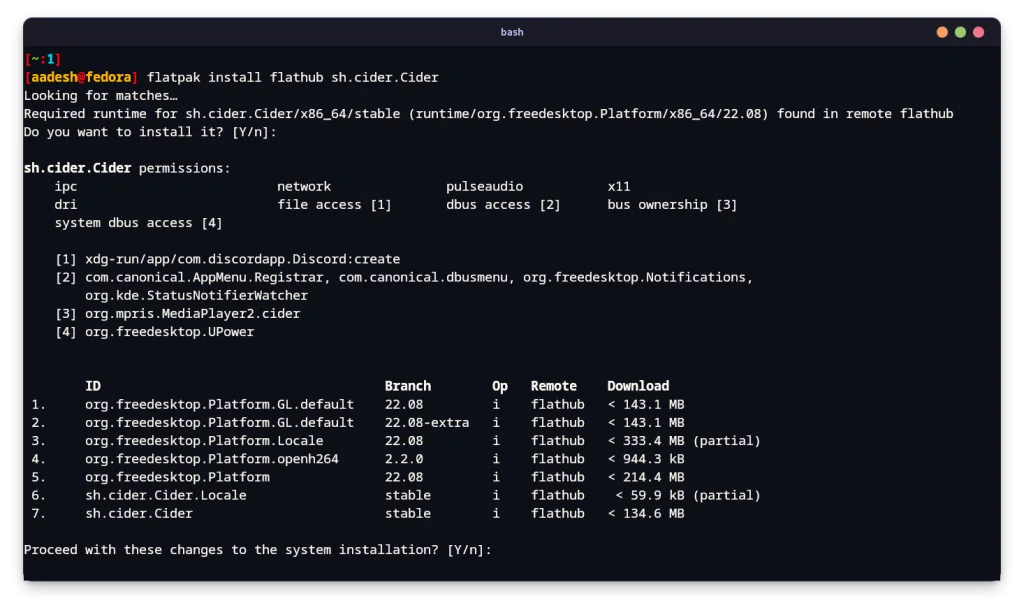
One of the many benefits of using Arch Linux or any of its derivative distribution is the Arch User Repository. If you are using Manjaro or Endeavor OS, then simply type this command in order to install this application from the AUR:
yay -S cider |
Once installed, simply launch this application from your App Grid/Menu, and then you will see the following interface:

Select your preferred language from here and then click on the ‘Next’ button. In the next menu, you will be asked to choose the layout of the Cider application, choose Mojave for a macOS type look or you can select Maverick, which is the independently developed interface by the developer.
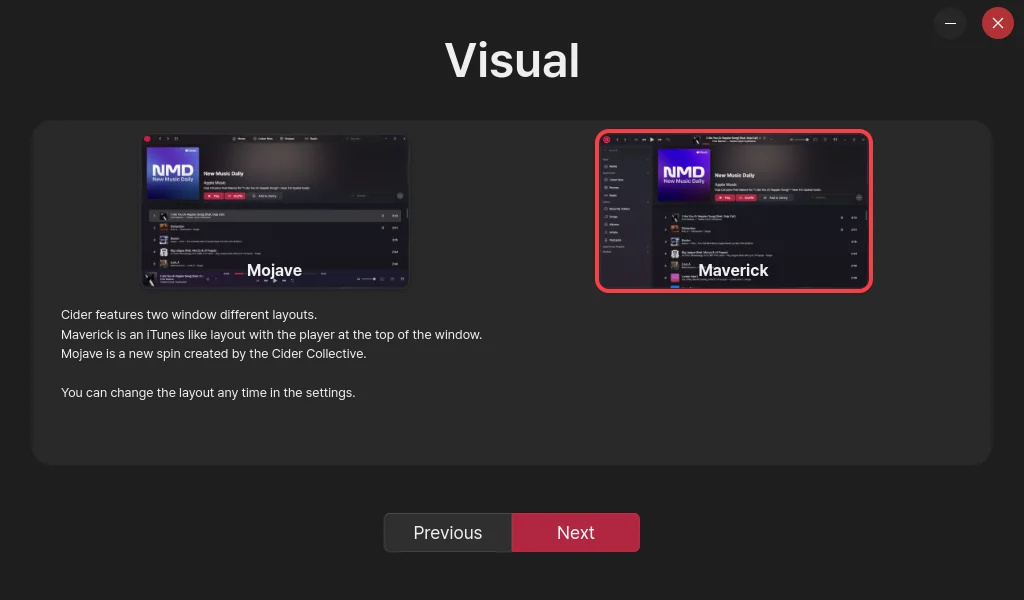
Once opted for the preferred layout, click on the next button again. In the next menu, you can enable or disable the custom Audio Enhancements which are provided to you by the Cider team. If you prefer to listen to the original audio quality without any program meddling, then just keep it disabled.
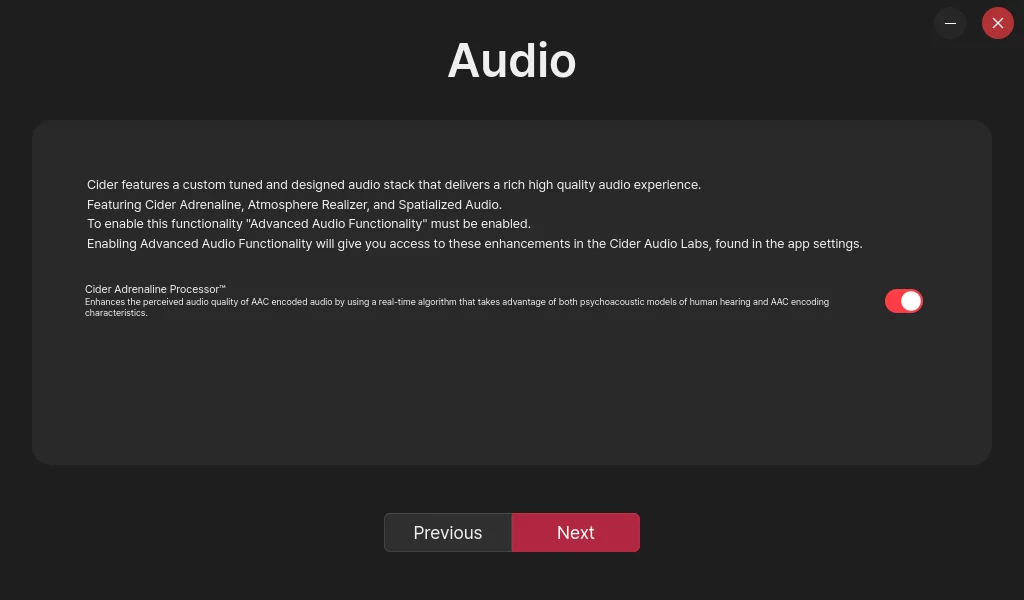
Now, a browser window will appear, and you will be asked to log into your account with your Apple ID. Simply log in, and you will be done setting up the application.
[mai mult...]