Soluții

How to Use GRUB Rescue to Fix Linux

If your GRUB shells shows a “grub>” prompt, you can use the lssetlinux, and initrd commands to fix your Linux system. If instead you see a “grub rescue>” prompt, use setinsmodlinux, and initrd commands to boot your PC.

If your Linux computer can’t boot into its operating system, you’re likely to find yourself staring at a prompt in the GRUB shell. Follow these steps to repair your broken boot processes.

[mai mult...]
How to Show the Ribbon in Microsoft Excel, Word, and Outlook

Microsoft Excel App

To bring your Office ribbon back, either double-click a ribbon tab or right-click a ribbon tab and disable “Collapse the Ribbon.” If you don’t see any ribbon tabs, in your screen’s top-right corner, click the up-arrow icon and choose “Show Tabs and Commands,” and then click “Auto-Hide Ribbon.”

Has your Excel, Word, or Outlook app’s ribbon suddenly disappeared? It’s easy to hide it accidentally, and sometimes the tabs disappear too. In either case, you can bring it back in your Office app on your Windows or Mac machine in a few clicks.

Note: The following guide uses Excel for demonstration. You’ll use the same steps in both Word and Outlook.

[mai mult...]

Prevent Power Management From Turning Off Your Network Adapter

Windows 11’s power management settings can turn off your various devices, including your network adapter, to save energy. You should disable this option for your network adapter when you’re facing connectivity issues.

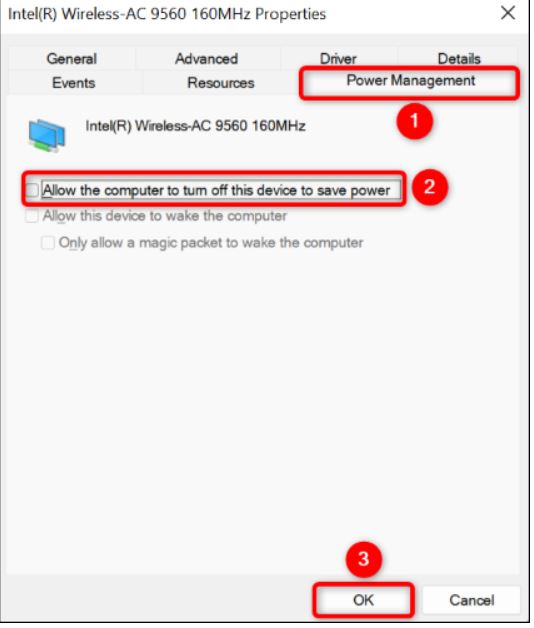
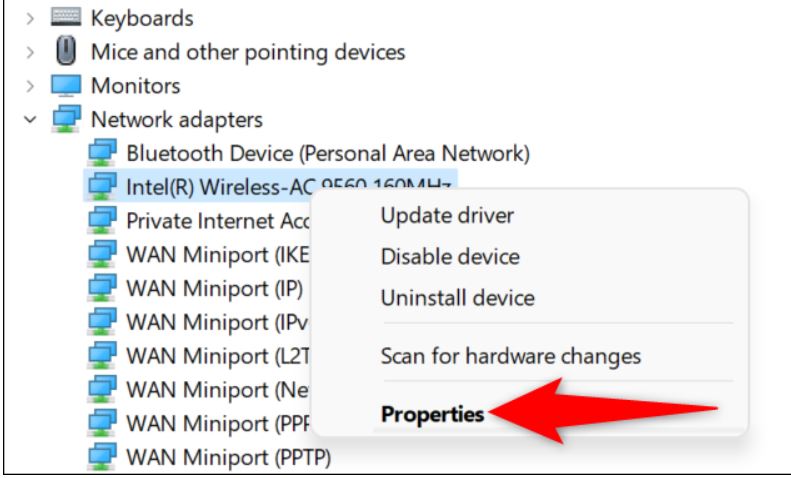
To do that, right-click the “Start” menu icon and choose “Device Manager.” In the open window, expand “Network Adapters,” right-click your adapter, and choose “Properties.”

In “Properties,” open the “Power Management” tab. Then, untick the “Allow the Computer to Turn Off This Device to Save Power” option. Save your changes by clicking “OK.”

[mai mult...]

Razer BlackShark V2 Pro (2023) Review

The 2023 update to the Razer BlackShark Pro more than doubles the battery life.

Pros
+Great microphone
+Very comfortable
+70 hour battery life
+Competitive esports EQ profiles
Cons
-No simultaneous audio from Bluetooth/2.4GHz wireless
-Yokes seem flimsy despite being reinforced
-No analog connection

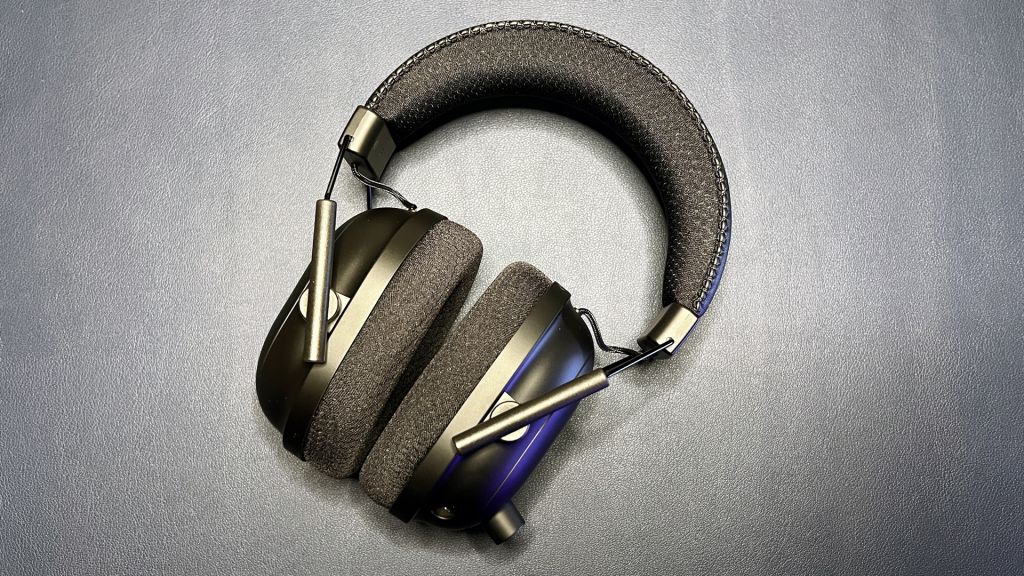
The new BlackShark V2 Pro is a wireless over-ear (circumaural) headset with a detachable boom microphone. Its design is largely the same as that of the original BlackShark V2 Pro. It features a padded, leatherette-covered headband with Razer’s logo debossed across the top, stainless steel sliders, plastic earcups, and fabric-covered memory foam earpads. It comes in both black and white colorways. Tthe black version is entirely black, while the white version has some black elements (black padding on the headband/earpads, black earcups sliders, and a black microphone arm).

The BlackShark V2 Pro is fairly lightweight — the new version weighs the same as its predecessor: 11.29 ounces (320g). This is around the same weight as the wireless SteelSeries Arctis Nova 7 (11.46oz / 325g), though it’s not as light as the wired SteelSeries Arctis Nova 1 (8.3oz / 235g). It’s also lighter than the Razer Barracuda Pro (12oz / 340g), though not by much.

The BlackShark V2 Pro’s black plastic earcups are attached to the headband via stainless steel sliders — thin, exposed spokes that definitely look a little flimsy. The earcups slide up and down these spokes for height adjustment. It’s a smooth, easy adjustment. The earcups don’t stay in place when you take the headset off, but it’s so easy to slide them into position when you put the headset back on that this didn’t bother me too much. One of the improvements Razer’s made to the new headset is reinforcing these sliders. And while the headset feels sturdy enough overall, I’d still be wary of tossing this in a bag without a rigid protective case. The earcups tilt but do not swivel (though there’s moderate flexibility for side-to-side movement), so this headset does not fold flat.

The BlackShark V2 Pro’s headband and earpads are padded with soft memory foam covered in Razer’s mesh FlowKnit fabric, which is designed to reduce sweat and help you stay cool. It’s a mesh athletic-wear-looking weave, so this claim seems pretty reasonable.

Most of the BlackShark V2 Pro’s controls and ports are on its left earcup, including a prominent volume knob, a 3.5mm boom microphone jack, a USB-C charging port, a power button, and a microphone mute switch. This is one area in which the new headset is pretty different from the original BlackShark V2 Pro. The original headset had an additional 3.5mm jack for plugging in an AUX cable, but Razer’s done away with wired connections on this new iteration.

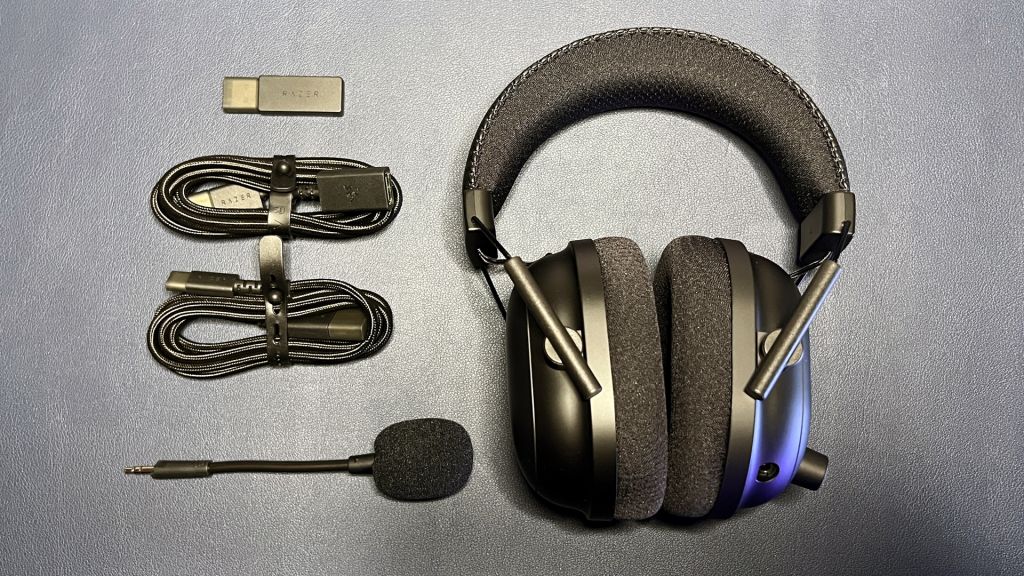
The headset comes with a 2.4GHz wireless dongle, a 5-foot (1.5m) USB-C to USB-A cable, a 5-foot (1.5m) USB extender, and a detachable boom microphone with removable pop filter.

[mai mult...]

Gigabyte Aorus 10000 SSD Review

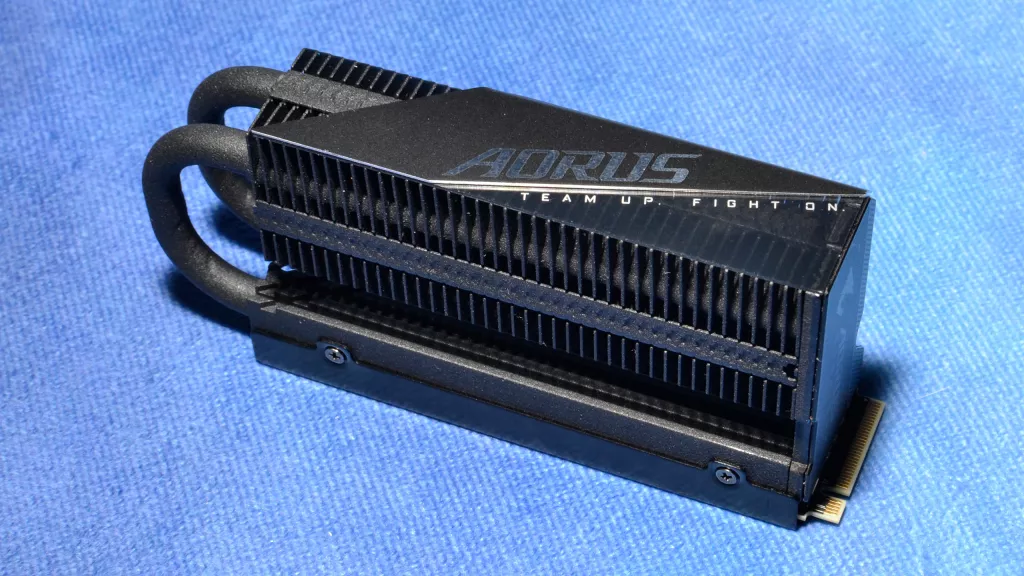
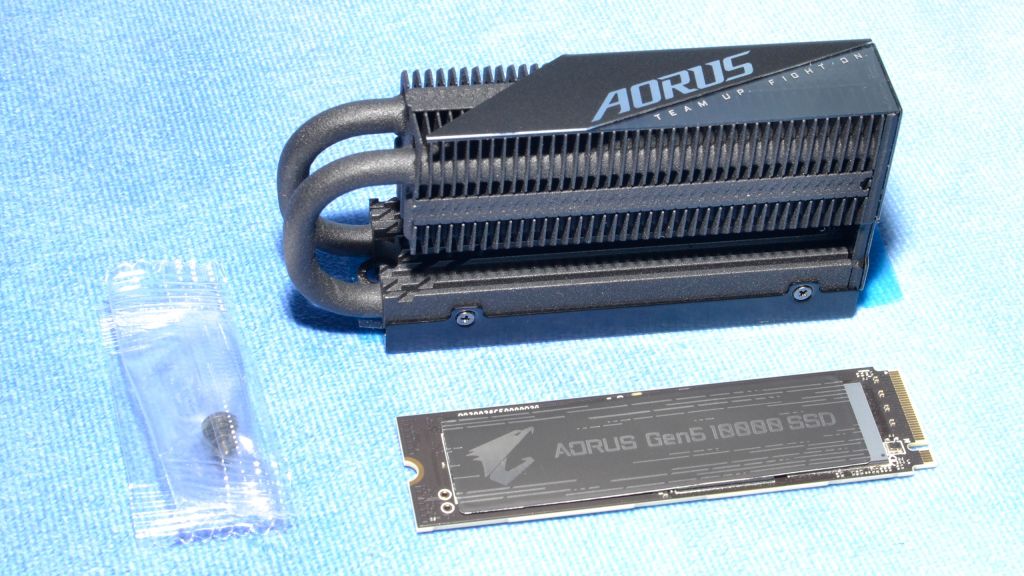
The Gigabyte Aorus 10000 is a good alternative for an early adopter PCIe 5.0 NVMe SSD. It arrives with an optional, robust heatsink and is otherwise a solid entry. Performance is higher than the previous-generation 4.0 drives, but there’s more of this high speed on the way.

Pros
+Fast sequential performance
+Solid all-around performance
+Nice included heatsink
+DirectStorage optimization

Cons
-Pricing remains uncertain
-Performance leap over 4.0 is generally underwhelming
-Poor power efficiency
-Faster drives on the way

The Gigabyte Aorus 10000 was one of the first PCie 5.0 NVMe SSDs to be announced. It stands apart with an included optional heatsink, which has aesthetic appeal. With performance that peaks at 10 GB/s of sequential throughput, this drive has plenty of horsepower for demanding workloads.

Gigabyte traditionally markets its SSDs to OEMs, and the Aorus 10000 is difficult to find at the time of review. Since the drive comes bare with the optional heatsink included, this could be a good choice if you want to use your own cooling solution or run multiple drives. However, it is not recommended to operate the drive bare, so laptops are generally out of the target applications. Gigabyte also offers additional software support for this drive which helps gives it a leg up over products like the Inland TD510.

[mai mult...]