

Soluții
PowerShell: Get, Modify, Create, and Remove Registry Keys or Parameters
The registry editor (regedit.exe) and the reg.exe command-line utility aren’t the only tools to access and manage the registry in Windows. PowerShell provides a large number of tools for the administrator to interact with the registry. Using PowerShell, you can create, modify, or delete a registry key/parameters, search for the value, and connect to the registry on a remote computer.
[mai mult...]Outlook: Your Server Does Not Support the Connection Encryption Type
In legacy Windows versions (Windows 7/XP or Windows Server 2008R2/2003) with Outlook 2010/2013/2016/2019, you may see the following error when trying to connect to a mail server:
0x800CCC1A – Your server does not support the connection encryption type you have specified. Try changing encryption method. Contact your mail server administrator or Internet service provider (ISP).
[mai mult...]How to Disable TLS 1.0 and TLS 1.1 in Windows Using GPO?
Transport Layer Security (TLS) 1.0 and 1.1 are security protocols for establishing encryption channels over computer networks. Microsoft has supported these protocols since Windows XP/Server 2003. However, due to evolving regulatory requirements as well as new security vulnerabilities in TLS 1.0, Microsoft recommends that customers remove TLS 1.0/1.1 dependencies in their environments and disable TLS 1.0 and 1.1 at the operating system level where possible.
[mai mult...]How to use voice typing on Samsung Galaxy Watch 4 or 5
The Samsung Galaxy Watch 4 and Watch 5 are Wear OS-powered smartwatches that support the Google ecosystem. They are running on OneUI Watch and have the Samsung keyboard by default. And thankfully, both watches have voice typing to type comfortably on the small screen.
There are two ways that you can use voice typing on the Galaxy Watch 4 and Watch 5. You can either use the built-in voice typing option or rely on Gboard.
[mai mult...]How to use your Smartwatch as a torch in the dark
A smartwatch is a very useful gadget not only for advanced features like Bluetooth calling but also for emergency uses. One of the most helpful features of a smartwatch is a torch or flashlight. Most smartwatches come with a torch feature that you can use in emergency situations like low light or dark areas. Different types of smartwatches have different ways and controls to use the same. In this article, we will share how to use your smartwatch as a torch in low-light or dark areas.
Use Smartwatch as a Torch Light in the Dark
A torch is a must-have gadget if you are going on a trip, mountaineering, or any kind of travel. It also can be used in various emergency situations like light cut-offs, dark areas, etc. Thankfully, smartwatches have a built-in torch feature that can help you in these situations as a mini torch.
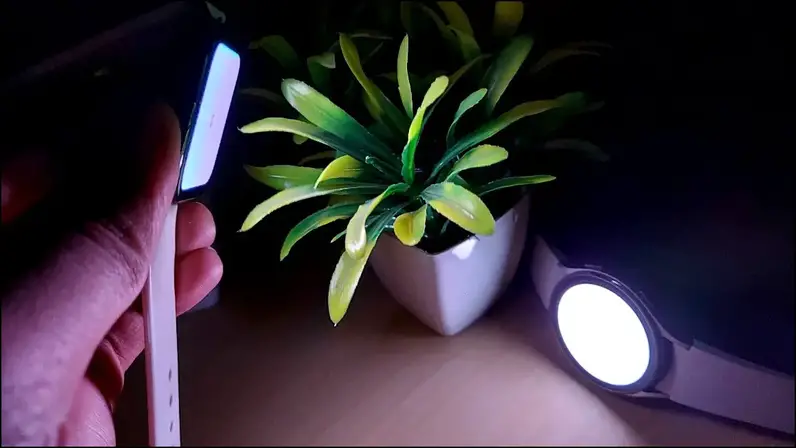
You can use the torch/flashlight feature in most smartwatches from budget to expensive. We will share the steps to use the torch on your smartwatch for different operating systems including WatchOS, Wear OS, and RTOS
[mai mult...]