Soluții

Cum să inversați culorile într-un fișier PDF în Adobe Acrobat Reader pentru o citire mai ușoară pe timp de noapte


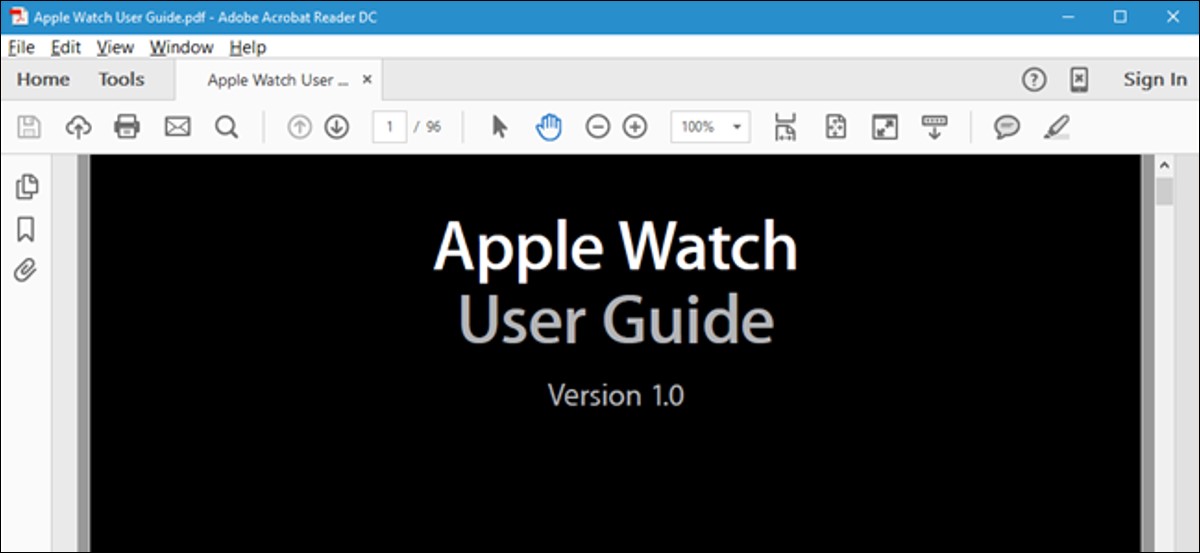
Formatul PDF este menit să asigure că formatarea unui document este păstrată atunci când este vizualizat pe diferite sisteme de operare și dispozitive. Dacă vizualizați un document pe un computer într-o cameră întunecată, este posibil să doriți să schimbați schema de culori, astfel încât ecranul să nu fie atât de luminos.
[mai mult...]

How to recover deleted files in Linux using TestDisk

Have you ever gotten that horrible feeling? The one you get when you realize that you accidentally deleted files and it’s not even in the trash? Often it is immediately preceded by denial: I know I have another copy of it somewhere.

You need to install the TestDisk tool first. Most Linux distributions already have this tool in their official repository. In Ubuntu and other Ubuntu-based Linux distributions such as Linux Mint, elementary OS etc, you can use the command below to install TestDisk:

sudo apt install testdisk

Arch Linux users can install it from AUR. You can download it for other Linux distributions from the link below:

https://www.cgsecurity.org/wiki/TestDisk_Download

Run TestDisk in the terminal using the command below:

testdisk

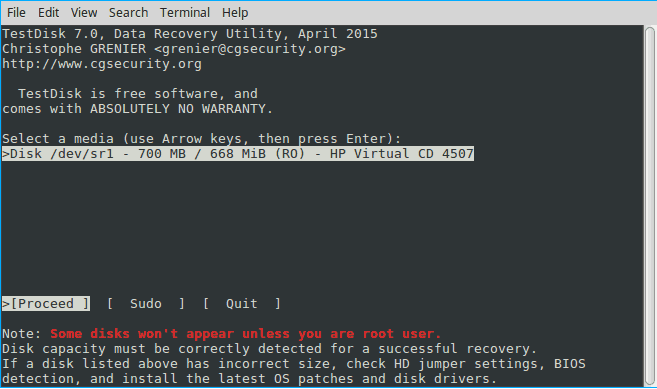
When you open it, you’ll see something that looks like this. Be patient! The interface is actually straightforward but you do have to carefully read the text. Use the arrow keys to navigate and “enter” to select.

Now, at this point, if you’re lucky, you should see your drive. And you can proceed to the last steps. But let’s assume you’re not, that you have, say, a multi-boot machine. In this case, ownerships can get blurry, and Testdisk needs your permission to open them.

  • Select “sudo” and enter your password. Hit “enter” and “enter” again on the next screen to create another log file.
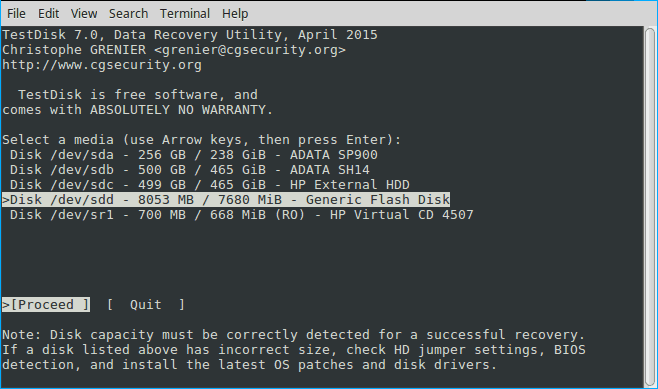
  • This time Testdisk displays all your drives. Arrow key to the drive in question and hit enter.

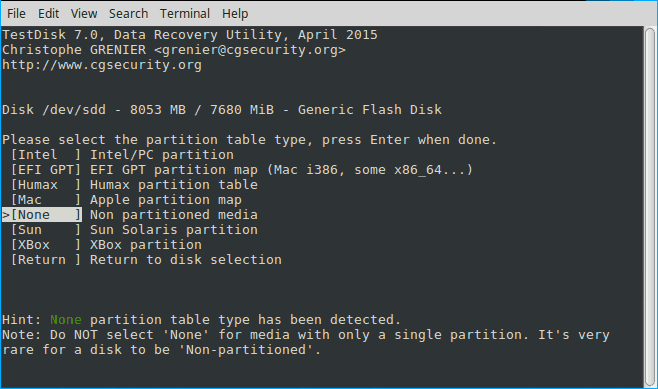
Testdisk has again selected the correct setting. This makes sense since a simple storage device is seldom partitioned. Again hit enter.

And finally, we have to do a little thinking to do. If you read the first screen, this program isn’t just for recovering deleted files. It’s a powerful disk utility. But if we remember what we’re trying to do the choice is fairly obvious: we’re not trying to fix a disk, we’re trying to recover a file. Select “Advanced” and hit “enter”.

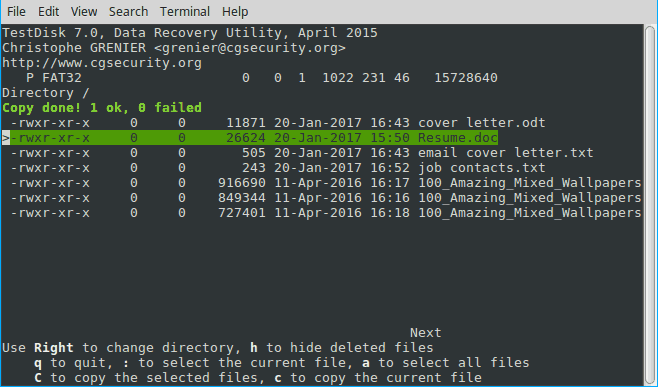
Testdisk will scan for files and produce a list of deleted files highlighted in red. Arrow down to it and carefully read the choices at the bottom

.

Hit c to copy and thus recover the deleted file.

[mai mult...]

How to install Numpy in Python

NumPy is a Python library used for working with arrays. It also has functions for working in domain of linear algebra, fourier transform, and matrices. NumPy was created in 2005 by Travis Oliphant. It is an open source project and you can use it freely.

[mai mult...]

How to install pyspark in pycharm

PySpark is an interface for Apache Spark in Python. It not only allows you to write Spark applications using Python APIs, but also provides the PySpark shell for interactively analyzing your data in a distributed environment. PySpark supports most of Spark’s features such as Spark SQL, DataFrame, Streaming, MLlib (Machine Learning) and Spark Core.

[mai mult...]