

Soluții
Wondershare Filmora on Windows 10 P.C.
[mai mult...]Roland SP 404 MK2 on P.C.
[mai mult...]How to Set Up an Out of Office Response in Google Calendar
If you’re going to be away for a few hours or on vacation for several days, you can set up an Out of Office message in Google Calendar. This automatically declines new meeting invitations and shows others that you’ll be out.
[mai mult...]How to Capitalize Text in Microsoft Excel
With Microsoft Excel’s UPPER , LOWER , and PROPER functions, you can capitalize your text as well as turn your text to lowercase or proper case. You can specify your text as a cell reference or directly in the function.
Cum afli parola de la Wi-Fi in Windows 10 (daca sunteti conectat la retea)
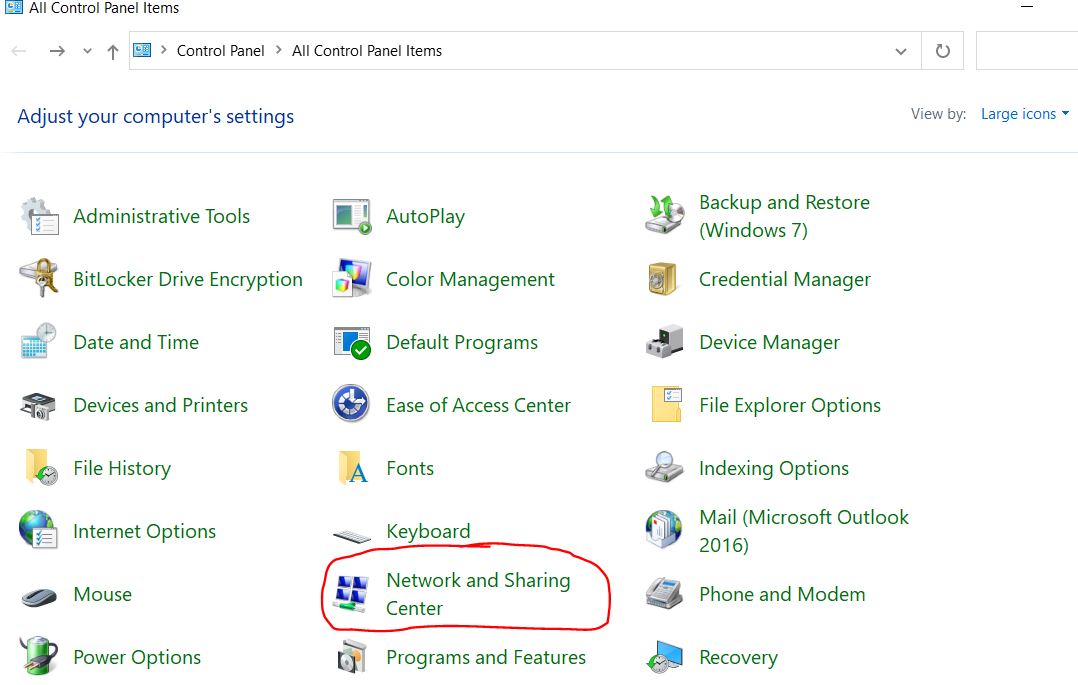
Pentru a incepe intrati in Control Panel si alegeti “Network and Sharing Center”. Atentie! Trebuie sa aveti la View by: Large icons nu Small.
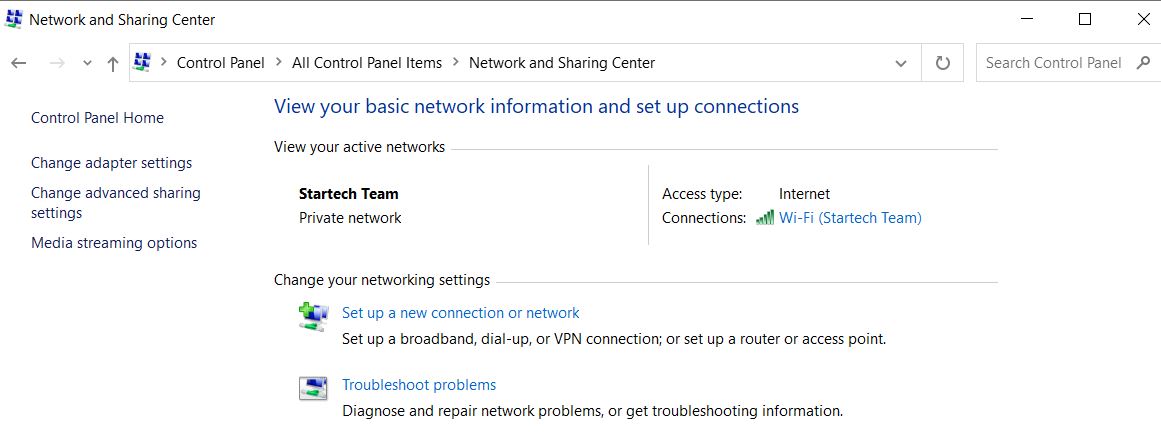
Se va deschide reteaua la care sunteti conectat
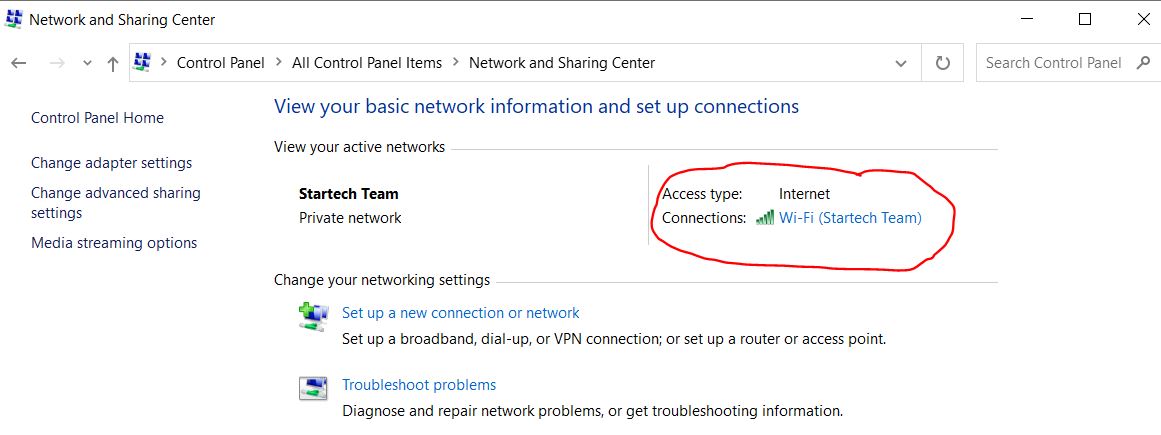
Selectati reteaua care apare in partea dreapta
Se va deschide o fereastra cu Wi-Fi Status
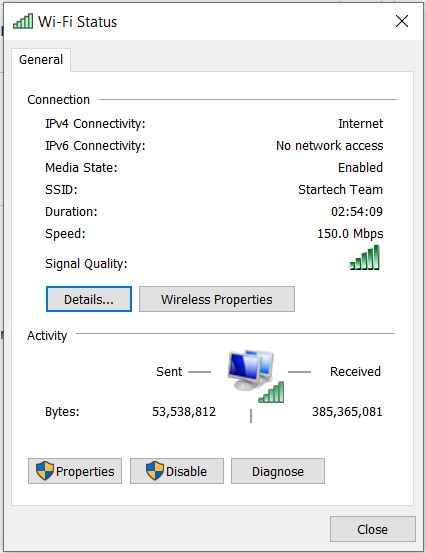
Selectati Wireless Properties
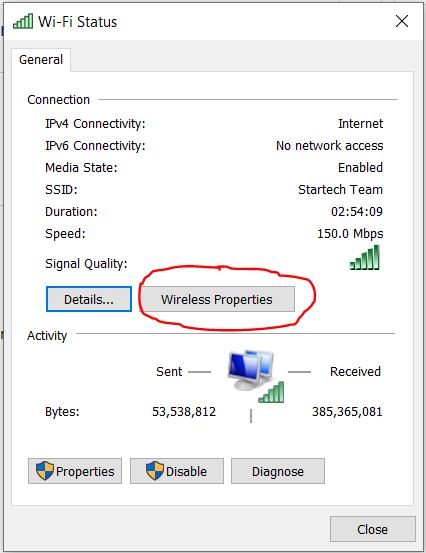
Se va deschide o noua fereastra cu Wireless Network Properties
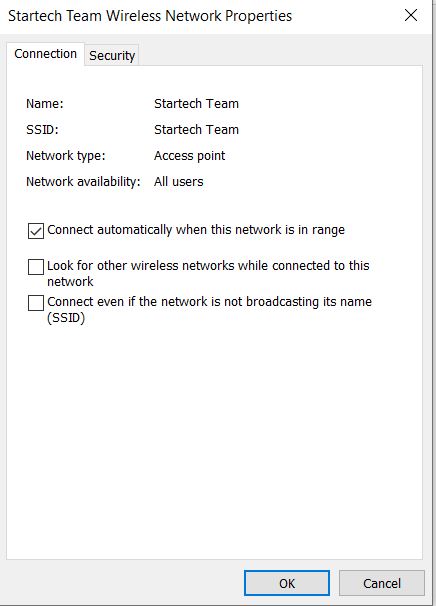
De aici selectati ,,Security’’ si bifati casuta,,Show Characters’’ de sub ,,Network Security Key’’
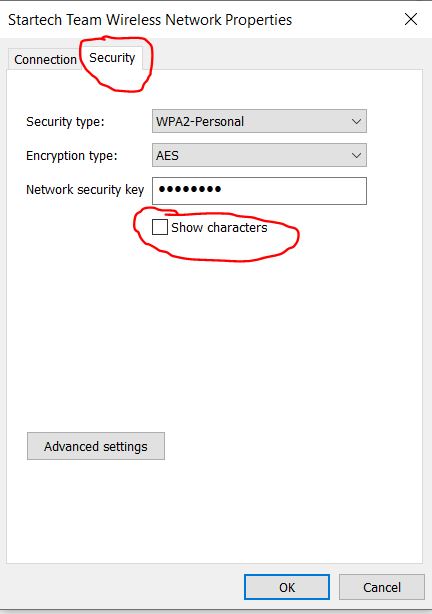
Acum trebuie sa afiseze parola de la retea Wi-Fi.
[mai mult...]