Soluții

How to Add Check Boxes to Word Documents

When you create surveys or forms with Microsoft Word, check boxes make the options easier to read and answer. We’re covering two good options for doing just that. The first is ideal for documents that you want people to fill out digitally within the Word document itself. The second option is easier if you’re planning to print documents like to-do lists.

[mai mult...]

How to Download a Discord Profile Picture

Ways to Save a Discord Profile Picture

On desktop, you can download someone’s profile picture by visiting their profile page in one of your web browsers, accessing the page’s source code, and finding and using the direct profile picture link. This gives you a high-resolution version of a user’s profile photo. If you’re on mobile, you can capture a screenshot of a user’s profile picture and save the picture to your phone’s gallery.

[mai mult...]

iOS 16: How to Add Widgets to Your iPhone Lock Screen

With iOS 16, Apple introduced a complete overhaul of the iOS Lock Screen, making it more customizable than ever and able to display information-rich widgets.

Lock Screen Widgets have been the sole preserve of Android phones for a few years now, so it’s good to see that they will finally come to iPhones later this year when ‌‌iOS 16‌‌ is released in the fall. You can customize the Lock Screen with unique fonts, colors, and, for the first time, widgets, providing you with glanceable information that you can check without having to open your ‌iPhone‌’s Home Screen or the Today view.

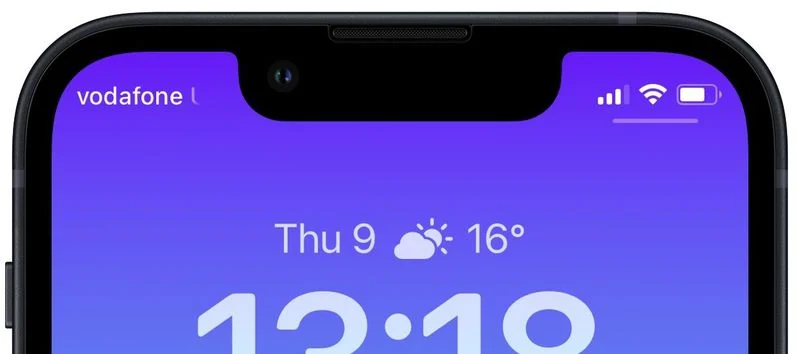
The widgets that you can add above the time on the Lock Screen include another time zone, a set alarm, the next calendar event, a weather condition, your activity rings, the next reminder, and a chosen stock. You can insert a widget alongside the date above the digital clock on the Lock Screen.

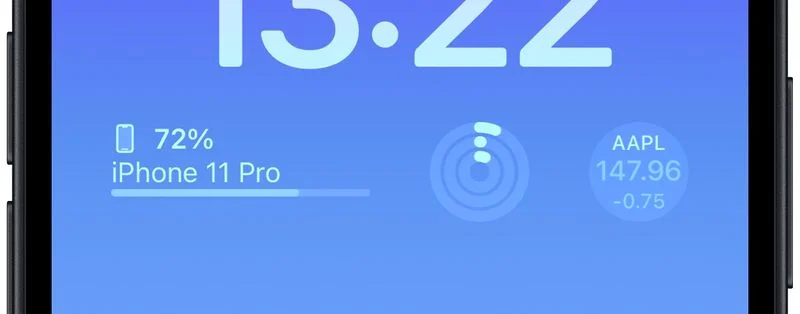
‌Widgets‌ that can be placed below the time are more info-rich and include device battery levels, Calendar, Clock, Fitness, Home, News, Reminders, Stocks, and Weather. You can add up to four square symbol-based widgets below the time, or up to two rectangular widgets with more information, or alternatively a combination of two square widgets and one rectangular widget.

To get started adding widgets, all you need to do is unlock your ‌‌iPhone‌‌ with Face ID or Touch ID, and then long press on the Lock Screen to enter the Lock Screen gallery.

[mai mult...]