

Soluții
How to Use Goal Seek in Microsoft Excel
Have you ever had a financial goal you sought but weren’t exactly sure how to get there? Using Goal Seek in Microsoft Excel, you can determine what you need to accomplish your goal. Maybe you want to save a certain amount of money in the next few years but aren’t sure how much you need to set aside each month. Or perhaps you want to take out a loan and know how much you can afford every month, but don’t know what interest rate to look for.
[mai mult...]How to check which version of Windows you have on your computer
Do you know which version of Windows you’re running? Most of the time, there’s little reason to care. But if you’re trying to upgrade your system or use a program that requires a specific version, you’ll need to know. Luckily, every version of Windows lets you check the current version in a few ways.
[mai mult...]How to Get Started With firewalld on Linux
If you’re looking for a modern, powerful firewall for Linux that is easy to configure on the command line or with its GUI interface, then firewalld is probably what you’re looking for.
How to Disable the Firewall on Windows 10 and 11
For troubleshooting, testing, or other similar purposes, you may need to turn off your Windows 10 or Windows 11’s firewall.
[mai mult...]How to Run System File Checker in Microsoft Windows
- From the desktop, press the Windows + X shortcut key combination.
- In the menu, select Command Prompt (Admin).
- On the User Account Control (UAC) prompt, click Yes.
- In the command prompt window, type SFC /scannow and press Enter.
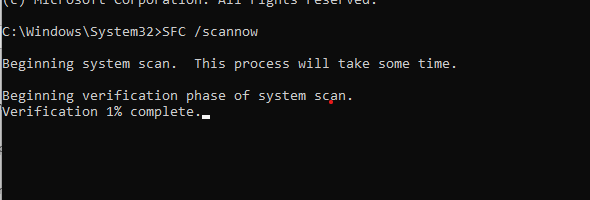
System file checker utility checks the integrity of Windows system files and repairs them if required. After the process is complete, reboot the computer.
[mai mult...]