Configurare program

How to Type Emoji on Your Mac with a Keyboard Shortcut

Your Mac has a quick hotkey that will open an emoji picker in any app. You can quickly insert an emoji anywhere on macOS—in a messaging app, in an email, or even in a document you’re editing. Here’s how to use it. First, open the app you’d like to insert the emoji into. Click on any text input area, and when you see a cursor, press Control+Command+Space. An emoji panel will pop up.

[mai mult...]
Cum putem ascunde o aplicatie afisata in Context Menu

Cum putem ascunde o aplicatie afisata in Context Menu:

In cazul in care dorim sa ascundem o aplicatie din Context Menu, putem face urmatorul lucru:

Pasul 1
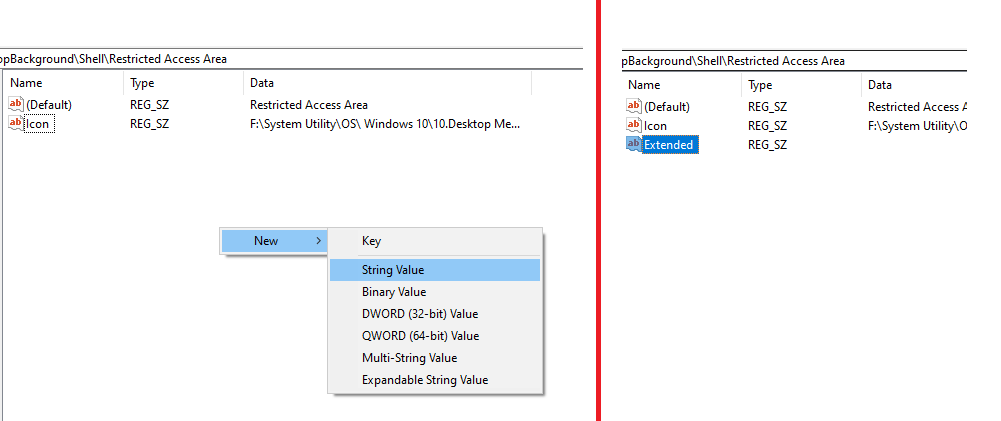
Deschidem regedit si mergem pe calea programului nostru, in cazul de fata – HKEY_CLASSES_ROOT\DesktopBackground\Shell\Restricted Access Area

Pasul 2
Click dreapta – New – String Value

Pasul 3
Modificam New Value #1 in Extended

Pentru a aparea programul, tinem apasat tasta Shift si apasam click dreapta.

[mai mult...]

How to fix “You do not have the required privileges to access the specified folder” error when scanning -Canon IJ Scan Utility (macOS)

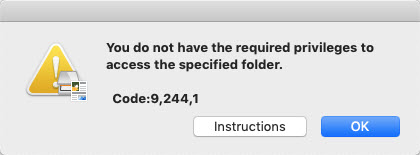
If you receive an error similar to this when attempting to scan with the IJ Scan Utility, or when attempting to specify a destination folder for saving images:

This may be caused by the permissions for your destination folder being set to Read only.  Follow the steps below to change the permissions for the destination folder.

[mai mult...]