How to Remove a Watermark in Word by Editing the Header

The other way to remove a watermark in Word is by editing the header (or footer). When you do that, your watermark also becomes editable and removable. To use this method, open your document with Microsoft Word.

In Word’s ribbon at the top, click the “Insert” tab.

On the “Insert” tab, in the “Header & Footer” section, click “Header.” You can use the “Footer” option, too, if you want.

In the menu that opens, at the bottom, click “Edit Header.”

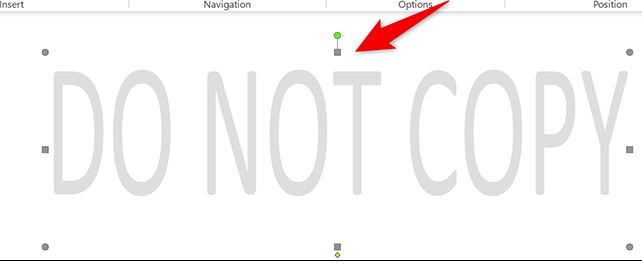
Your document’s header is now editable, giving you access to the watermark. Find the watermark you want to remove in your document and click it.

While your watermark is selected, press the Delete key on your keyboard. Word will remove the selected watermark. And that’s all there is to it. You can now add a new watermark, or just leave your document background blank. The choice is entirely yours.

[mai mult...]

What’s New In PHP 8.1?

PHP 8.1 was released in November 2021 as the latest minor version of the PHP language. It adds several new language features alongside some smaller improvements and performance enhancements. There are a few breaking changes to be aware of but most upgrades from PHP 8.0 should be straightforward.

[mai mult...]