Cum compresam un fisier de dimensiuni mari folosind ultra compress
Avem un fisier de dimesiuni foarte mari si dorim sa il mutam pe un stick deoarece arhivarea acestuia ne poate salva spatiu.
[mai mult...]
Soluții pentru problemele tale IT
Avem un fisier de dimesiuni foarte mari si dorim sa il mutam pe un stick deoarece arhivarea acestuia ne poate salva spatiu.
[mai mult...]Ne aflam in situatia in care dorim sa setam mai mult de 1 drive virtual in PowerISO, dar nu stim cum sa facem acest lucru.
[mai mult...]Ne aflam in situatia in care dorim sa setam functia “Autostart” pentru programul Power ISO.
[mai mult...]Chrome and Edge both offer a guest mode that keeps your browsing isolated from your main profiles. If you access guest mode too frequently, you can add its shortcut to your Windows desktop. This makes opening guest mode even easier.
What Is Guest Mode in Chrome and Edge?
Guest mode in Google Chrome and Microsoft Edge is basically a guest profile for your browsing sessions. When you use guest mode, the browser doesn’t load your main browser profiles (the ones that have your browsing history, browser personalizations, and so on).
When you leave this mode, all the browsing you did in it is deleted from your history. Your downloaded files list is also cleared, although the files themselves are kept. If you have people at your home or office who need to use your browser, you can offer them guest mode access so that their browsing history doesn’t affect yours.
[mai mult...]Pentru a insera un videoclip YouTube in documentul dvs. Word trebuie sa deschideti browser-ul Web si sa accesati YouTube. Alegeti videoclipul dorit si dati Share.
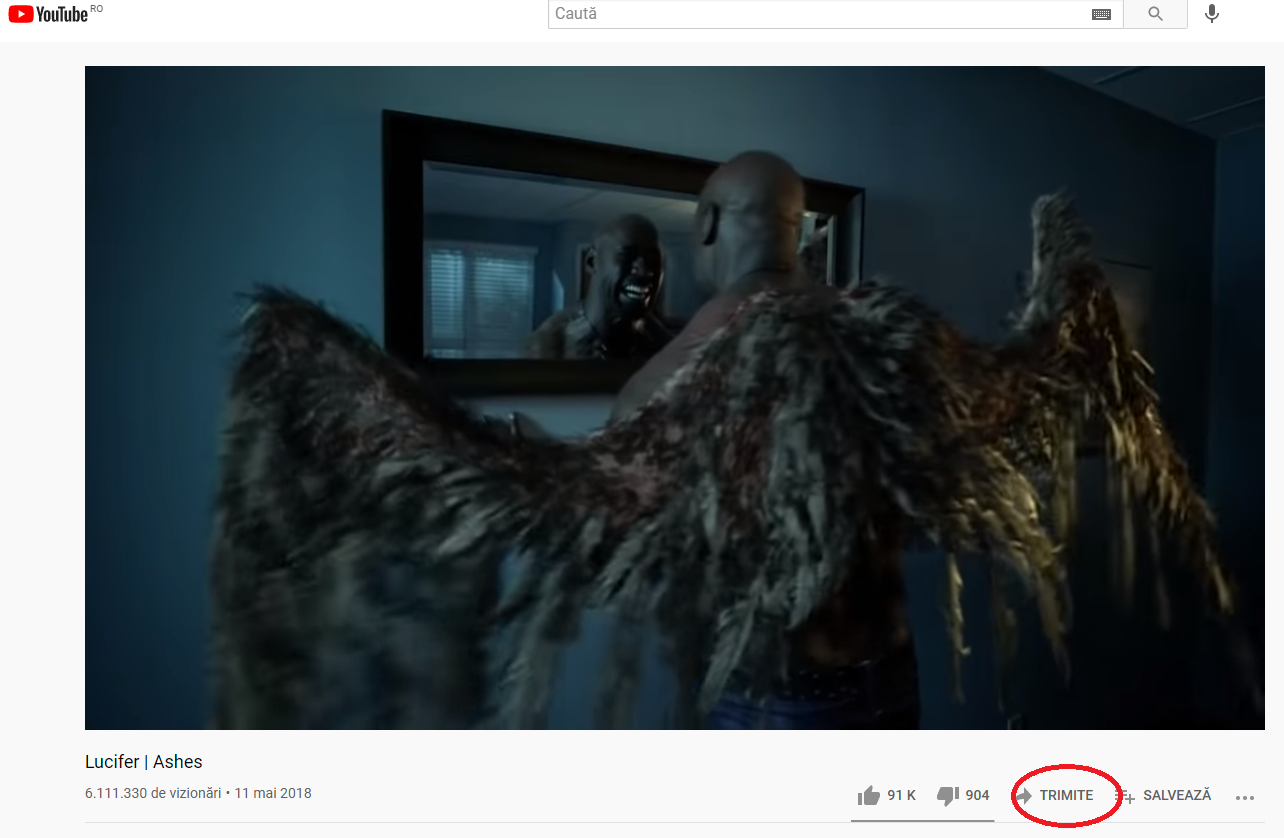
Alegeti Embed
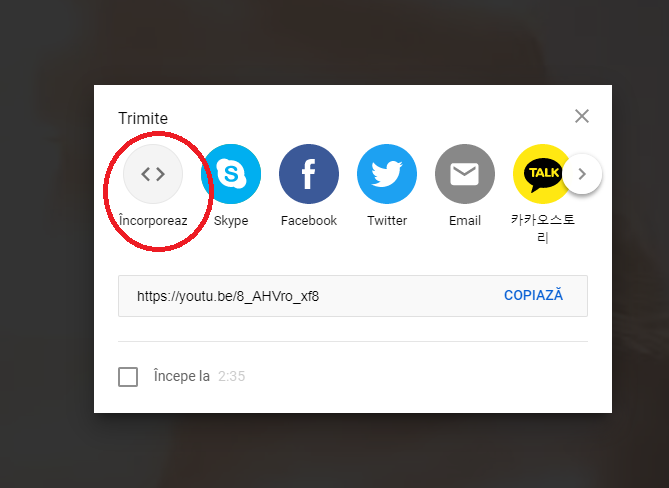
Copiati textul si mai departe o sa va arat cum sa il inseram in Microsoft Word.

Deschideti un fisier Word
Dati Insert si selectati Online Video Media
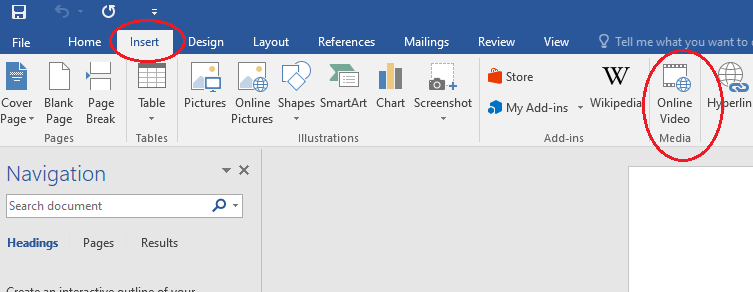
Inserati textul din browser in Word la optiunea From a Video Embed Code

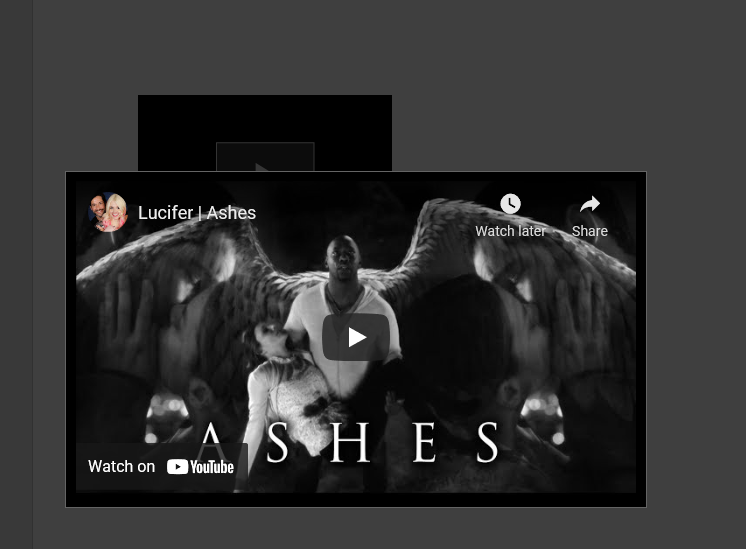
Acum videoclipul a fost inserat in fisierul dvs. Word.
Excel se blocheaza.
[mai mult...]