How to Change the Screen Saver on Windows 10 and 11
Don’t like the current screen saver on your PC? If so, you can quickly and easily switch to one of the other available screen savers on your Windows 10 or Windows 11 PC.
[mai mult...]
Soluții pentru problemele tale IT
Don’t like the current screen saver on your PC? If so, you can quickly and easily switch to one of the other available screen savers on your Windows 10 or Windows 11 PC.
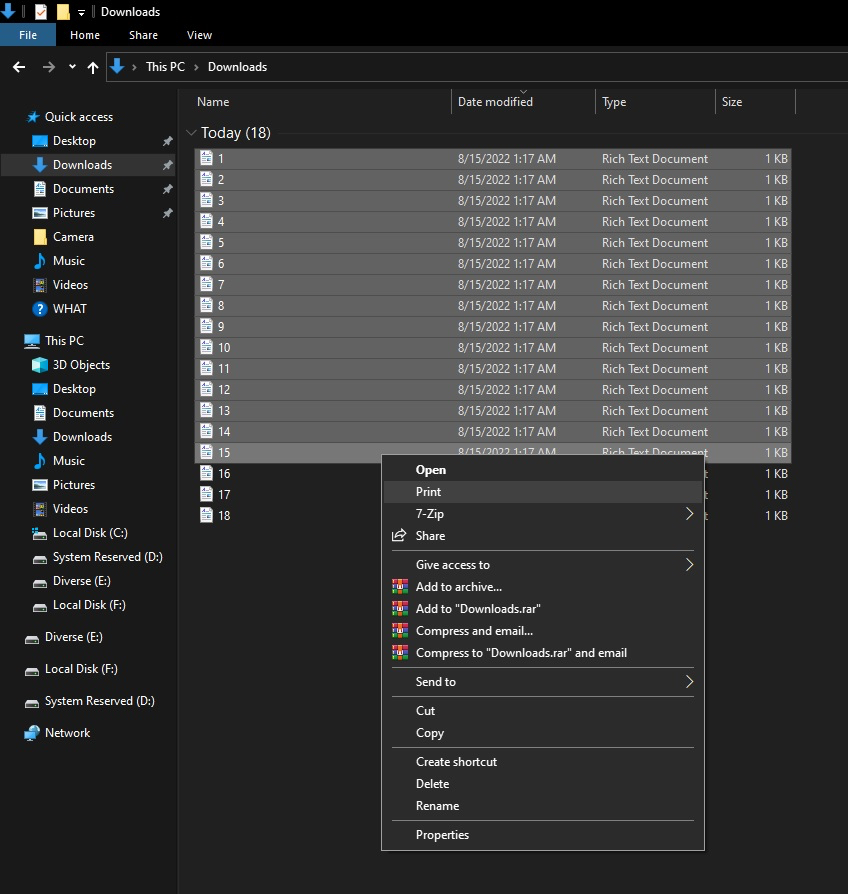
[mai mult...]Daca aveti de printat mai multe pagini ce sunt regasite in mai mult de 15 fisiere, nu veti reusi da print la toate deodata si fara sa le mai deschideti, fara cateva modificari.

Disk Cleanup-ul permite userilor sa elibereze spatiu, stergand fisiere care nu ne mai sunt necesare sau care pot fi sterse in siguranta. Prin eliminarea fisierelor inutile, temporare se imbunatateste si performanta echipamentului. Putem accesa Disk Cleanup-ul folosind File Explorer-ul, dar mai rapid cu tool-ul Run.
[mai mult...]In afara de a cauta in Search dupa keyword-ul Notepad, putem deschide aplicatia si folosind tool-ul Run.
[mai mult...]Erorile de sistem reprezinta erori numerice pe care calculatorul le afiseaza in momentul in care o actiune a utilizatorului sau a unui program instalat de catre utilizator nu poate fi procesata de catre software-ul sistemului. Aceste erori mai sunt cunoscute si drept erori ale sistemului de operare si reprezinta modul prin care windows-ul este programat sa raspunda in diferite instante.
[mai mult...]How you can find your computer’s mac adress +how to find a same domain computer’s address.
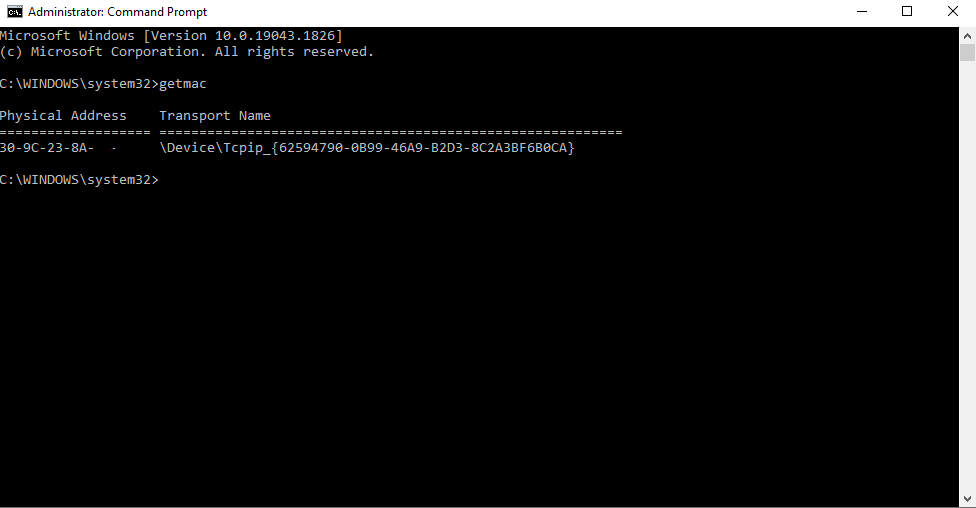
1.Click on the start button,type in “CMD” and open command prompt and simply type “getmac”.
2.To find a specific domain computer’s mac adress remotely,you need either the ip,or the full name of the computer using
“nbtstat -a”
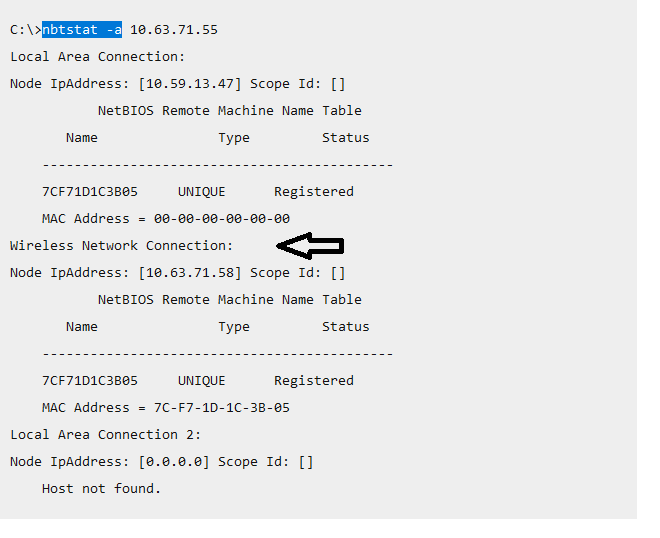
It will search through all types of connection. MAC address is a unique number given by the manufacturer which is used to track a device in a network. MAC address provides a secure way to find senders or receivers in the network.
Mac address can also be found on the physical sticker glued onto the laptop,next to the S/N.
