How to Enable Dark Mode in Microsoft Edge
Edge will keep using its light app mode until you select dark mode. this tutorial will illustrate how to do so.
[mai mult...]
Soluții pentru problemele tale IT
Edge will keep using its light app mode until you select dark mode. this tutorial will illustrate how to do so.
[mai mult...]If you use Microsoft Edge and want to erase your browsing history, you normally have to dig through menus to do it. But guess what? You can also clear your Edge browser history using a keyboard shortcut, and it’s a fast way to do it.
[mai mult...]If you have a huge number of unread text messages in your Messages app on iPhone or iPad, dealing with them one-by-one can be a hassle. Luckily, it’s easy to mark every one of your unread messages as read in the blink of an eye, but the feature is a bit hidden. Here’s how to do it.
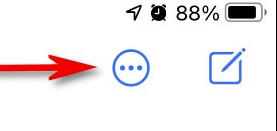
First, open “Messages.” On an iPhone, look in the upper-right corner of the screen and tap the ellipses button, which looks like three dots in a circle. (The iPad button is slightly different, as you’ll see below.)
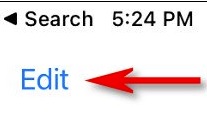
On an iPad, tap “Edit” in the upper-left corner of the screen.
In the menu that pops up, tap “Select Messages.” Messages will now enter “Edit” mode. But you don’t need to deal with individual messages at the moment. On both iPhone and iPad, look for the “Read All” button in the lower left corner of the screen. Tap it.

Cu ajutorul Windows 10 poti da share unei retele de internet prin activarea “Mobile Hotspot”.
[mai mult...]You can allow deployment operations on Special Profiles via Registry Editor in Windows 10.
[mai mult...]To adjust the duration of Windows menu animations you need to make some changes in the Windows registry.
[mai mult...]