Cum sa folosesti modurile bateriei
In functie de nevoi se pot folosi modurile bateriei “perfomanta ridicata” / “echilibrat” / “salvare baterie”.
[mai mult...]
Soluții pentru problemele tale IT
In functie de nevoi se pot folosi modurile bateriei “perfomanta ridicata” / “echilibrat” / “salvare baterie”.
[mai mult...]Cand vrem sa adaugam o forma la un text in microsoft word.
[mai mult...]Msvcr120.dll_clr0400.dll is responsible for the extraction of the required resources during the installation of an application. It is also used during the launch of programs or games in the C++ language. However, quite recently, a lot of reports have been coming in where users are encountering the “Msvcr120.dll_clr0400.dll is Missing” Error during the installation of an application or during the launch process.
In this article, we will go over some of the reasons due to which this error is triggered and also provide viable solutions to rectify the issue completely. Make sure to follow each step carefully and in the specific order in which they are listed to avoid conflict.
We investigated the particular issue based on user reports and various repair strategies that were used to rectify the issue.
As the message suggests, the error is triggered when the “Msvcr120.dll_clr0400.dll” is missing from the System 32 folder. The System 32 folder contains all the necessary files required for the smooth operation of the operating system and if one or more of those files are missing several errors might be triggered. The “Msvcr120.dll_clr0400.dll” can sometimes get deleted due to a virus infecting the computer or by an application.
Now that you have a basic understanding of the nature of the problem, we will move on towards the solutions.
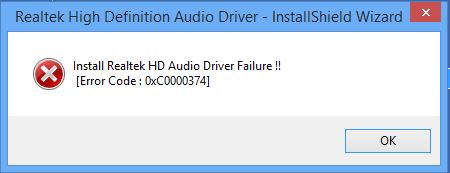
[mai mult...]Realtek’s audio drivers are among the most notorious problem makers with Windows, ever since the time of Windows XP. The Install Realtek HD Audio Driver Failure, followed by an error code such as 0x000000FF, will not allow you to install the necessary drivers for your Realtek sound card.
This issue can happen in a number of environments, and there is more than one possible cause. Users have tried a number of things to solve the problem, and there are a couple of solutions that worked for them. If you’re affected by the problem, read on to see how you can solve it and install the drivers.
NOTE: There are cases where this issue appears due to a dead sound card. This situation can’t be fixed via a software solution, and will require you to replace your sound card. You will see no error, and no device with a yellow exclamation or question mark in the Device Manager, and Windows won’t let you install the drivers as the hardware device is dead. None of the methods below will work if that is the case.
Windows 10 has come with many perks but has been one of the hardest systems to update to owing to the numerous errors consumers encounter during installation. One of them is error 0x8007025D that appears and halts installation after a certain percentage. Retrying will only give you the same error. Several people who have sought answers from online indicated that they were running a clean install from their USB drive.
This page is going to explain to you why error 0x8007025D appears. The error might be brought by several issues, but they are all related to the USB buffering system. After a brief explanation of what the error means we will the give you the steps to resolve this error.
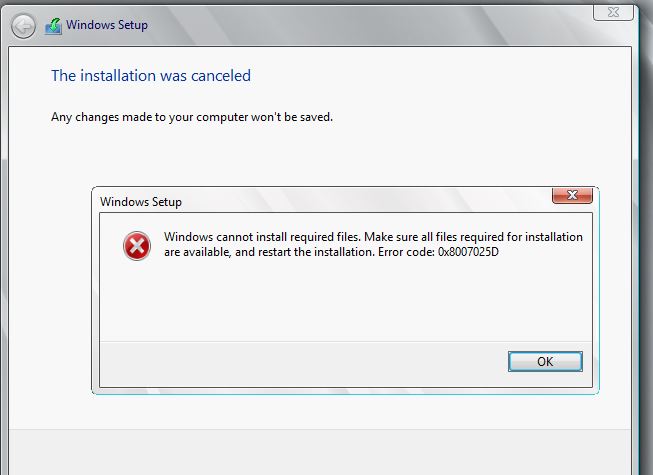
According to windows support, 0x8007025D = ERROR_BAD_COMPRESSION_BUFFER = the specified buffer contains ill-formed data. USB 3.0 uses the Message Signaled Interrupt (MSI) mode for communications with the system. USB 2.0 uses the much older Interrupt Request (IRQ) system. One feature of the new MSI system that USB 3.0 devices use is asynchronous handling of data transfer between the device and system. This requires a buffer through which data is streamed to at high data rates (“SuperSpeed”), which is then decoded by the system. If you receive error 0x8007025D then probably your PNY devices are sending bad or corrupted data to the buffers, your device’s buffers are choked or your device can’t decode the data properly. Here are the reasons why you might be receiving this error.
[mai mult...]Pentru cei cu Office365 si care folosesc Microsoft Forms exista un add-in care face mai usoara trimiterea unui formular pe mail. Pentru instalarea add-in-ului urmati pasii de mai jos.
[mai mult...]