How To Lock a Folder With a Password in Windows 10
How to lock a folder
[mai mult...]
Soluții pentru problemele tale IT
How to lock a folder
[mai mult...]We all have computer files we’d like to keep secret from the world, but not everyone knows how to password protect a folder in Windows 10. Whether you’re hiding notes from someone with access to your computer or (hopefully) something less drastic, you’re allowed to have some privacy. Fortunately, in Windows 10, you can tuck those unmentionable plans or files in a secret folder that is password protected, and you can do it without buying any additional software. Once you’ve created a new folder in Windows 10, here’s how to password protect it.
[mai mult...]Encrypting File System (EFS), which allows you to encrypt individual folders and files. To use this feature, right-click a file or folder, select Properties, and click the Advanced button on the General tab. Enable the Encrypt contents to secure data option — this will be grayed out if you’re not using the correct edition of Windows.
[mai mult...]If you’re using a Professional or Enterprise edition of Windows, you also have access to some special encryption features. Home versions of Windows — and the standard edition of Windows 8, which technically isn’t named a “home” version — don’t have access to these features. Professional editions of Windows include the following two encryption features
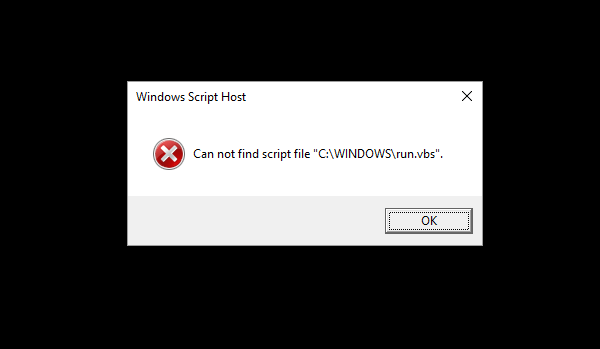
[mai mult...]When you logon to your computer, the error “Can not find script file C:WINDOWSrun.vbs” with Windows Script Host in the title is shown, in a blank screen with black background. This happens if a malware has modified the Userinit registry value, replacing the Windows default value data with a Vbscript filename.
Urmați pașii de mai jos pentru a muta un fișier .csv într-un alt folder utilizând PowerShell:
[mai mult...]