
Stații de lucru

OS - Windows 8479 Solutii

Reguli si plangeri 8 Solutii

OS - OS X 407 Solutii

Reguli de configurare 11 Solutii

Licentiere 18 Solutii

Securitate 177 Solutii

Copie de rezerva (Backup) 68 Solutii

Antivirus 71 Solutii

Aplicatii specifice 4769 Solutii

Hardware 288 Solutii

Cateva situatii de intrerupere a conexiunii la retea (rj-45)

Un utilizator poate observa ca paginile web incarc greoi, nu raspund la comenzi sau apar “offline” – uneori chiar si incercarile de listare la imprimanta esueaza, desi sistemul de operare nu raporteaza probleme cu placa de retea ori conexiunea. Toate acestea intamplandu-se desi la o inspectie vizuala initiala “totul pare in parametri ori corespunzator” pe traseul fizic intre statie si router ori switch etc.

[mai mult...]
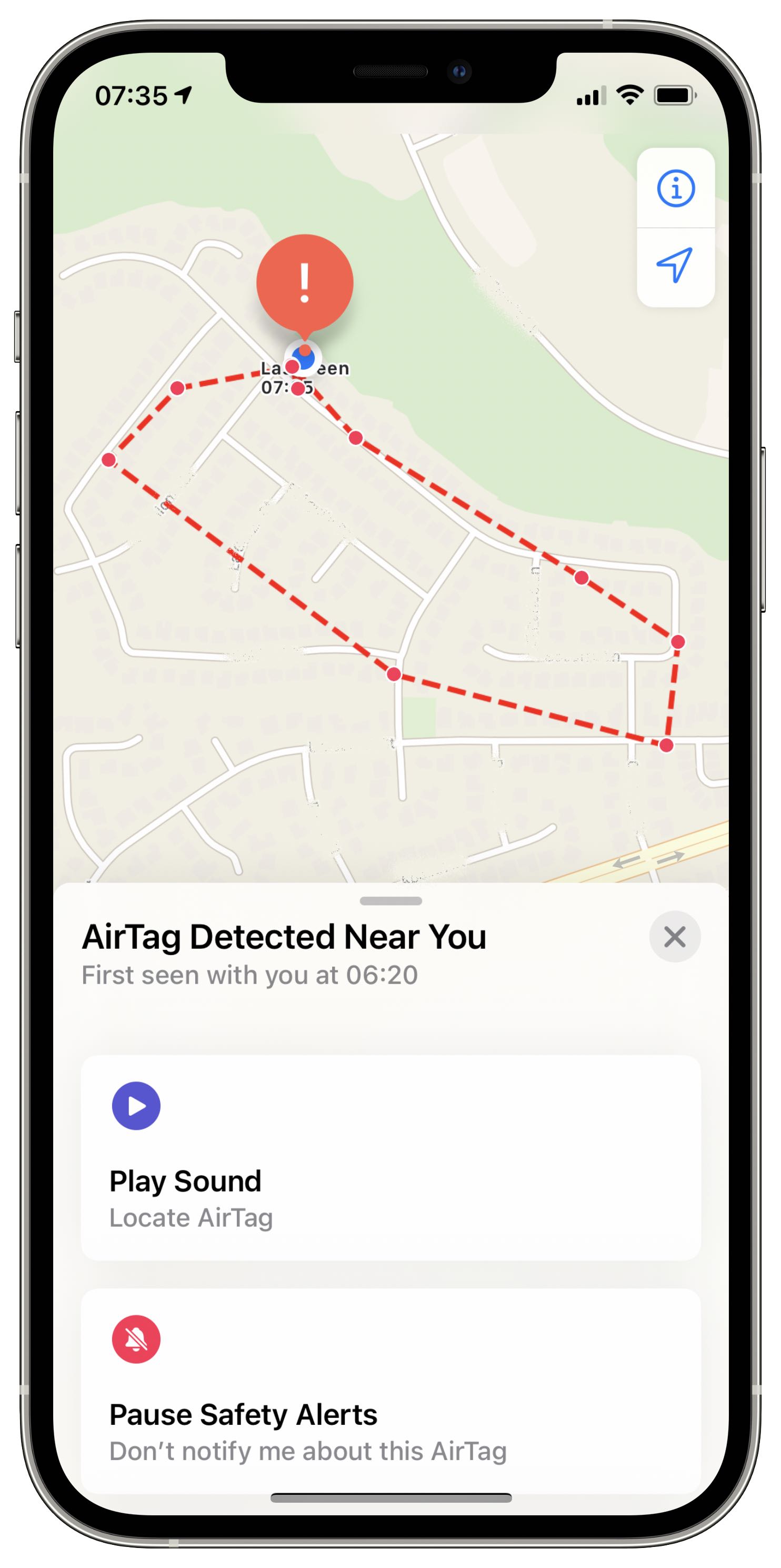
How to disable an unknown AirTag

If you see an “AirTag Found Moving With You” message on your iOS device, you can simply dismiss it as you normally would or, preferably, disable the unknown AirTag altogether.

  1. When you see a notification on the display of your iPhone, iPad, or iPod touch, saying “AirTag Found Moving With You,” tap the notification.
  2. Now choose Continue.
  3. To disable the AirTag, tap Instructions to Disable AirTag, and follow the onscreen steps.

You can also hit the Play Sound option if you don’t know where the AirTag is located.

A screenshot of the Apple Find MY app showing the safety options when an unknown AirTag is detected

Basically, you’ll be instructed to reset the AirTag to its factory by removing its battery:

  1. Press down on the AirTag’s polished stainless steel battery cover, then rotate counterclockwise until the cover stops rotating.
  2. Remove the battery cover along with the battery itself.
  3. Now replace the battery.
  4. Press down on the battery until you hear a sound.
  5. When the sound finishes, repeat the process four more times: remove and replace the battery, then press down on the battery until you hear a sound. You should hear a sound each time you push the battery down, for a total of five sounds.
  6. Replace the battery cover by aligning its three tabs with the AirTag’s three slots.
  7. Press down on the cover until you hear a sound.
  8. Rotate the cover clockwise until it stops rotating.

Doing so will disable the AirTag and prevent sharing your location. Don’t forget that a single AirTag can be associated with one Apple ID. If the previous user removed the AirTag from their Apple ID but was out of the device’s Bluetooth range, resetting it will let you re-use it with your devices.

[mai mult...]