
Situatie
Objective: Personalize your Kali Linux terminal prompt for a unique touch.
Solutie
1.Open the file that controls your terminal settings:
In your terminal, type this command to edit the configuration file:
nano ~/.bashrc
2.Scroll to the bottom of the file to add a fun and colorful prompt:
PS1=”\[\e[1;32m\]\u@\h:\[\e[1;31m\]\w\[\e[0m\] \[\e[1;34m\]>>\[\e[0m\] ”
\[\e[1;32m\]: Green for the username and hostname.\[\e[1;31m\]: Red for the directory (\w).\[\e[1;34m\]: Blue for the>>symbols.\[\e[0m\]: Resets the color back to default after each section.
3.Save the file:
-
- Press
CTRL + O, thenEnterto save. - Exit nano with
CTRL + X.
- Press
4.Reload the .bashrc file to see the changes:
source ~/.bashrc
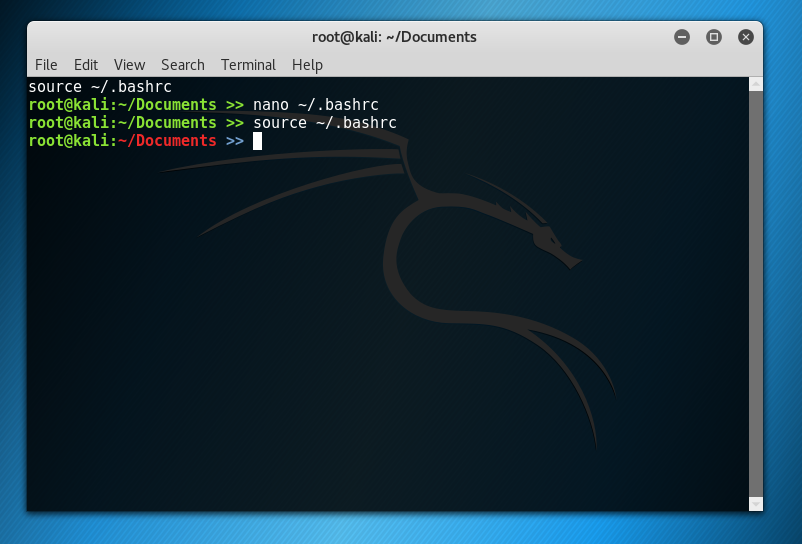
user: Your username.hostname: The system’s hostname./Documents: The current working directory.>>: A decorative addition for a stylish touch.
Leave A Comment?