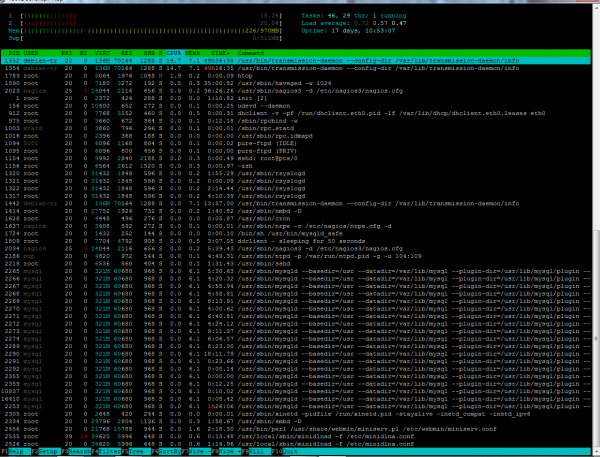
Afla cum sa instalezi htop , aplicatie interactiva de monitorizare a proceselor Data 19/01/2019 Autor Stefan Tu. Categorie Linux -29 1082 Configurare noua (How To) SituatieNe logam prin ssh la serverul linux In terminal rulam comanda: sudo apt-get install htop -y Introducem parola de super user Dupa ce se termina instalarea aplicatiei , rulam comanda htop Solutie Tip solutiePermanent Voteaza Up Down (19 din 67 persoane apreciaza acest articol) ShareTweetShare Despre Autor Stefan Tu. Solutii Asemanatoare Top 10 Linux Easter Eggs 3 Implementarea unui Sistem de Detectare a Intruziunilor (IDS) folosind Suricata pe Raspberry Pi 0 How to show hidden Files on Linux -1 How to multitask in the Linux Terminal: 3 ways to use Multiple Shells at once 1 How to convert a PDF File to Editable Text using the Command Line in Linux 6 MangoHud – Monitor FPS, CPU & GPU Load in Linux Games -2 Leave A Comment? × Cancel Reply Save my name, email, and website in this browser for the next time I comment. × nine = seventy two
Leave A Comment?
