Situatie
Accesare print management prin comanda in Run.
Solutie
Pasi de urmat
Accesam Start menu si deschidem Run:
In Run introducem urmatoarea comanda: printmanagement.msc
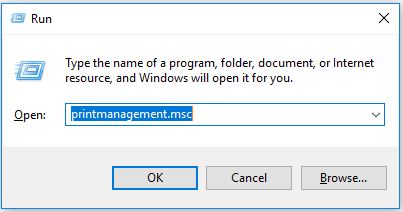
Dupa introducerea comenzii de mai sus, printmanagement va fi accesat:


Soluții pentru problemele tale IT
Accesare print management prin comanda in Run.
Accesam Start menu si deschidem Run:

In Run introducem urmatoarea comanda: printmanagement.msc
Dupa introducerea comenzii de mai sus, printmanagement va fi accesat:
Leave A Comment?