Situatie
Cum sa dezactivezi autocorrect in Outlook 2016
Solutie
Pasi de urmat
Deschidem Outlook
Click pe File
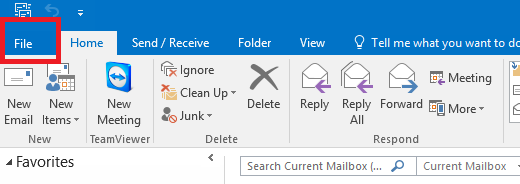
Alegem Options

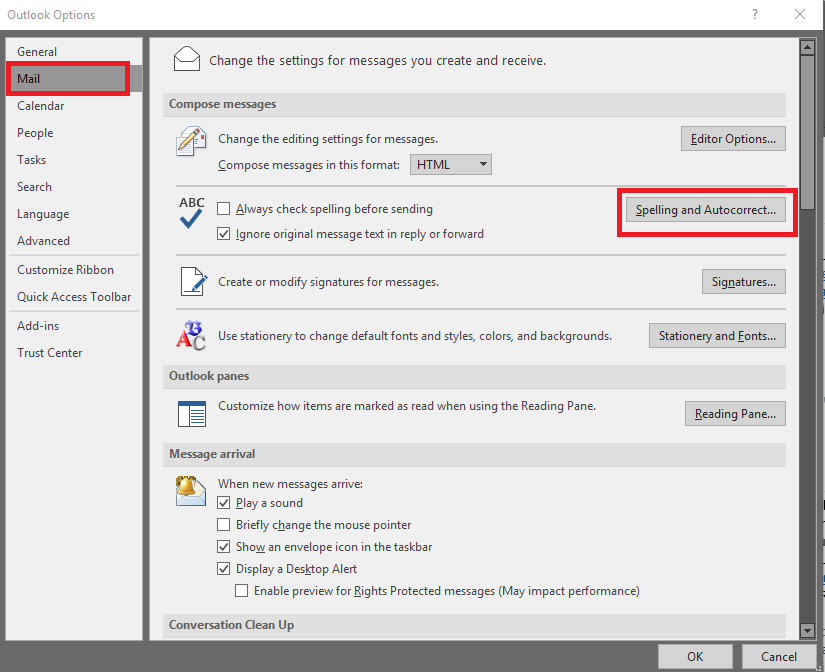
Selectam Mail si alegem Spelling And Autocorrect
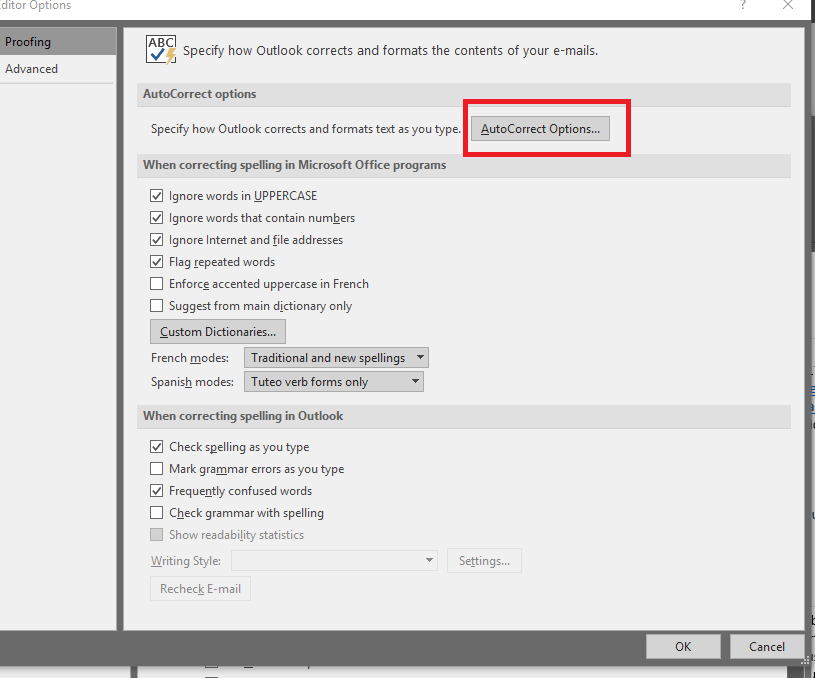
Selectam AutoCorrect Options
Debifam Replace text as you type
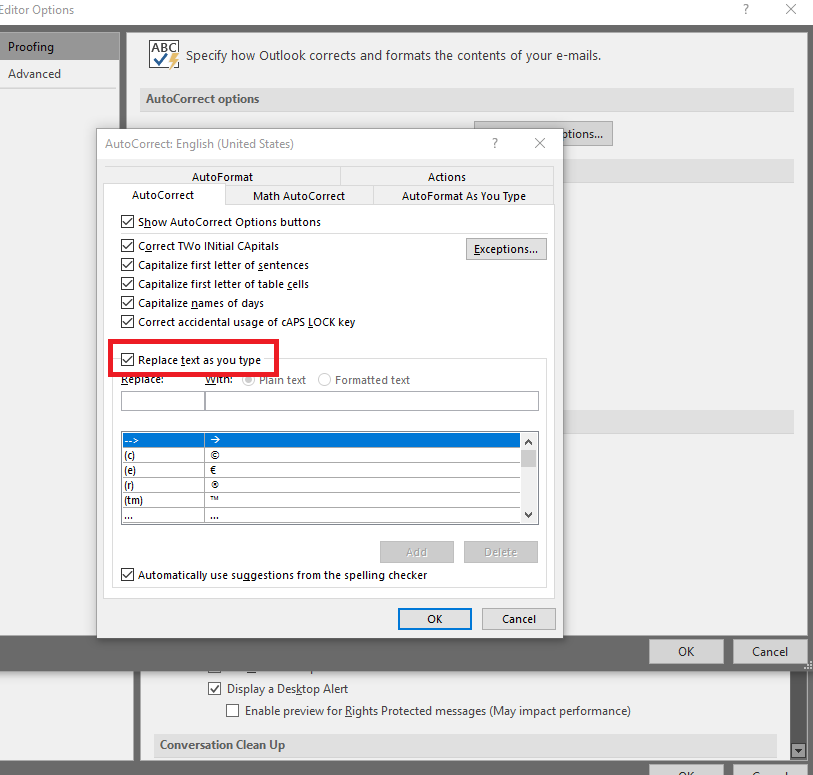
Click pe OK

Soluții pentru problemele tale IT
Cum sa dezactivezi autocorrect in Outlook 2016
Deschidem Outlook
Click pe File
Alegem Options
Selectam Mail si alegem Spelling And Autocorrect
Selectam AutoCorrect Options
Debifam Replace text as you type
Click pe OK
Leave A Comment?