
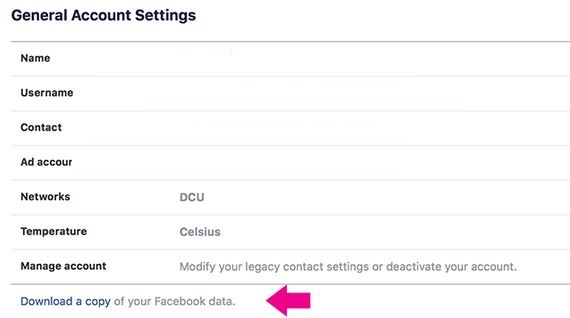
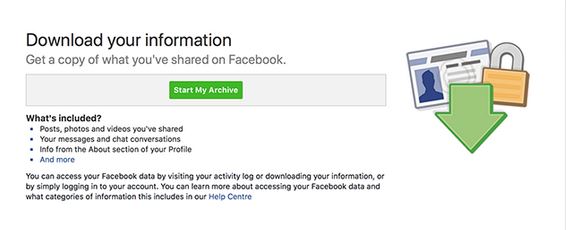
Cum sa faci backup profilului de facebook Data 08/05/2018 Autor Robert Ci. Categorie Aplicatii specifice, Aplicații -5 769 Configurare noua (How To) SituatieIn acest tutorial vom afla cum se poate fack backup pentru profilul de facebook Solutie Pasi de urmat Se acceseaza meniul settings si apoi “download a copy” of your facebook data Se apasa butonul Start my archive Arhiva se poate accesa din link ul generat la pasul acesta. Atentie! Link ul este valabil cateva zile Tip solutiePermanent Etichetare: facebook Voteaza Up Down (15 din 34 persoane apreciaza acest articol) ShareTweetShare Despre Autor Robert Ci. Solutii Asemanatoare Cum deschidem un RDP in full screen folosind Command Prompt in Windows 10 4 Cum deschidem fereastra Sound folosind Run in Windows 10 0 O metoda de vizualizare a valorii frecventelor orizontale si verticale de reimprospatare a imaginii in Windows 4 Probleme de Upgrade .NET Framework în Windows 11 11 OneNote can completely replace 3 different kinds of Apps 1 How to use Auto-Highlight with Find and Replace in Excel -9 Leave A Comment? × Cancel Reply Save my name, email, and website in this browser for the next time I comment. × four = sixteen
Leave A Comment?