Situatie
Solutie
Pasi de urmat
How to change the name of your Mac
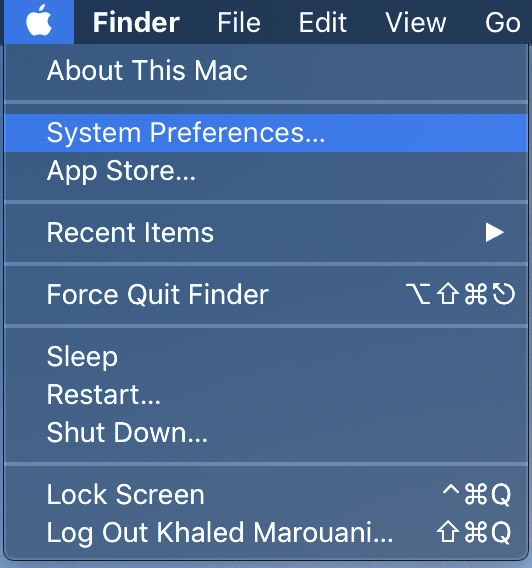
In the Menu bar, go to > System Preferences…
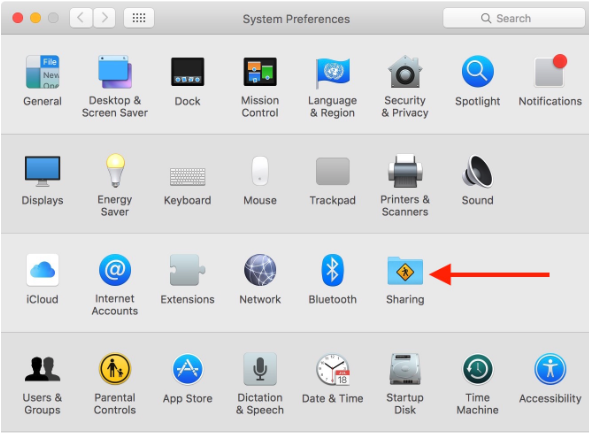
Click On Sharing
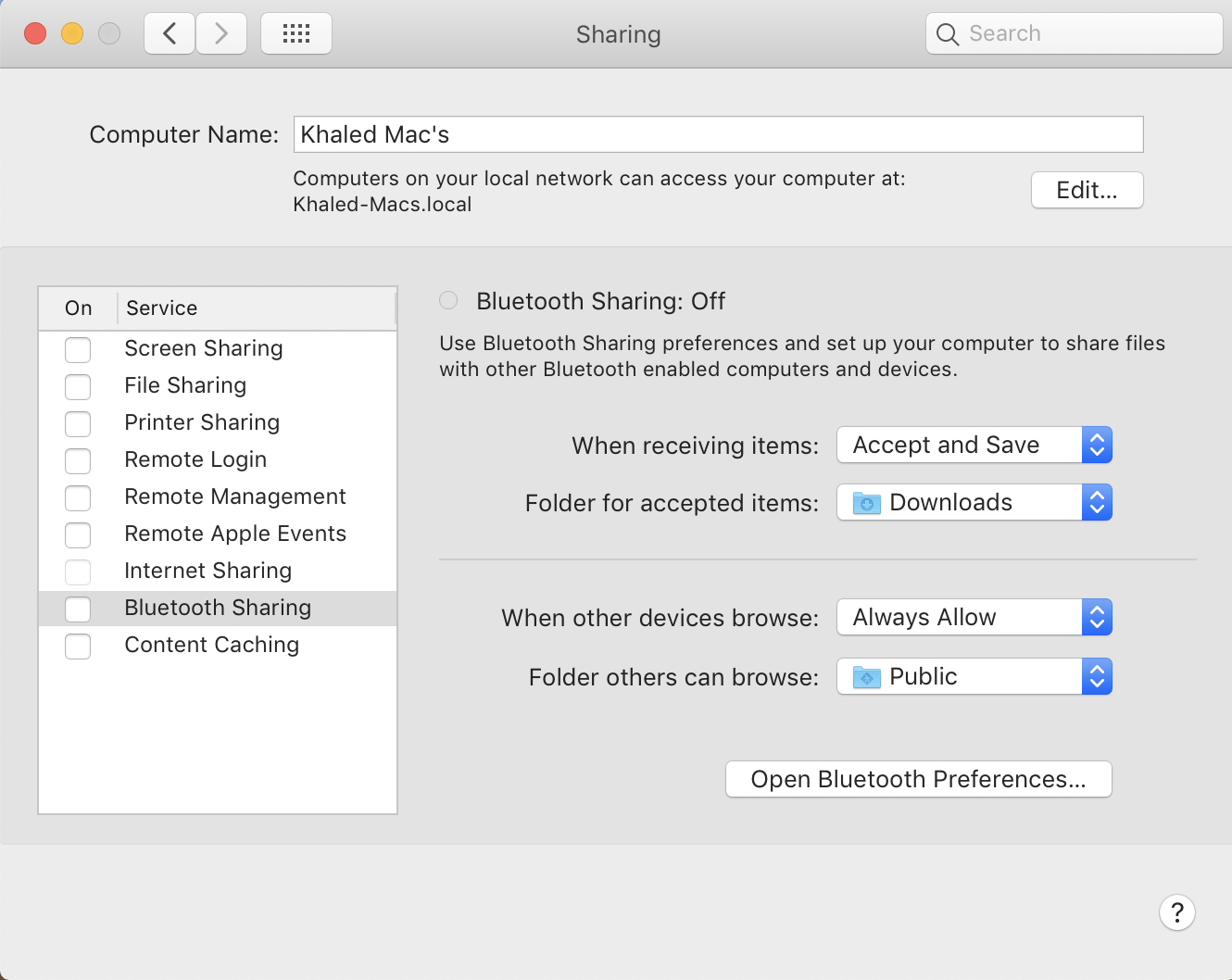
In the Computer Name box, type in the name you want to use for your computer.
Close the window, and you’re done.

Soluții pentru problemele tale IT
How to change the name of your Mac
In the Menu bar, go to > System Preferences…
Click On Sharing
In the Computer Name box, type in the name you want to use for your computer.
Close the window, and you’re done.
Leave A Comment?