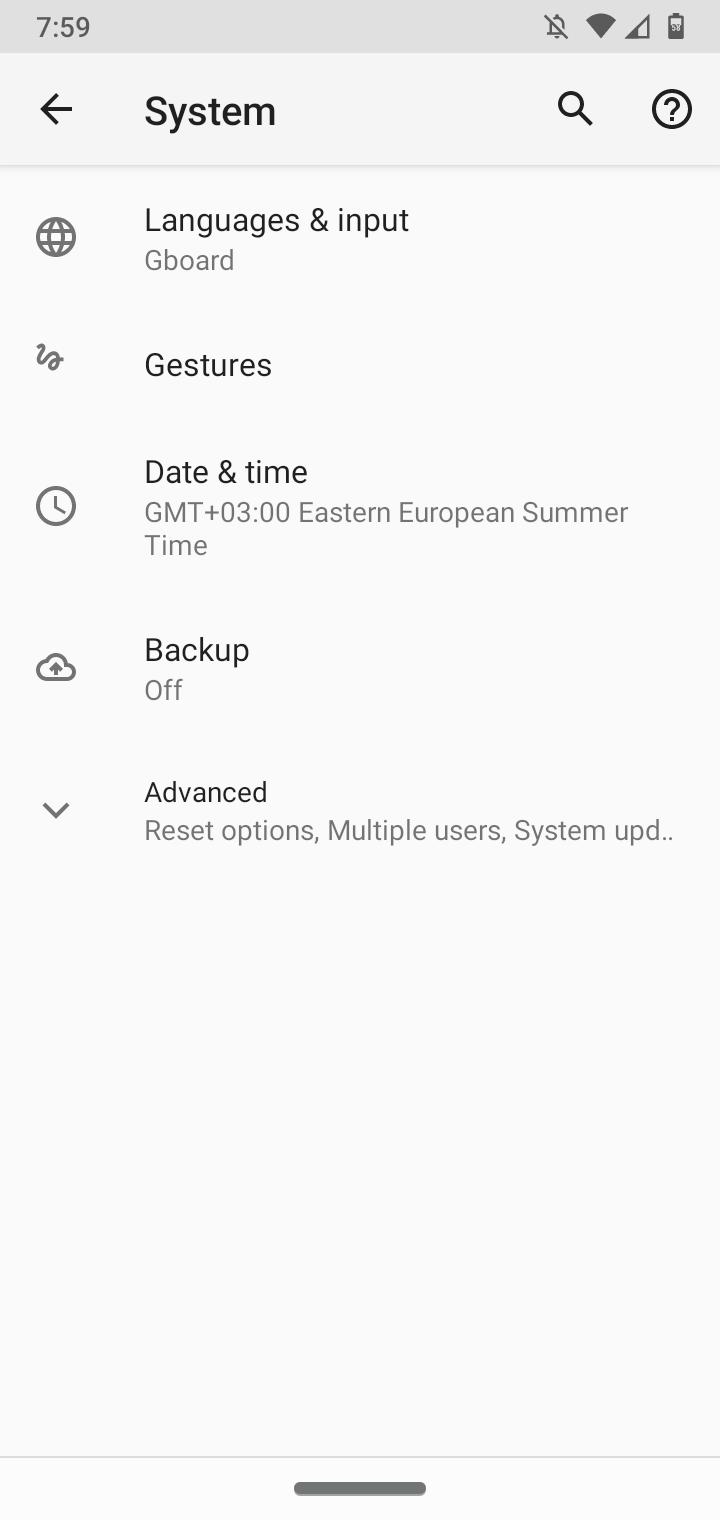
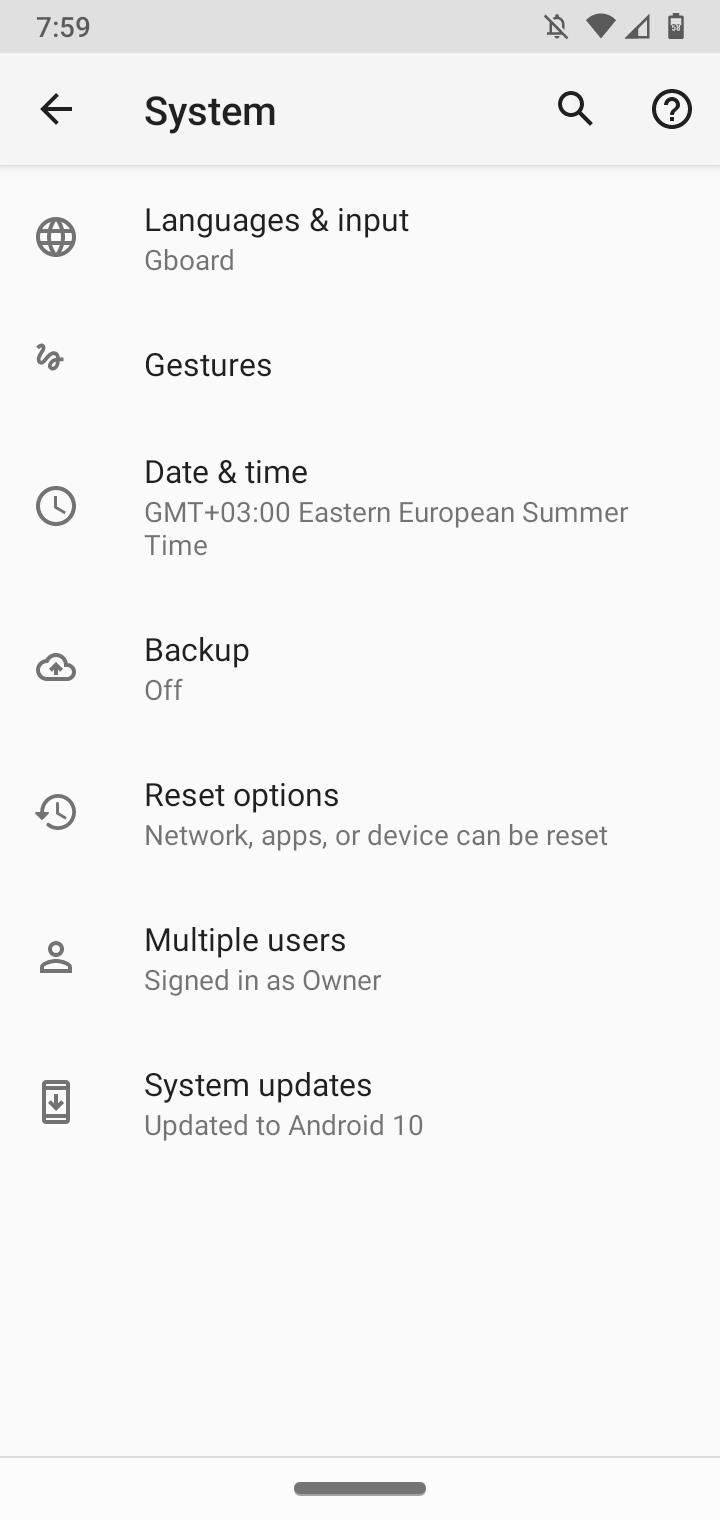
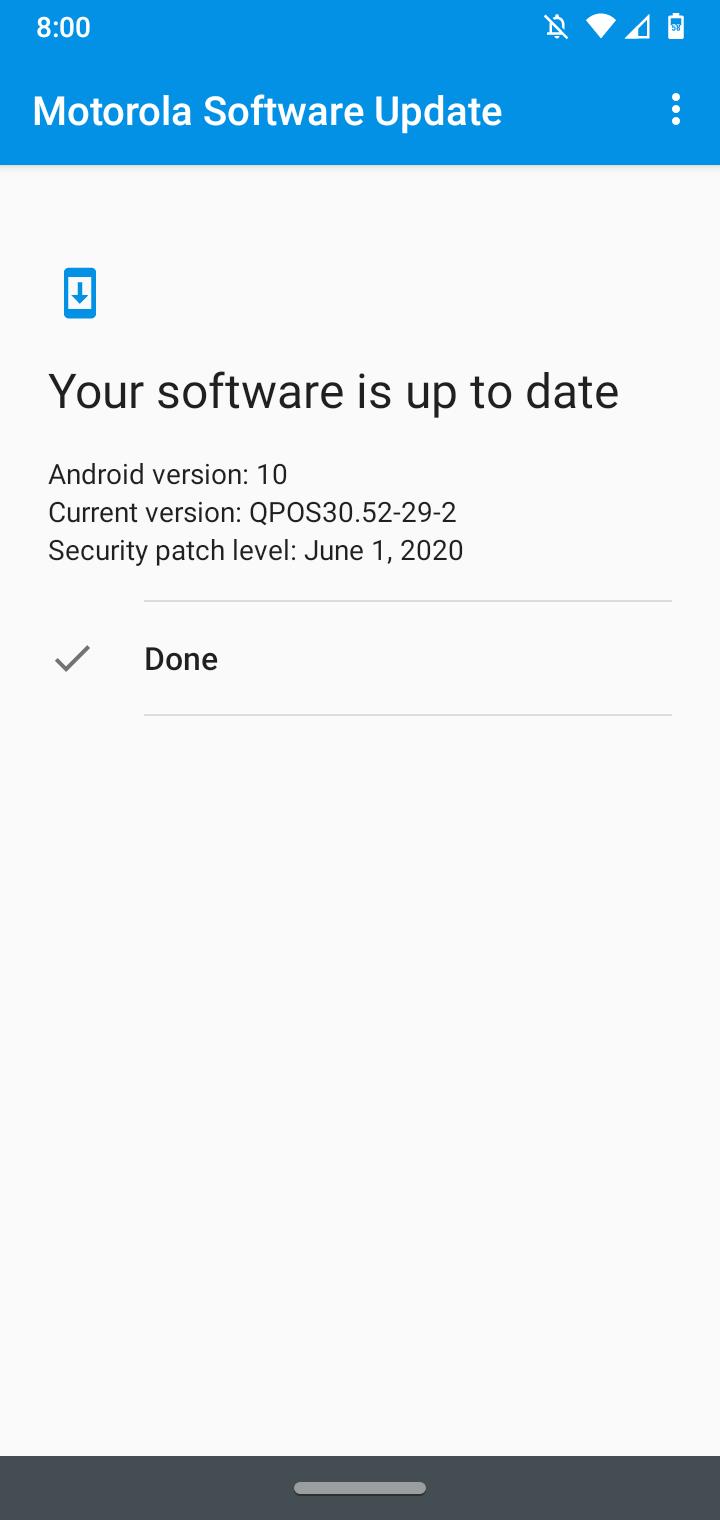
How to check for updates Motorola G7 Data 16/08/2020 Autor digulescu gabriel ionut Categorie Soluții -9 455 Configurare noua (How To) Situatie Solutie 1.Open Settings: 2.Select System: 3.Click on Advanced: 4.Select System updates: Tip solutiePermanent Voteaza Up Down (13 din 35 persoane apreciaza acest articol) ShareTweetShare Despre Autor digulescu gabriel ionut Solutii Asemanatoare Cum deschidem un RDP in full screen folosind Command Prompt in Windows 10 7 Cum deschidem fereastra Sound folosind Run in Windows 10 1 How to enter text with your voice on a Chromebook 6 Can’t Delete a Windows File or Folder? 4 Top 10 Linux Easter Eggs 3 How to fix – Reading a File: Permission Denied on Linux 2 Leave A Comment? × Cancel Reply Save my name, email, and website in this browser for the next time I comment. × five = 5


Leave A Comment?