Situatie
Enable/disable autocorrector Iphone
Solutie
How to enable/disabled autocorrect on Iphone
1.Open Configuration
2.Select General
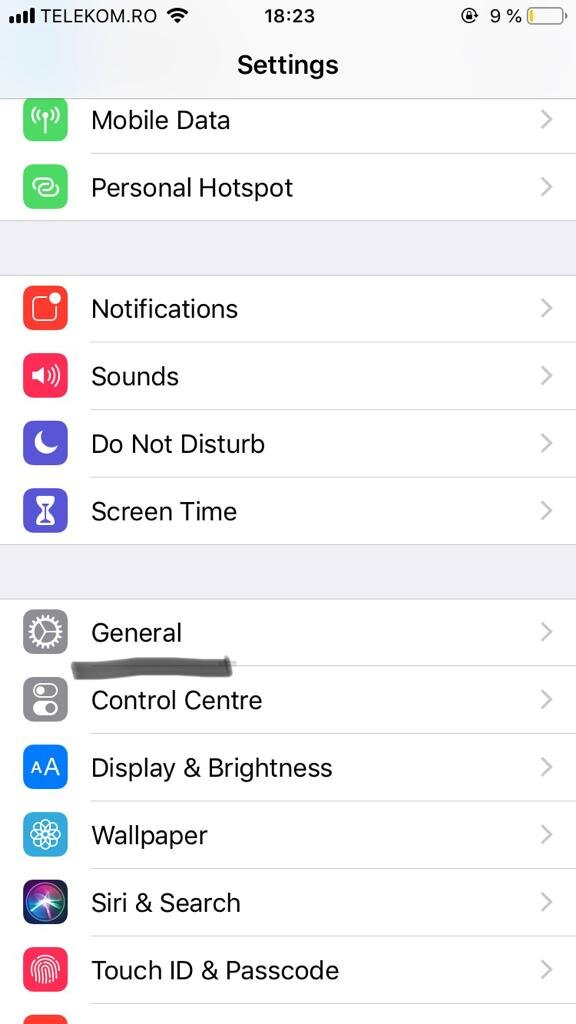
3.Select Keyboard
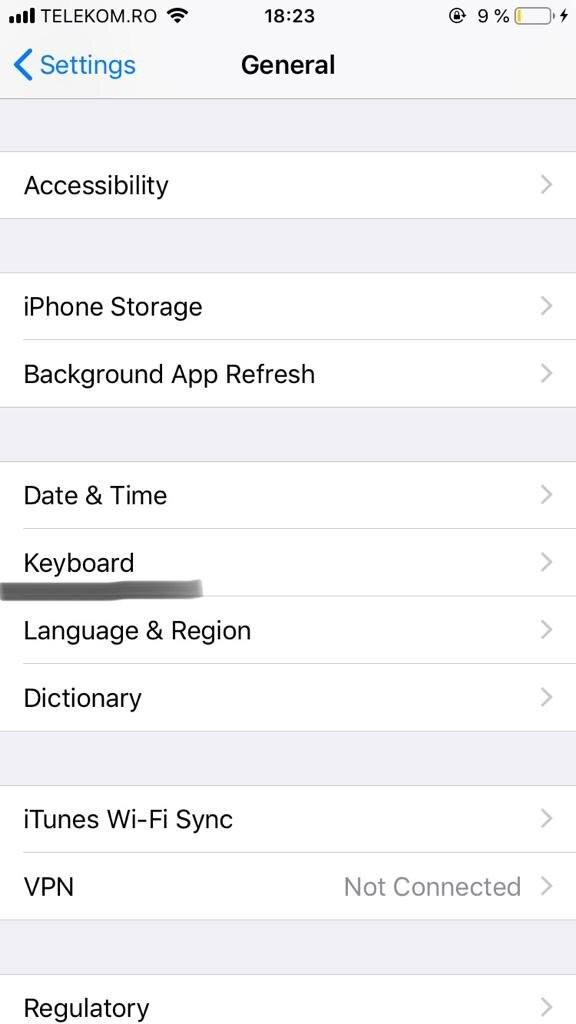
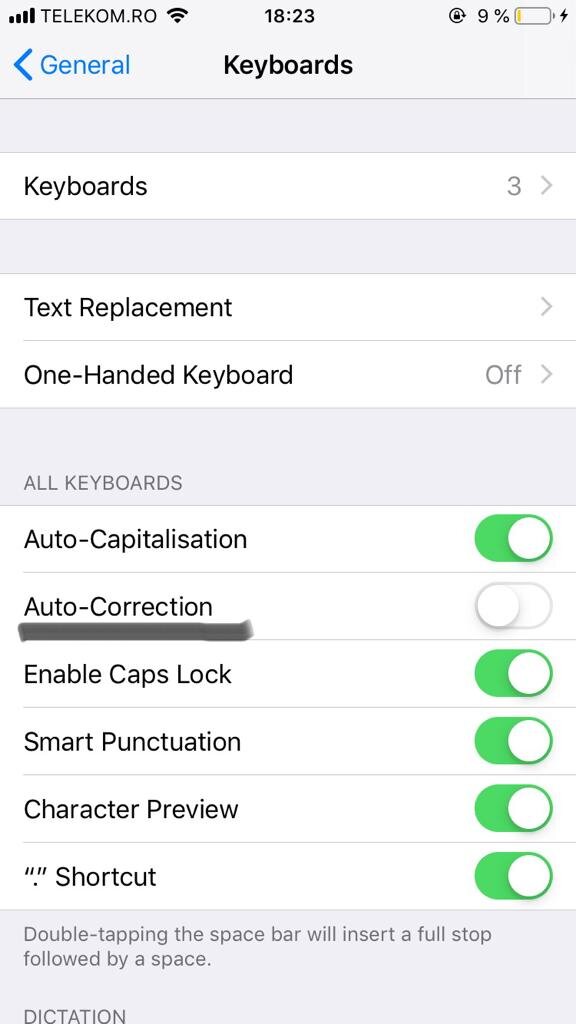
4.Enable/Disable autocorrection
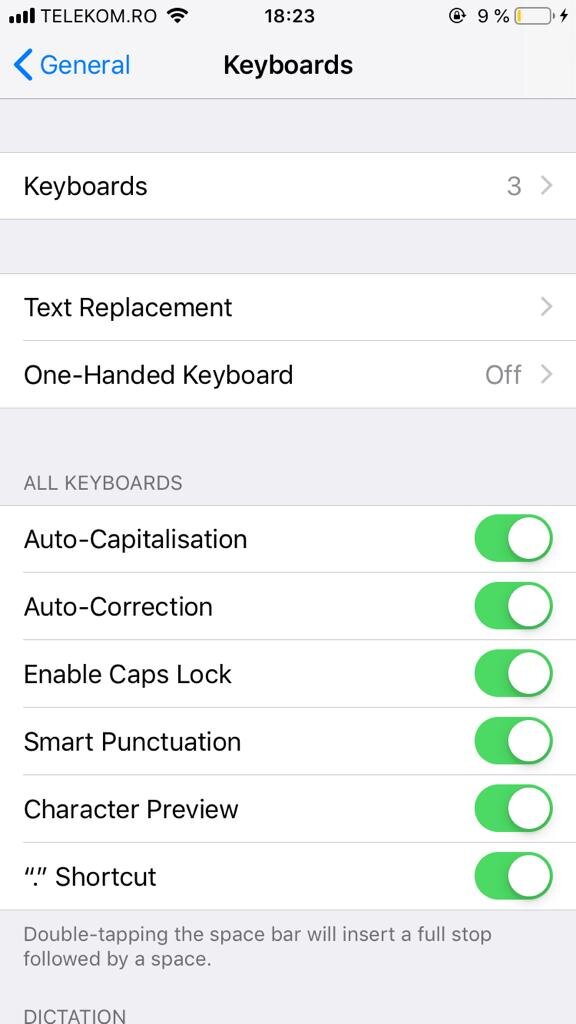
4.Enable/Disable autocorrection

Soluții pentru problemele tale IT
Enable/disable autocorrector Iphone
How to enable/disabled autocorrect on Iphone
1.Open Configuration
2.Select General
3.Select Keyboard
4.Enable/Disable autocorrection
4.Enable/Disable autocorrection
Leave A Comment?