
Situatie
Solutie
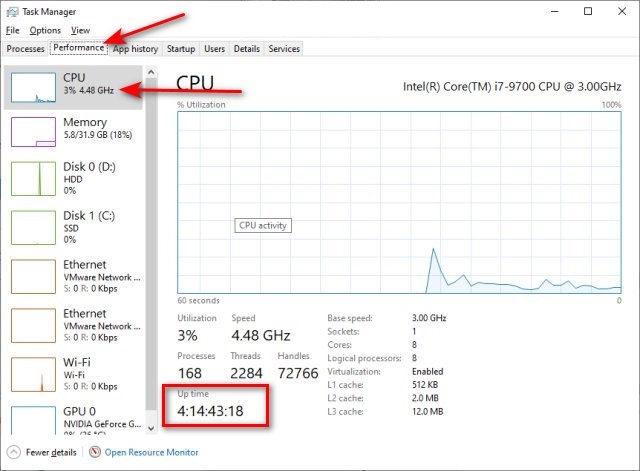
How to Find Your System Up Time in Windows – Task Manager
- Open the Task Manager.
- Click on the Performance tab.
- Click on CPU.
- Your Uptime can be found below.
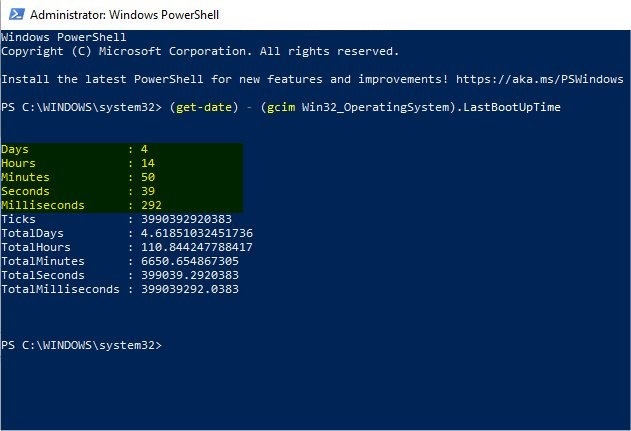
How to Find Your System Up Time in Windows – Command Prompt or PowerShell
- Open PowerShell or the Command Prompt.
- Type in the following line and press Enter.
- Command Prompt: powershell (get-date) – (gcim Win32_OperatingSystem).LastBootUpTime
- PowerShell: (get-date) – (gcim Win32_OperatingSystem).LastBootUpTime
Leave A Comment?