Situatie
You’ve probably seen your Lock screen more times than you can count. You can keep things fresh with Dynamic Lock screen, which automatically changes your Lock screen’s wallpaper.
Solutie
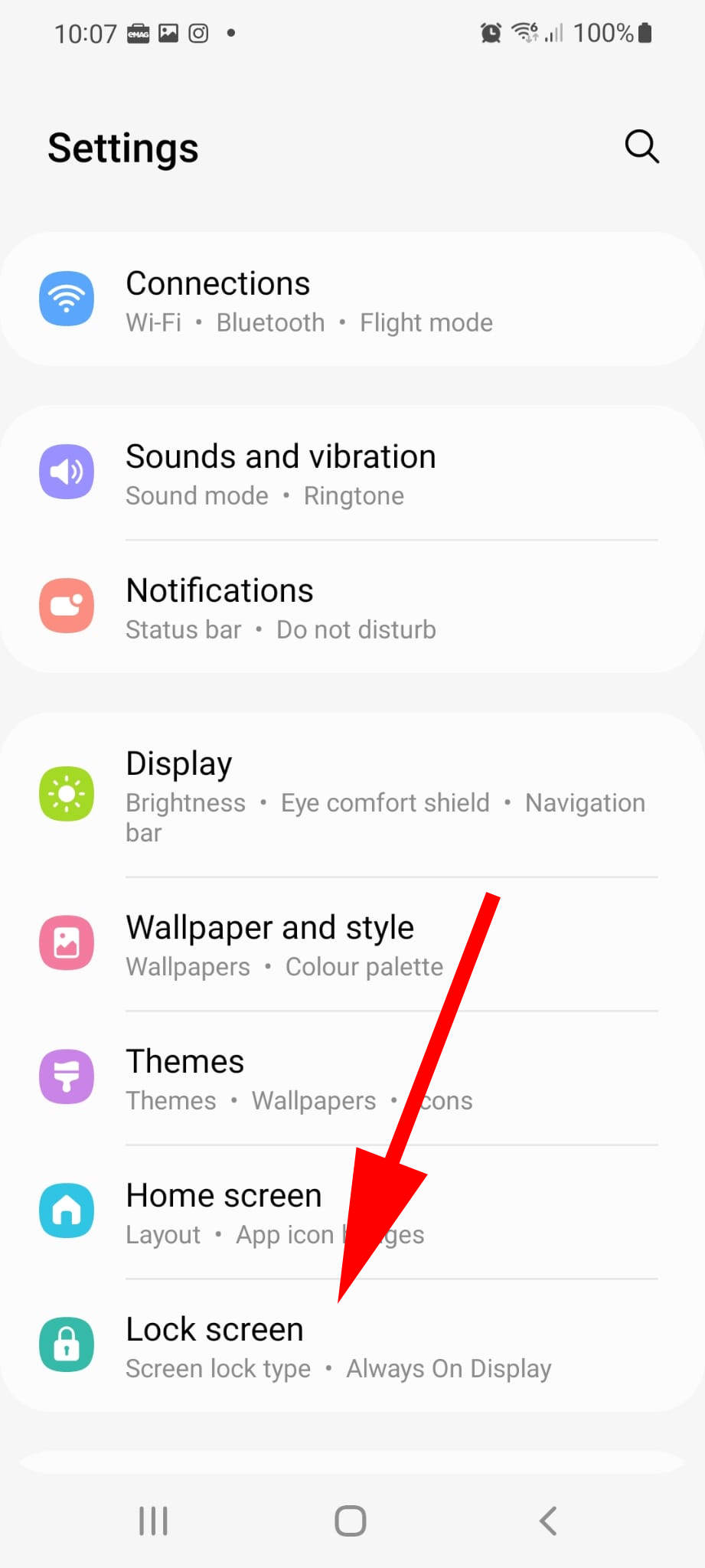
1. Open Settings, and then tap Lock screen.
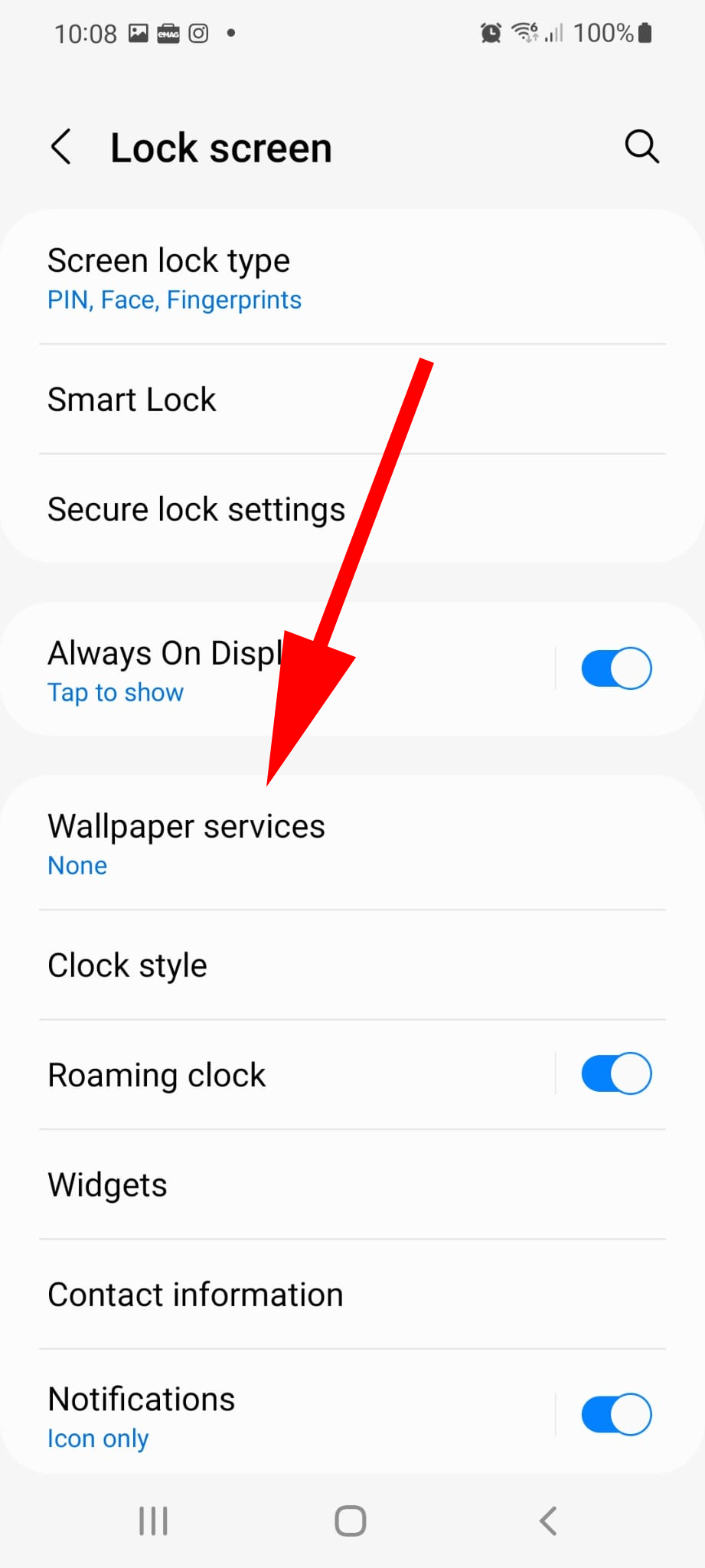
2. Tap Wallpaper services.
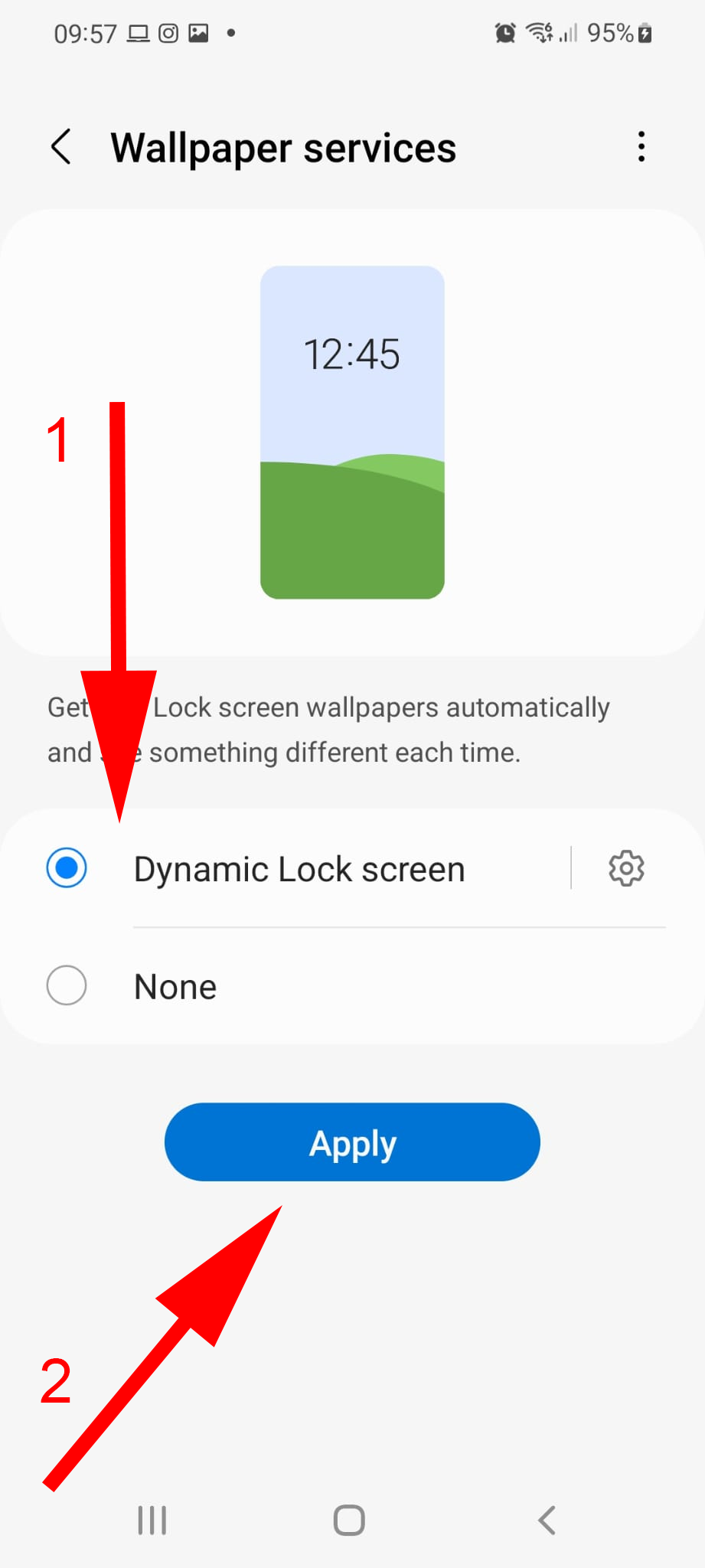
3. Tap Dynamic Lock screen and then tap Apply.
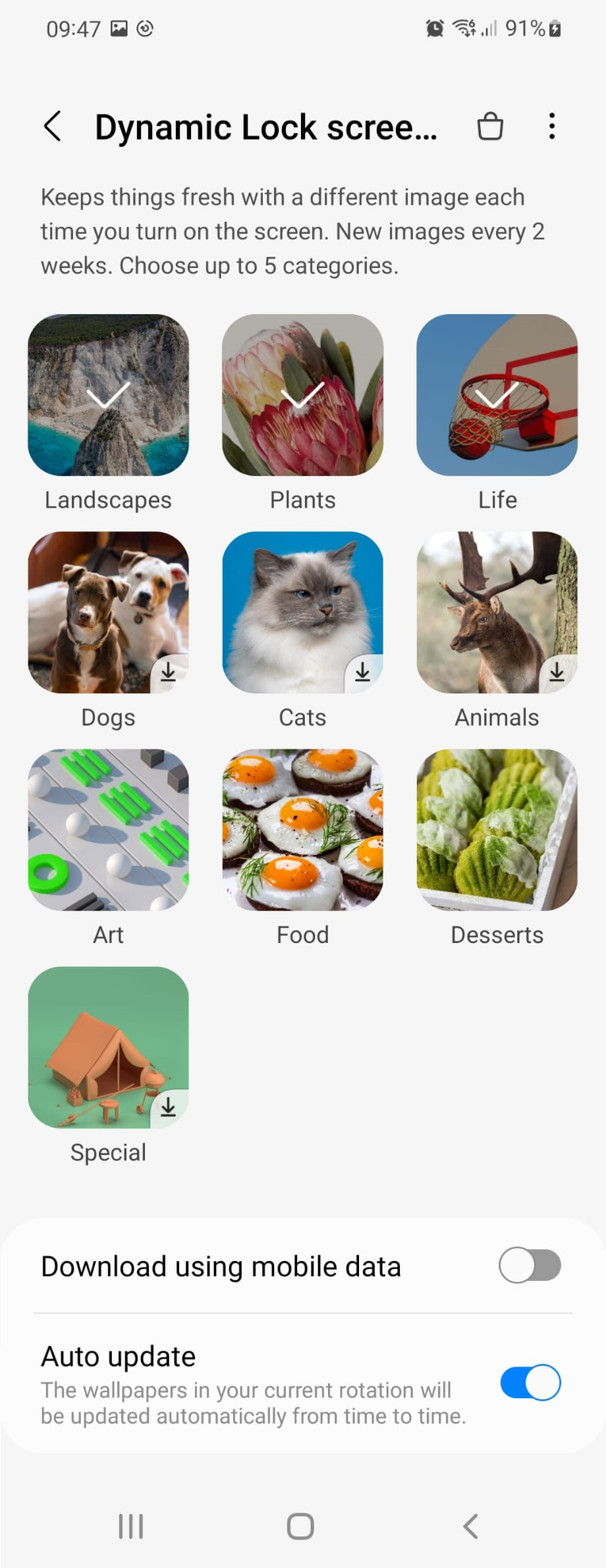
4. If it’s your first time enabling Dynamic Lock screen, you’ll automatically be taken to the settings where you can select an image pack. You can return here by tapping the Settings icon (the gear next to Dynamic Lock screen.)
Select category: Choose a different Dynamic Lock photo category. You can even select multiple categories to have all the images in the rotation.
Download using mobile data: Allow your phone to use mobile data when downloading your Fresh packs. Turn this feature off if you only want to use Wi-Fi to download.
Auto update: Make the wallpapers in your Fresh packs update automatically.