
Situatie
By default, pressing Alt+Tab in Windows 11 will show thumbnails of both open application windows and all tabs open in the Microsoft Edge browser.
Solutie
First, open Settings you can right-click the Start button and select “Settings.”

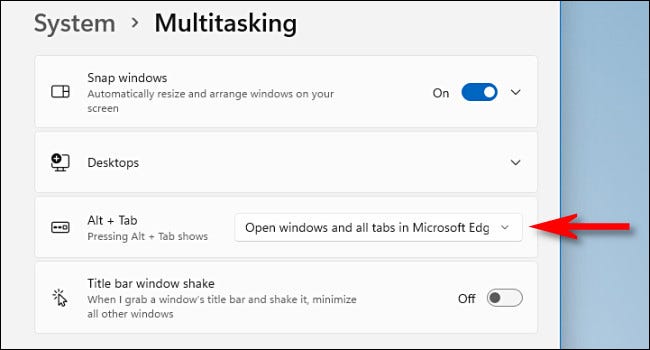
In Settings, click “System” in the sidebar, then scroll down and select “Multitasking.”

In Multitasking settings, locate the “Alt+Tab” section and click the drop-down menu located there.
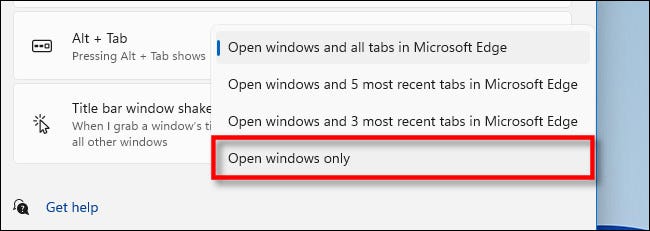
When the drop-down menu expands, select “Open Windows Only”.
Leave A Comment?