
Situatie
Solutie
It’s well-known that filling in a form with your email address — say, to get a discount on a product, receive a newsletter, or get the results of a quiz — means you are going to get email from that vendor, and possibly from a bunch of other vendors and / or advertisers, forever.
One of the ways to subvert this has traditionally been to create a free email account to use for sites that you want to register with but that you suspect will be the gateway for a large amount of spam. This is what I did. However, over time, that designated email account can become so well-used that it stops being a hidey-hole for spam and becomes another account that offers advertisers and others a source for information to aggregate.
This is where DuckDuckGo’s latest product comes in.
DuckDuckGo is a browser that is known for its security and privacy safeguards. Recently, the company came up with a new feature to help its users keep their info to themselves: DuckDuckGo Email Protection. It provides you with a special email address that you can use as an intermediary for sites that you suspect will probably collect data on you.
It works this way: you use your DuckDuckGo address for any site that is suspicious (or just commercial). All email that is sent to that email address will be filtered for hidden trackers and then forwarded to your “normal” email address.
Intrigued? The feature is currently in beta, but you can sign up if you want to give it a try. According to a company rep, they are keeping a waitlist, and people will be picked up from that waitlist “on a week to week basis.” DuckDuckGo is planning to eventually offer invites that its users can distribute as well.
HOW TO SIGN UP
So, with all that in mind, here’s how to sign up and use the new DuckDuckGo Email Protection feature. Sign up from the DuckDuckGo mobile app. (You can find links to Apple’s App Store and Google Play.)
Once you’ve installed the app, go to “Settings” > “Email Protection.” Here, you can join the private waitlist (or enter an invite code, if you have one). Your invite will probably come in the form of a link. Go ahead and click the link. You’ll be taken through a series of screens that explain that DuckDuckGo does not save your emails, use your data for advertising, and that your data is encrypted, among other things.
After you’ve read the usual service terms, you get to choose your unique DuckDuckGo email address (a combination of 3 to 30 letters or numbers which will be appended with @duck.com). You also need to specify an address where your email should be forwarded.
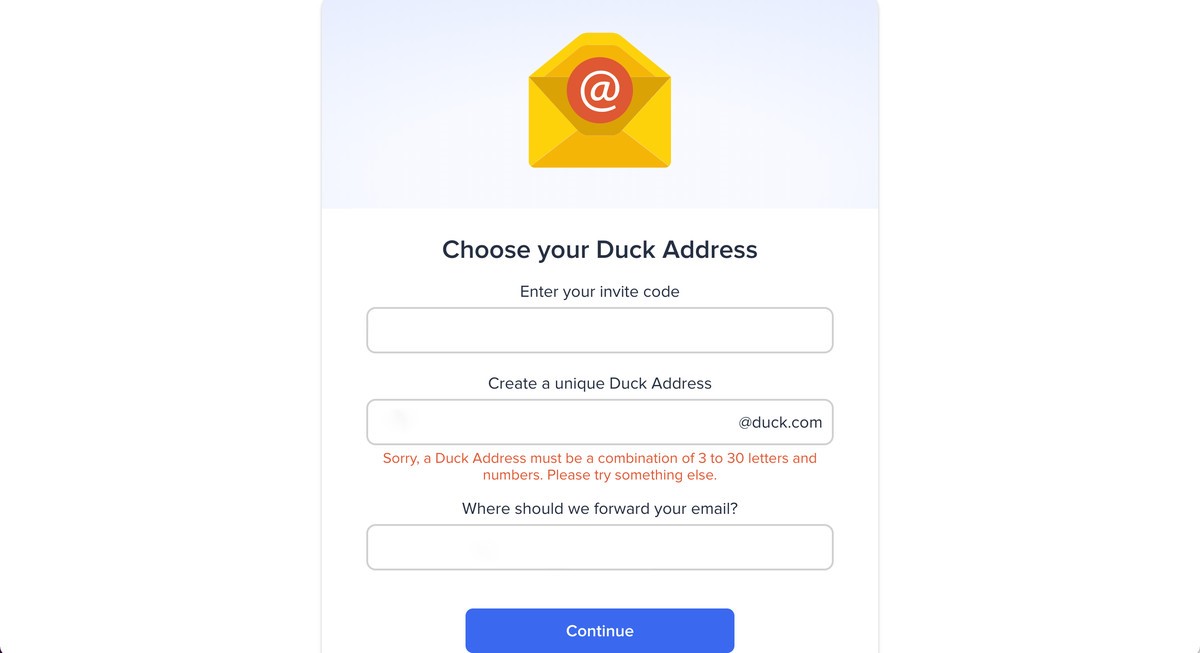
Now, whenever you use the DuckDuckGo email address to fill in a form, any email that is then sent to that DuckDuckGo address — an acknowledgment, an ad, a newsletter, whatever — will first go through DuckDuckGo’s servers and then will be delivered to your usual email address stripped, according to the company, of any trackers that were attached to it.
HOW THE BETA WORKS
As I tested out the beta of DuckDuckGo’s email features I found one or two glitches, but on the whole, it did seem to operate as promised.
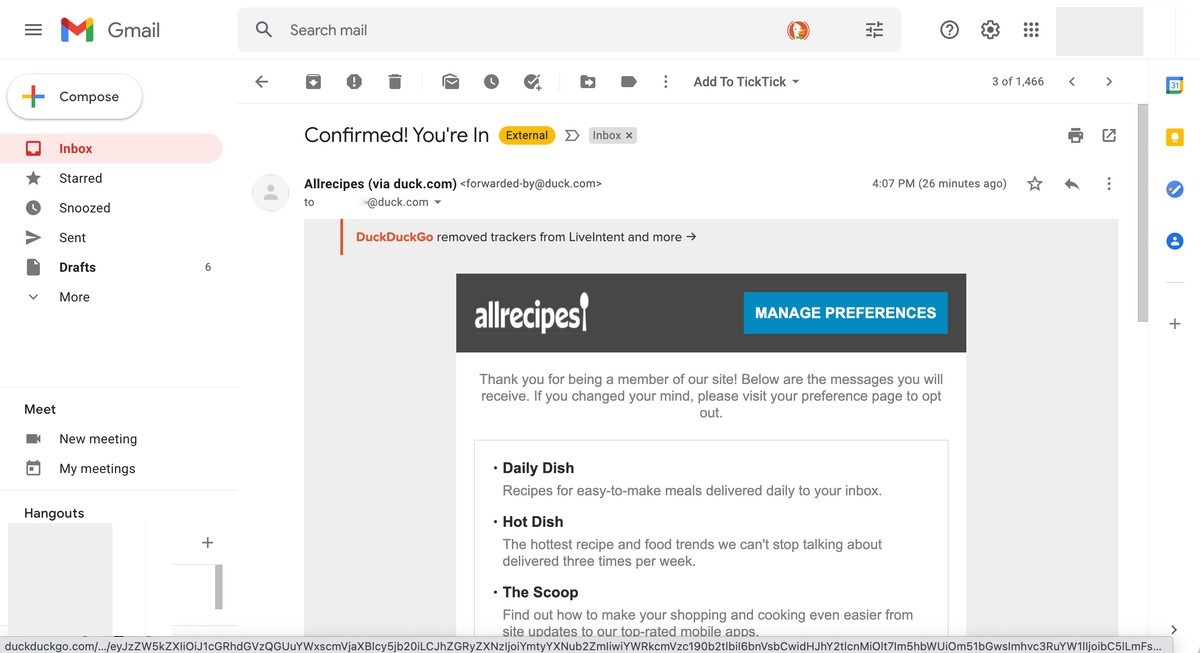
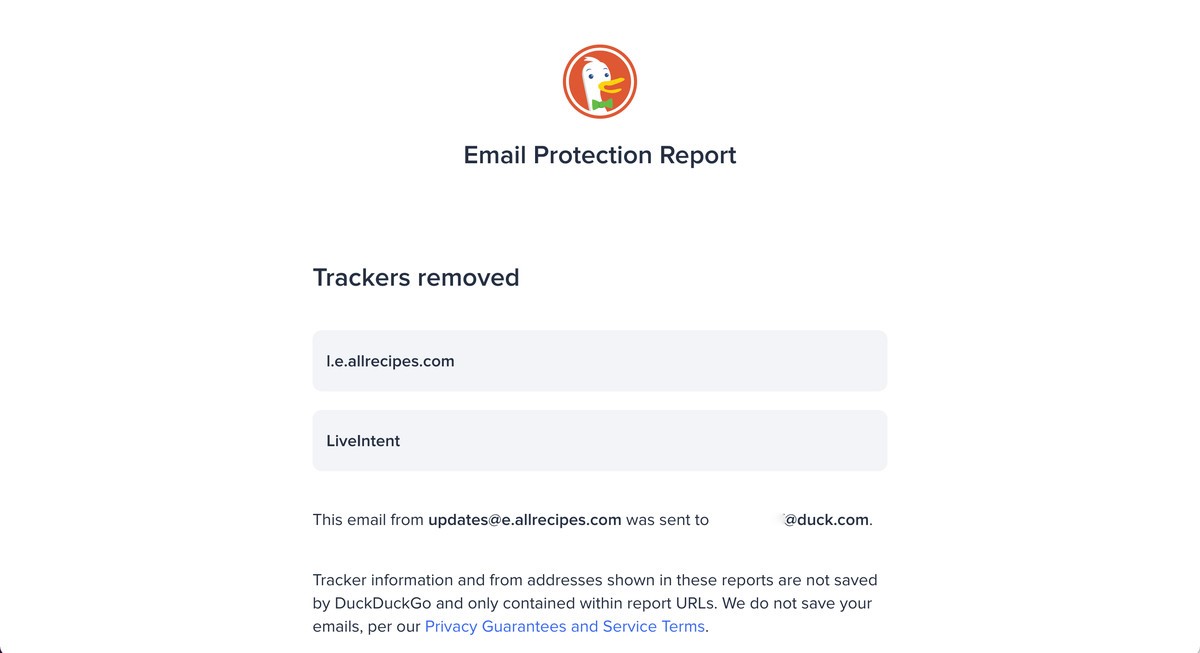
I signed up at two sites using the duck.com address. The emailed acknowledgment from the first, Allrecipes, took over an hour to appear in my regular Gmail listing. There was a statement at the top that “DuckDuckGo removed trackers from LiveIntent and more.” I clicked on the statement and was taken to a DuckDuckGo website that listed a tracker from LiveIntent (an ad distributor) and Allrecipes itself.
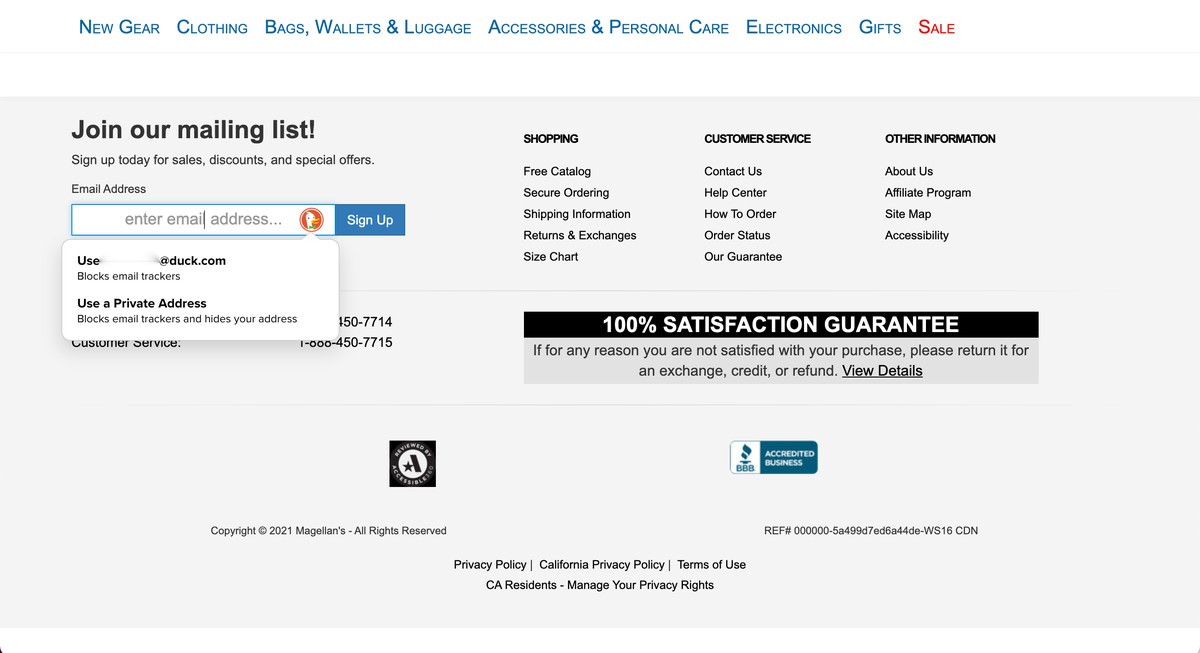
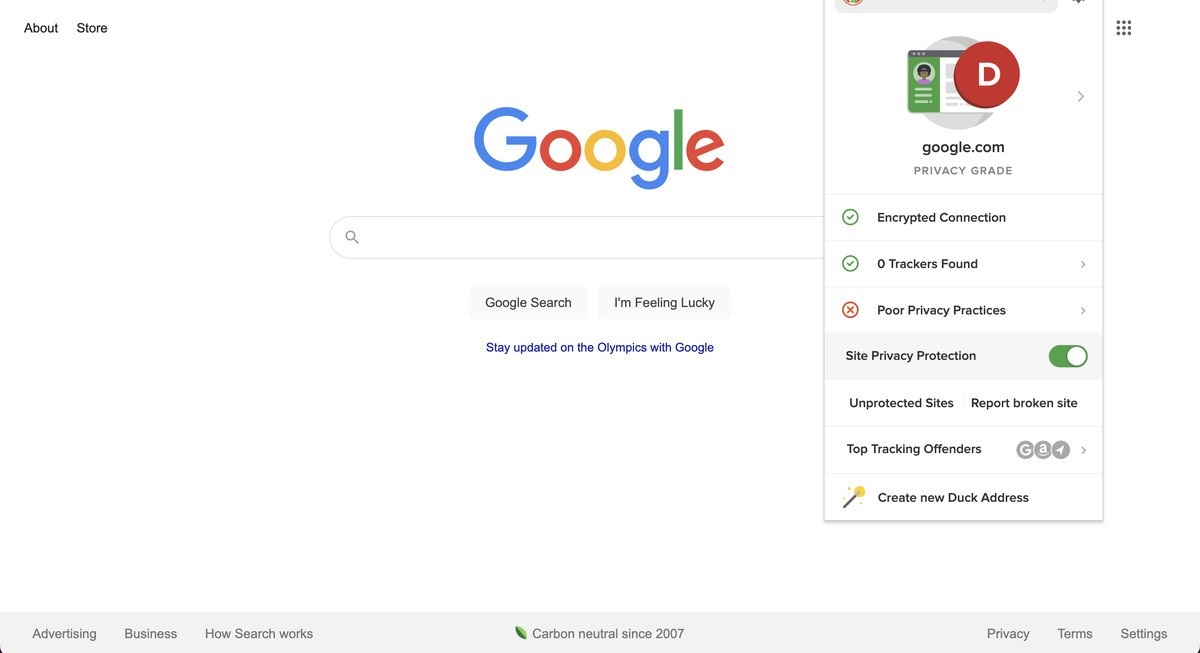
Right after you register for the email account, DuckDuckGo offers to install an extension on your browser (according to a company rep, the extension is available for all major browsers, including Chrome, Firefox, Edge, Brave, and Safari). This extension lets you autofill forms with your DuckDuckGo email address or with a randomly generated address (which will also forward to your chosen email account).
The browser extension comes with several other interesting features. It reports on the number of trackers on the current site and rates it for security. It also enables something called Site Privacy Protection which, according to DuckDuckGo, “blocks social media embedded content by default” in order to prevent tracking codes from being loaded.
Be aware, though, that this particular feature can interfere with certain sites, but it can easily fixed: the extension lets you disable the protection for specific sites by just toggling it off.
Leave A Comment?