Follow Us

Soluții pentru problemele tale IT

Home /Aplicații/E-mail/Migrare Mailbox Exchange 2013 din ECP
Home /Servicii de e-mail/Exchange/Migrare cont E-mail pe alta baza de date Exchange 2013/Migrare Mailbox Exchange 2013 din ECP
Home /Aplicații/E-mail/Migrare conturi de email/Migrare Mailbox Exchange 2013 din ECP
Home /Aplicații /Migrare Mailbox Exchange 2013 din ECP
Home /Servicii de e-mail/Exchange/Migrare Mailbox Exchange 2013 din ECP
Home /Servicii de e-mail /Migrare Mailbox Exchange 2013 din ECP

Migrare Mailbox Exchange 2013 din ECP

  • Data 13/04/2016
  • Autor Catalin D
  • Categorie E-mail, Migrare cont E-mail pe alta baza de date Exchange 2013, Migrare conturi de email, Aplicații, Exchange, Servicii de e-mail
  • -5
  • 3724
Configurare noua (How To)

Situatie

Se doreste mutarea unui mailbox sau mai multe de pe o baza de date pe o alta baza.

Aceasta operatiune se poate face din Exchange Admin Center urmand pasii prezentati.

Solutie

Pasi de urmat

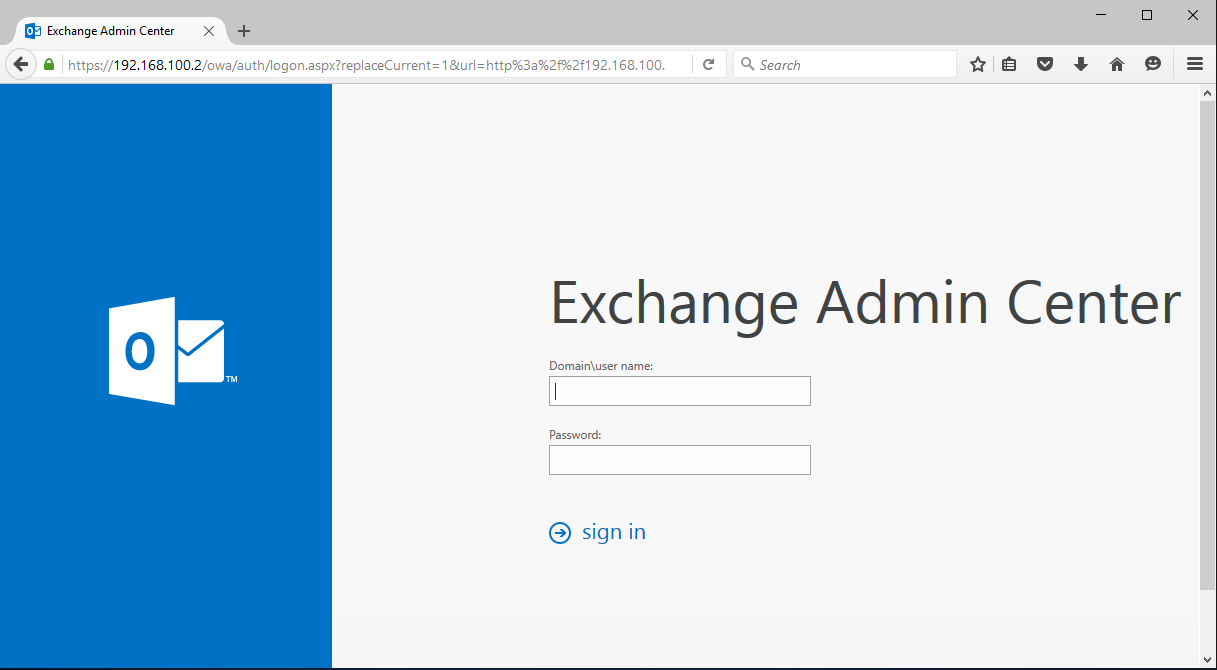
Ne logam in Exchange Admin Center (https://mail.companie.ro/ecp).
mig

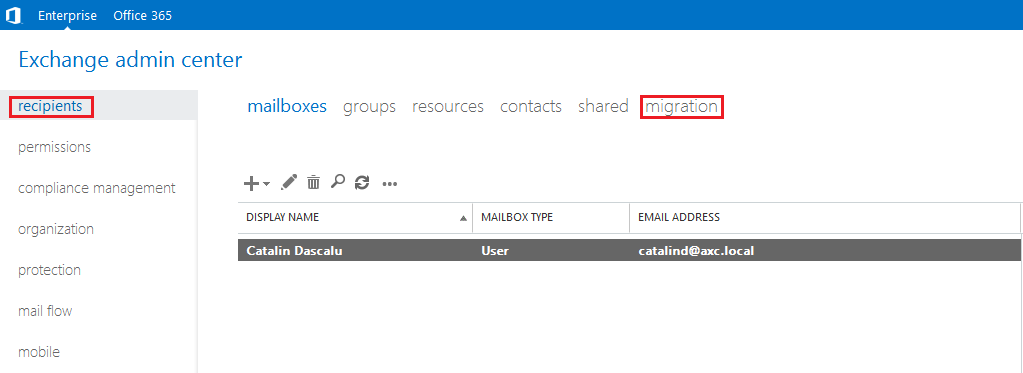
Mergem la Recipients → Migration.

mig1

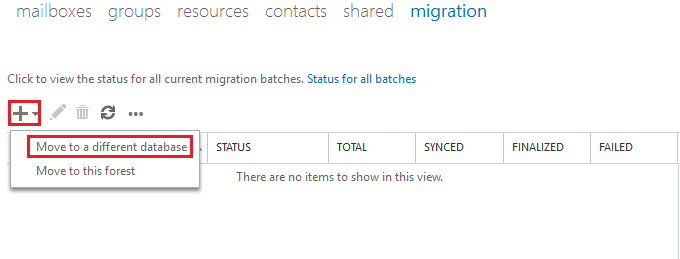
Click + → Move to a different database.
mig2

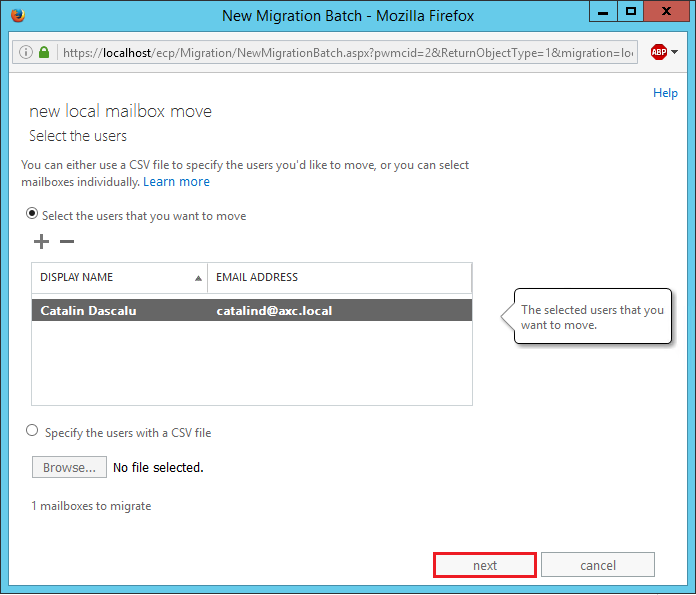
In noua fereastra, sub Select the users that you want to move, apasam pe +.

mig3

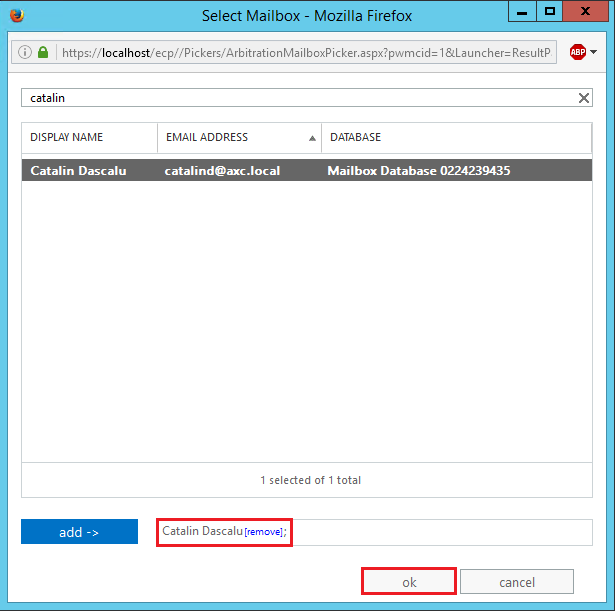
Cautam mailbox-ul care trebuie mutat → click add → OK.
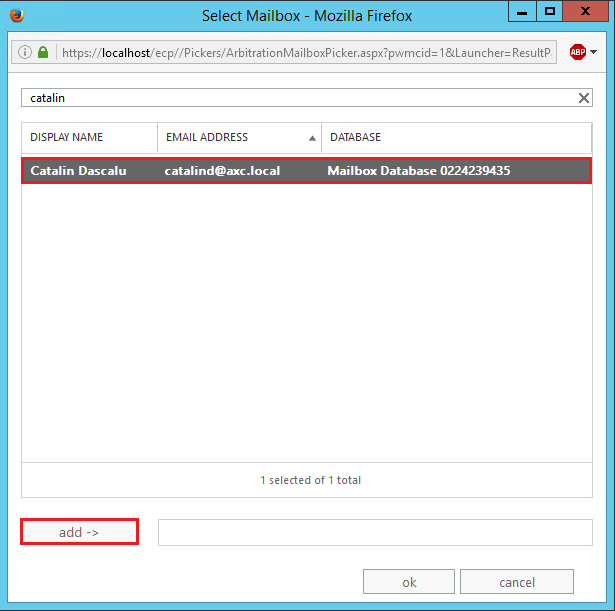
mig4  mig5

Click pe Next.

mig6

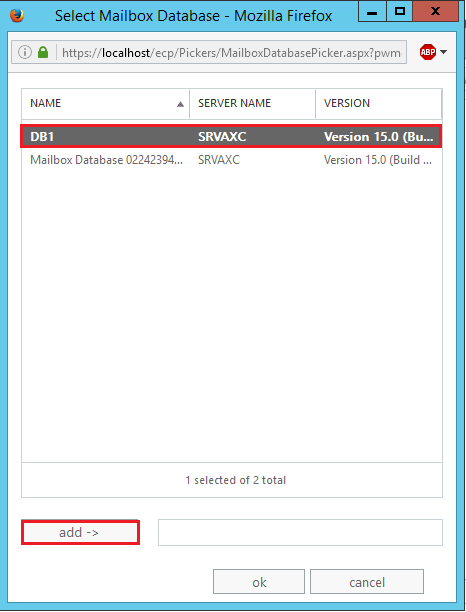
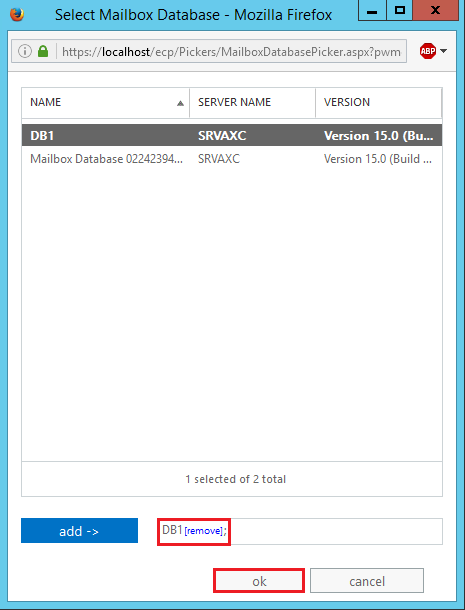
Dam un nume acestei operatiuni (migrare) → bifam Move the primary mailbox and the archive mailbox if one exists → click browse… → selectam baza de date pe care trebuie mutat mailbox-ul → Click add → OK → Next.
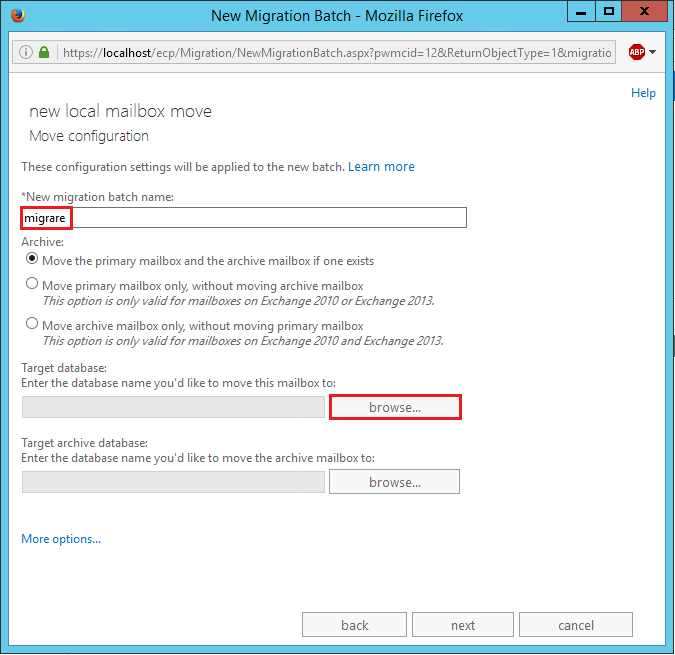
mig66 mig7 mig8 mig9

Click New.

mig10

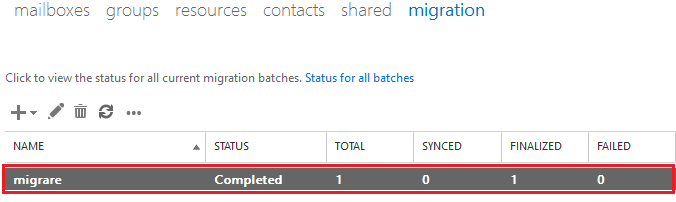
Asteptam pana termina procesul de migrare.

mig11

mig12

Tip solutie

Permanent
Etichetare: exchangeexchange 2013migraremigrare cont e-mail

Voteaza

Up Down
(48 din 101 persoane apreciaza acest articol)
Share
Tweet
Share

Despre Autor

Catalin D

Solutii Asemanatoare

  • O metoda de vizualizare a valorii frecventelor orizontale si verticale de reimprospatare a imaginii in Windows 5
  • Adding emotes to a personal Twitch channel 1
  • How to stop awkward Games showing up on next year’s Steam replay 4
  • How to use LAMBDA in Excel to create your own functions 0
  • How to customize the Always-on Display on a Samsung Galaxy Phone -2
  • How to create a New File in macOS Finder 3

Leave A Comment? × Cancel Reply

29534

Soluții Disponibile

0 Articole

In ultima saptamana

Cele mai recente soluții

  • How to clean temporary files on Windows 11
    • 225
    • 17/04/2025
  • How to update iOS on your iPhone
    • 264
    • 17/04/2025
  • Cum deschidem un RDP in full screen folosind Command Prompt in Windows 10
    • 281
    • 16/04/2025
  • Cum deschidem fereastra Sound folosind Run in Windows 10
    • 254
    • 16/04/2025
  • How to enter text with your voice on a Chromebook
    • 413
    • 16/04/2025
© Askit.ro, 2014 - 2025. All rights reserved. Done by Class IT
Share
Tweet
Share