Situatie
Solutie
Pasi de urmat
1.Deschis Windows Security.
2.Click pe Firewall & network protection.
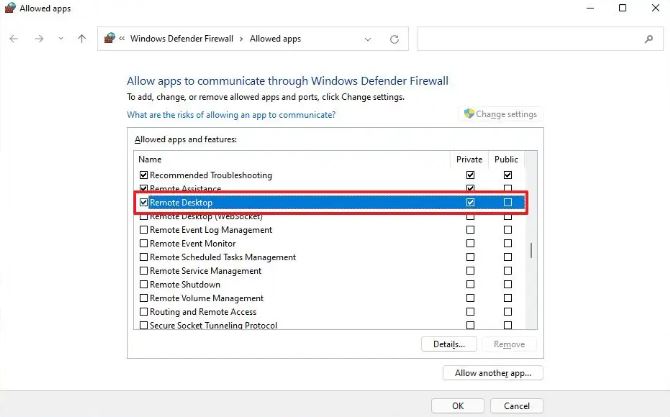
3.Apasă pe Allow an app through firewall.
4.Apasă pe Change settings.
5.Verificați aplicația pentru a permite accesul prin firewall-ul Windows 11.

Soluții pentru problemele tale IT
1.Deschis Windows Security.
2.Click pe Firewall & network protection.
3.Apasă pe Allow an app through firewall.
4.Apasă pe Change settings.
5.Verificați aplicația pentru a permite accesul prin firewall-ul Windows 11.
Leave A Comment?