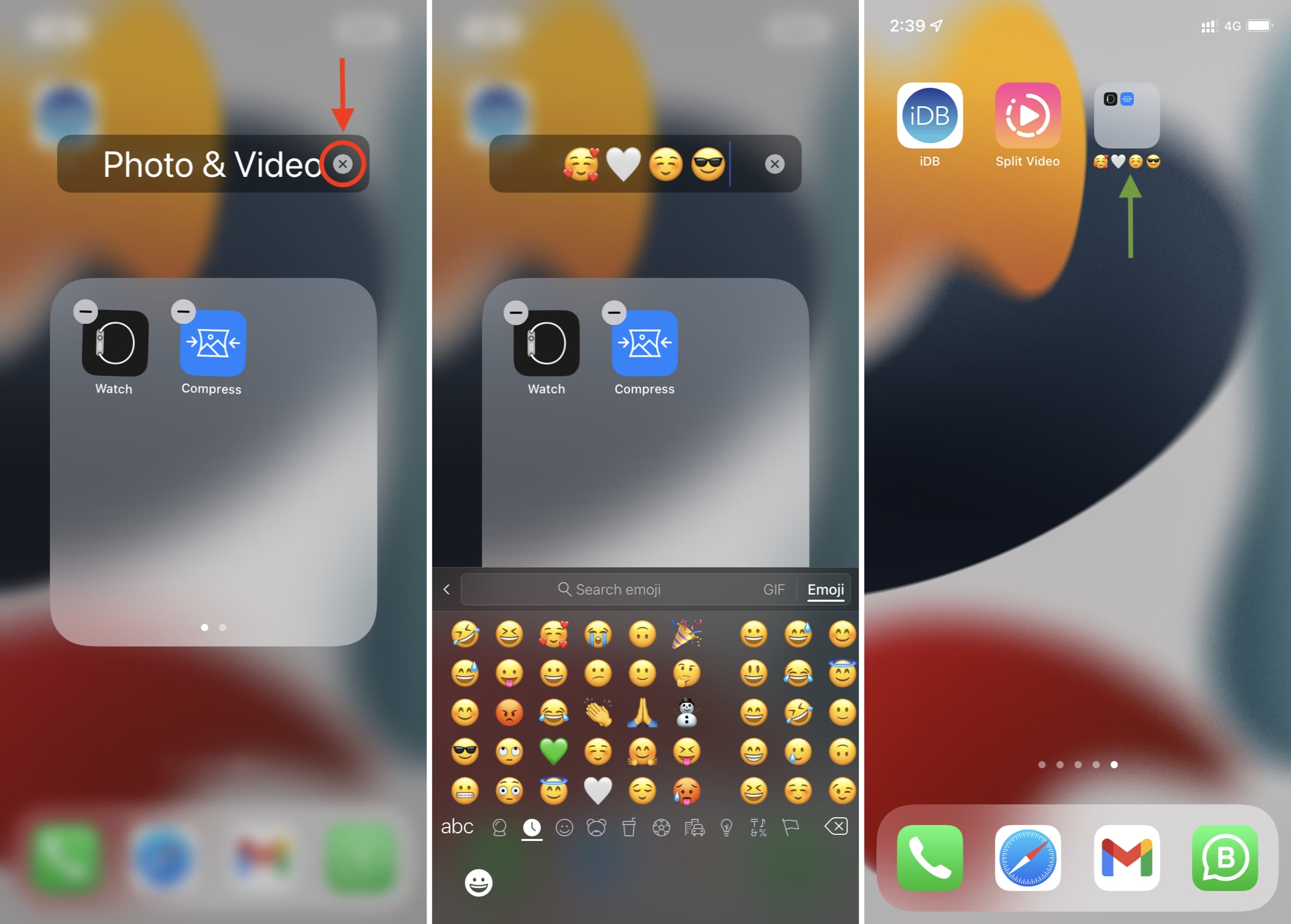
Rename app folders on iPhone Data 20/10/2024 Autor Madalina Spoiala Categorie E-mail, OS - Windows, Soluții, Configurare program, Mobile, Aplicatii specifice, Aplicații, Stații de lucru -1 354 Configurare noua (How To) Situatie Solutie 1) Open a folder 2) Press its current name until apps start shaking 3) Tap X and type the new folder name. You can also use only emojis as the folder name. Tip solutiePermanent Voteaza Up Down (15 din 31 persoane apreciaza acest articol) ShareTweetShare Despre Autor Madalina Spoiala Solutii Asemanatoare How to clean temporary files on Windows 11 -5 How to update iOS on your iPhone -3 Cum deschidem un RDP in full screen folosind Command Prompt in Windows 10 6 Cum deschidem fereastra Sound folosind Run in Windows 10 0 How to enter text with your voice on a Chromebook 5 Can’t Delete a Windows File or Folder? 3