
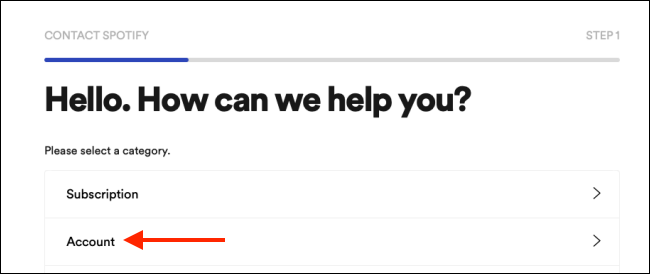
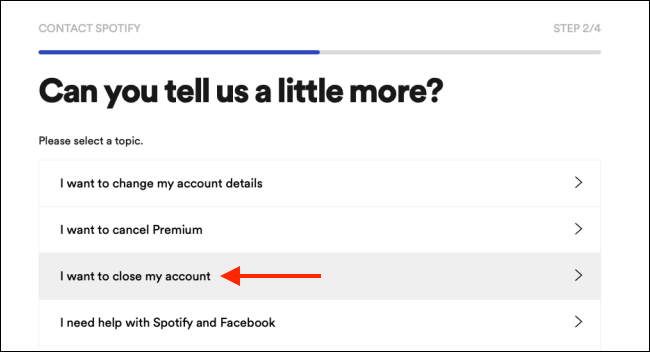
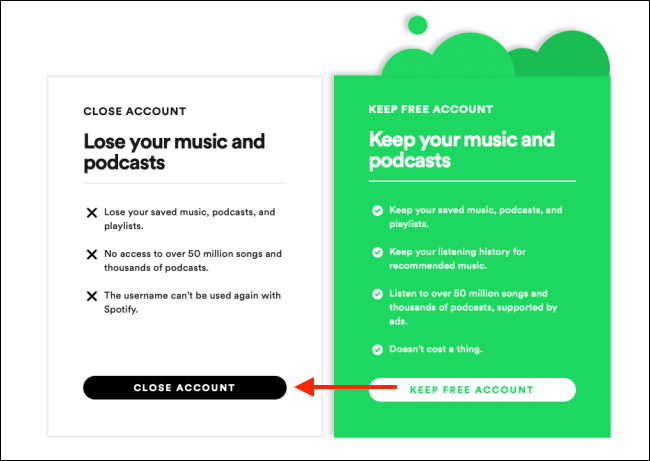
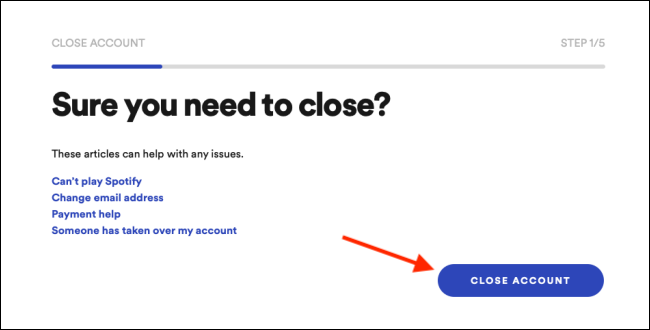
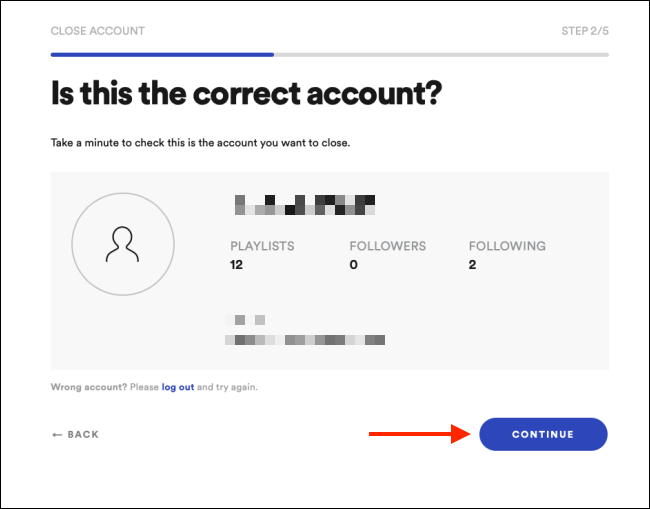
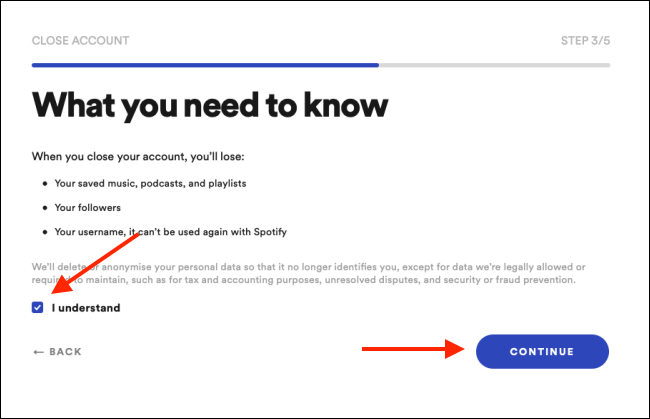
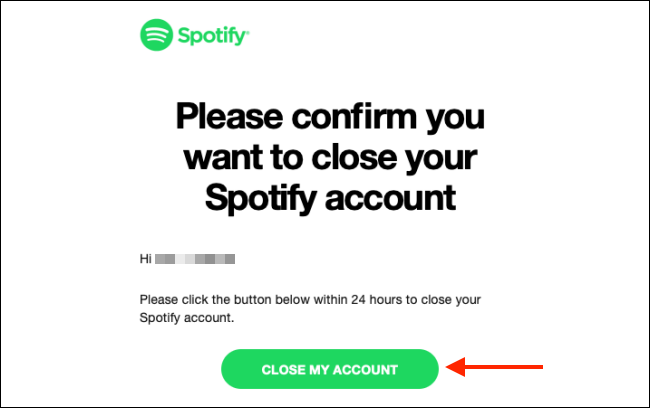
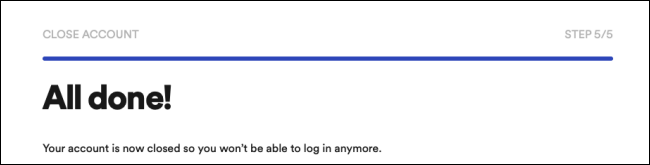
Stergere cont Spotify Data 13/07/2020 Autor Catalin Patulea Categorie Aplicații 0 704 Configurare noua (How To) SituatieCum sa stergi contul Spotify. Solutie Pasi de urmat Se acceseaza website-ul Spotify si ne logam in cont. Accesam pagina Customer Support si aici avem setarile pentru cont. Alegem varianta I Want To Close My Account: In mesajul aparut dam click pe Close Account: Apasam butonul Close Account. Trebuie confirmate detaliile contului si se apasa butonul Continue. La pasul urmator se bifeaza casuta I Understand si se apasa butonul Continue. Spotify trimite un email de confirmare. In acest email trebuie apasat butonul Close My Account. La final, va aparea un mesaj de confirmare. Timp de 7 zile contul poate fi reactivat prin link-ul primit pe email. Tip solutiePermanent Voteaza Up Down (22 din 44 persoane apreciaza acest articol) ShareTweetShare Despre Autor Catalin Patulea Solutii Asemanatoare O metoda de vizualizare a valorii frecventelor orizontale si verticale de reimprospatare a imaginii in Windows 4 Adding emotes to a personal Twitch channel -2 How to stop awkward Games showing up on next year’s Steam replay 3 How to use LAMBDA in Excel to create your own functions -1 How to customize the Always-on Display on a Samsung Galaxy Phone -3 How to create a New File in macOS Finder 2 Leave A Comment? × Cancel Reply Save my name, email, and website in this browser for the next time I comment. − four = three
Leave A Comment?