
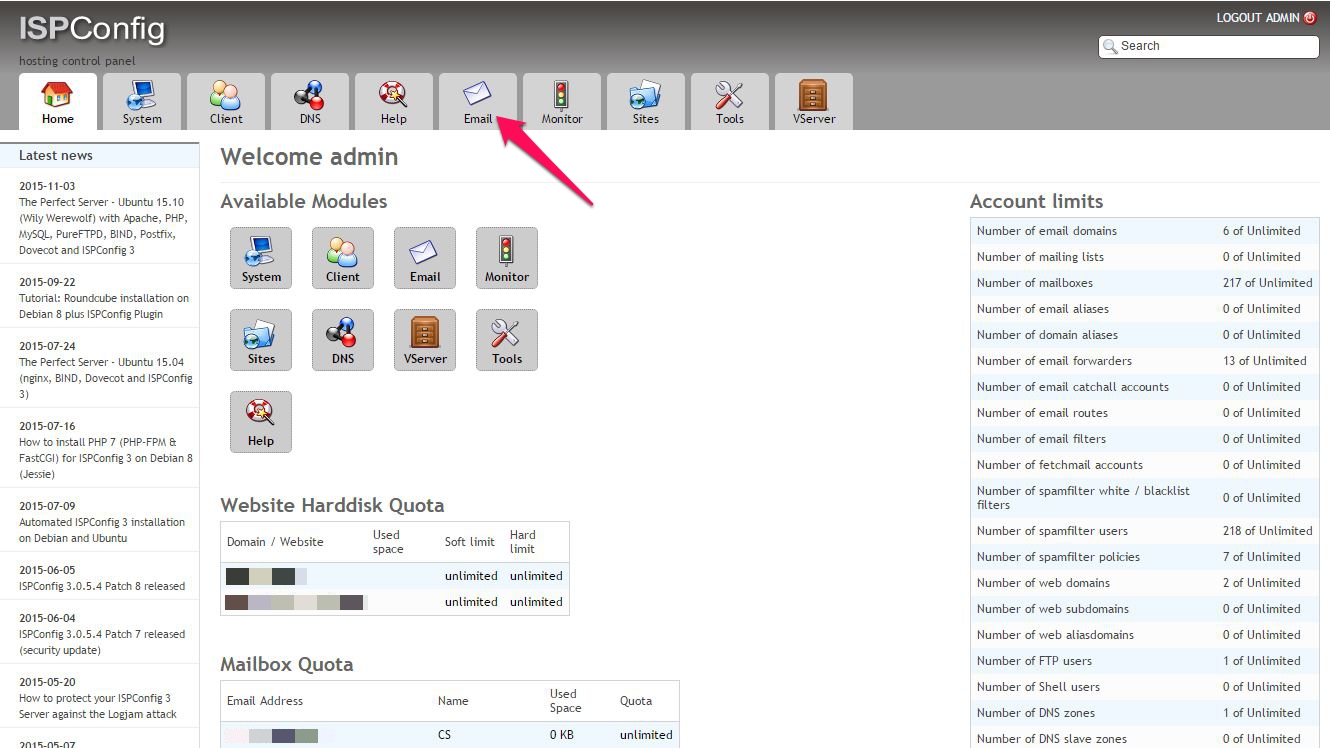
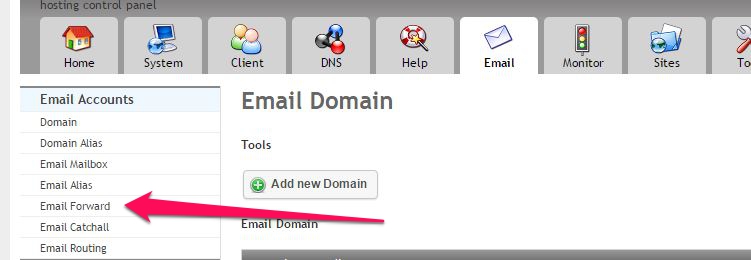
Creare Grup de Distributie in ISPConfig Data 11/11/2015 Autor Claudiu S Categorie E-mail, Networking, Aplicații 1 1309 Configurare noua (How To) SituatieGhid pentru crearea unui grup de distributie pe ISPConfig Solutie Pasi de urmat Din consola ISPConfig, mergem in tab-ul Mail Alegem Email Forward Acum alegem Add new Email forward Completam cu datele necesare: Adresa universala a grupului Adresele de email ai membrilor Tip solutiePermanent Voteaza Up Down (22 din 43 persoane apreciaza acest articol) ShareTweetShare Despre Autor Claudiu S Solutii Asemanatoare Motive pentru care routerul poate pierde toate setările 5 O metoda de vizualizare a valorii frecventelor orizontale si verticale de reimprospatare a imaginii in Windows 4 Adding emotes to a personal Twitch channel 3 How to stop awkward Games showing up on next year’s Steam replay 2 How to use LAMBDA in Excel to create your own functions 1 How to customize the Always-on Display on a Samsung Galaxy Phone -9 Leave A Comment? × Cancel Reply Save my name, email, and website in this browser for the next time I comment. + 5 = eleven
Leave A Comment?