
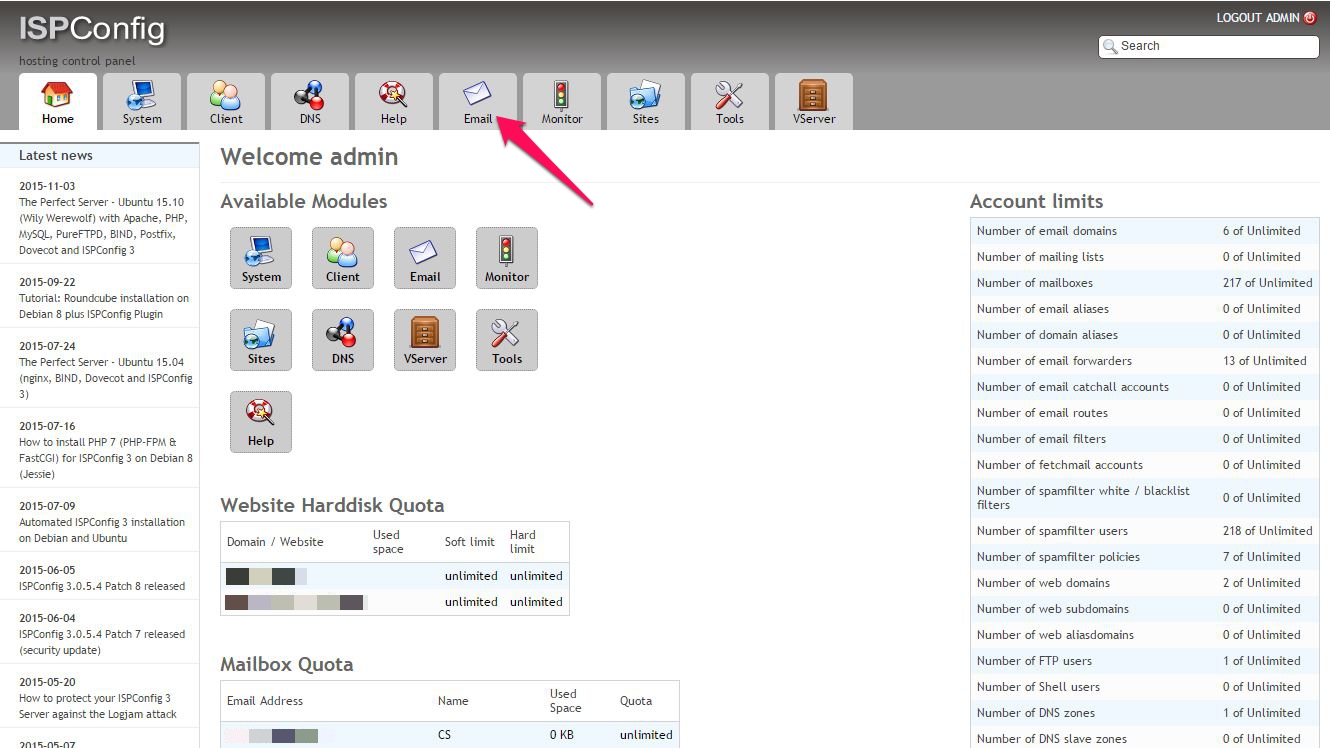
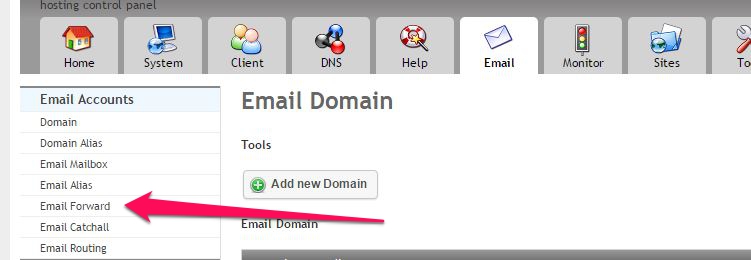
Creare Grup de Distributie in ISPConfig Data 11/11/2015 Autor Claudiu S Categorie E-mail, Networking, Aplicații 2 1365 Configurare noua (How To) SituatieGhid pentru crearea unui grup de distributie pe ISPConfig Solutie Pasi de urmat Din consola ISPConfig, mergem in tab-ul Mail Alegem Email Forward Acum alegem Add new Email forward Completam cu datele necesare: Adresa universala a grupului Adresele de email ai membrilor Tip solutiePermanent Voteaza Up Down (23 din 44 persoane apreciaza acest articol) ShareTweetShare Despre Autor Claudiu S Solutii Asemanatoare Motive pentru care routerul poate pierde toate setările 3 O metoda de vizualizare a valorii frecventelor orizontale si verticale de reimprospatare a imaginii in Windows 6 Adding emotes to a personal Twitch channel 3 How to stop awkward Games showing up on next year’s Steam replay -2 How to use LAMBDA in Excel to create your own functions -4 How to customize the Always-on Display on a Samsung Galaxy Phone -6 Leave A Comment? × Cancel Reply Save my name, email, and website in this browser for the next time I comment. five − one =
Leave A Comment?