Soluții

Cloud Hosting – cerințe și selecție

Pentru a cumpăra Cloud Hosting bun, trebuie mai întâi să impuneți cerințele pe hârtie. Aceasta se aplică atât software-ului personalizat, cât și standard.

  • Securitate puternică
  • Viteza constantă
  • Posibilități de extindere infinită
  • Putere mare de calcul
  • Administrabilitate puternică și intuitivă

Acestea sunt caracteristici pe care le căutați pentru găzduirea în cloud a aplicației dvs. de afaceri.Pentru a selecta Cloud Hosting potrivit, trebuie să evaluați mai întâi mai mulți factori: servicii oferite, gestionarea datelor, opțiuni de stocare, securitate, ușurință în utilizare și așa mai departe.

În funcție de aplicația dvs., pot exista zeci de opțiuni de găzduire în cloud de care aveți nevoie. Cu toate acestea, există o serie de servicii pe care fiecare furnizor de găzduire cloud trebuie să le aibă pentru a oferi o soluție semnificativă și de succes.

SLA, GDPR și audit

Furnizorul de cloud hosting trebuie să fie pregătit să încheie acorduri care se potrivesc organizației dvs. Aceasta se aplică unui acord de procesare în contextul acordului GDPR și pentru încheierea unui Acord privind nivelul de servicii. În plus, trebuie să fie clar și dreptul la audit, trebuie să poți verifica dacă respectă acordurile.

[mai mult...]
How to fix High swap usage in cPanel server

Is your server guilty of using too much swap space? You can run a quick check with the command:

# free -h 
total used free shared buff/cache available
Mem: 7.6G 895M 4.3G 362M 2.7G 6.2G
Swap: 2G 1.9G 0.2G

If your swap usage is high, this often indicates a problem with the server performance. According to our in-house tech experts, the extremely high swap usage often occurs during and after the server is low on memory.

In other words, the swap usage in itself is not the issue on hand, it is merely a symptom of the actual issue. In fact, swap usage helps speed up the server when it is running low on memory.

Furthermore, swap is where less frequently used data gets cached. This allows your server to place the more highly trafficked data in RAM and yet still have access to the less frequently used data in the swap space.

Why doesn’t High swap usage in cPanel server go down?

Let’s take a closer look at why the amount of swap space doesn’t actually go down. First, we have to realize that moving data to swap is actually an intensive and slow task. The kernel effectively moves data to swap only when the benefits outweigh the operation time.

Similarly, moving data out of swap space is also a slow process. Hence, the kernel tends to take its time when it comes to moving data from the swap.

Why does high swap usage occur?

According to our Support Techs, high swap usage often depends on the type of application run by your server. Other factors that may cause it includes the server configuration and usage patterns. Any time the server runs low on memory, it starts relying more on swap space.

Rather than focusing on the amount of swap usage, it is better to monitor the rate at which the server moves pages to and from the swap space.

Our Support Team recommends monitoring the swap rate regularly. This makes it easier to identify when it becomes higher than usual. In most cases, the swap rate increases rapidly when the server starts having trouble.

How resolve extremely high High swap usage in cPanel server?

The easiest way to ensure that your swap usage by your server becomes 0 is to turn swap off and then turn it back on again.

In other words, this will prompt your swap space to flush out the swap pages into RAM and thereby setting the swap space back to 0.

You can turn your swap usage off by running the following command:

swapoff

Then turn it back on with the following command:

swapon

According to our Support Engineers, as long as your server is not having a low memory condition, it is safe to run these commands.However, if your server is currently facing low memory issues, contact our Server Management Services for further assistance.

[mai mult...]

How to Fix Pagefile.sys

Move Pagefile.sys to Another Drive

In this method, we will show you how to move pagefile.sys to another drive in Windows via the Settings app to improve your PC’s performance:

Step 1. Open Settings and navigate to “System” > “About”

Step 2. Click “Advanced system settings” next to Related links.

Step 3. In the System Properties pop-up window, click the “Advanced” tab. Next, under the Performance section, click the “Settings” button.

Step 4. In the Performance Options pop-up window, click the “Advanced” tab. Next, under the Virtual memory section, click the “Change” button.

Step 5. Uncheck “Automatically manage paging file size for all drives” in the Virtual Memory window.

Step 6. Under the Paging file size for each drive section, choose the C drive and select the “No paging file” option.

Step 7. Click the “Set” button. Click “Yes” when prompted.

Step 8. Select the drive you want to save the pagefile, for example, D:. Next, select the “System managed size” option. Click the “Set” button.

Step 9. Click “OK” and then “Apply.”

Step 10. Click “OK” and restart your PC.

[mai mult...]

How to improve your coding with ChatGPT

Is ChatGPT Any Good for Coding?

ChatGPT can be powerful as a tool. It can develop more efficient methods of doing things and even give you a heads-up when needed. However, it’s not a human, and you should be wary about what it tells you to do. ChatGPT can hallucinate vividly and sometimes has trouble recalling things that it just gave you. This is even worse when considering using two approaches to get the same result. It isn’t intelligent enough to know which one of the options you choose to go with, so you’ll have to “label” it.

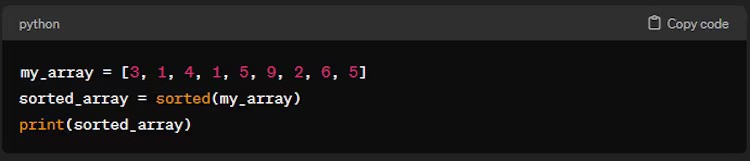
GPT can serve as a “code companion” to developers. Many of us know that sometimes, we miss tiny details, and GPT can help keep us aware of those details. If you’re a new coder, you can ask GPT questions to help you understand complex concepts and break those down into more digestible bits. More experienced coders can use GPT to look up things they might have spent hours scouring forums. I remember learning a new way to do a wave-function collapse algorithm from ChatGPT after spending almost eleven hours (!) looking for a simple explanation online. GPT is also really great at giving you code snippets. For example, the prompt, “How do I Sort an Array in Python,” provided us the following code block:

“How can I implement a binary search in Java?” gives you this:

When prompting ChatGPT for snippets like these, be succinct. Don’t combine more than one idea at a time, and specify the language.

[mai mult...]

3 ways to fix memory Integrity Errors on Windows 11

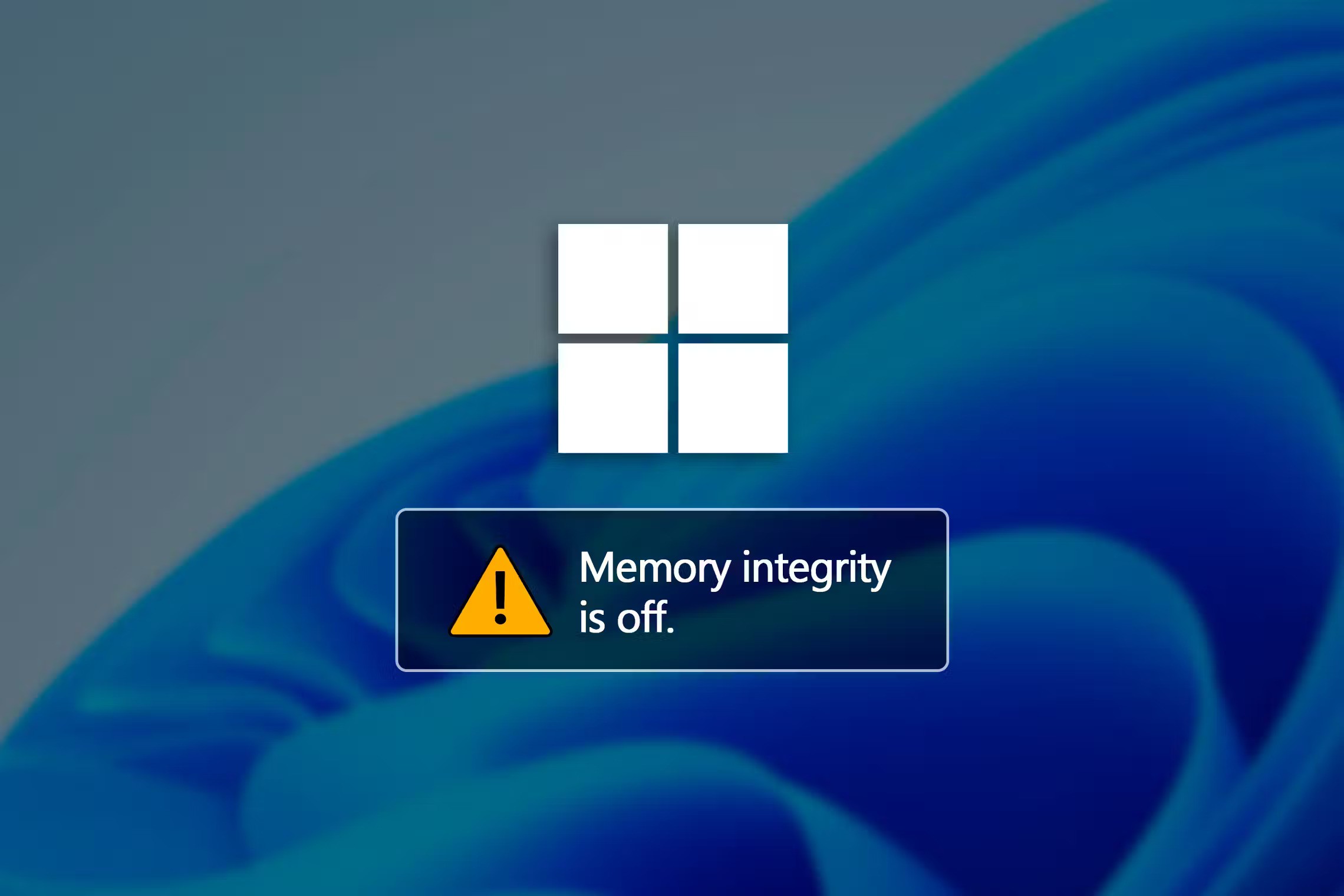
Are you seeing the Memory integrity is off message in Windows Security and are unable to enable it because its toggle is grayed out? Having this feature disabled means that your system is at a risk of being invaded by malware. Read along to know what’s causing this problem and how you can fix it.

What Causes Memory Integrity Errors on Windows

Memory integrity is a virtualization-based security feature that safeguards your computer against malware that tries to exploit the Windows kernel. You can turn it on or off in the Core isolation section of the Windows Security app. Open the Windows Security app, click the “Device Security” tab on the left, and scroll to Core Isolation. Sometimes, the memory integrity toggle may appear grayed out with a message stating, “Memory integrity is off. Your device may be vulnerable.”

This issue is often linked to your drivers. If your drivers become corrupted due to reasons such as improper system shutdowns or BSOD, you’ll likely encounter this problem. Another situation where you might encounter this issue is when you connect a new device to your computer. If you see this message in such cases, it suggests that your computer may not be compatible with the driver of the newly connected device. In addition to all those scenarios, it could simply be an interface problem. This means the feature is functioning correctly in the background, but you’re seeing the message due to an interface bug in Windows 11.

[mai mult...]