How to Set Up Windows 11 Without a Microsoft Account
Windows 11 normally requires a Microsoft account when you set it up, but you can bypass Microsoft account creation and use a local account instead.
[mai mult...]
Soluții pentru problemele tale IT

Windows 11 normally requires a Microsoft account when you set it up, but you can bypass Microsoft account creation and use a local account instead.
[mai mult...]Iată câteva sfaturi pentru o utilizare eficientă a Calendarului Microsoft 365 (denumit in trecut Office 365).
[mai mult...]Before you start, you must know on which server the Azure AD Connect software is installed. That’s because you must sign in on the server to proceed further with disabling synchronization and uninstalling the software. Read the article How to find Azure AD Connect server.
[mai mult...]To locate Azure AD Connect server, follow the below steps:
1. Sign in to Microsoft Azure Portal
2. Click on Menu > Azure Active Directory
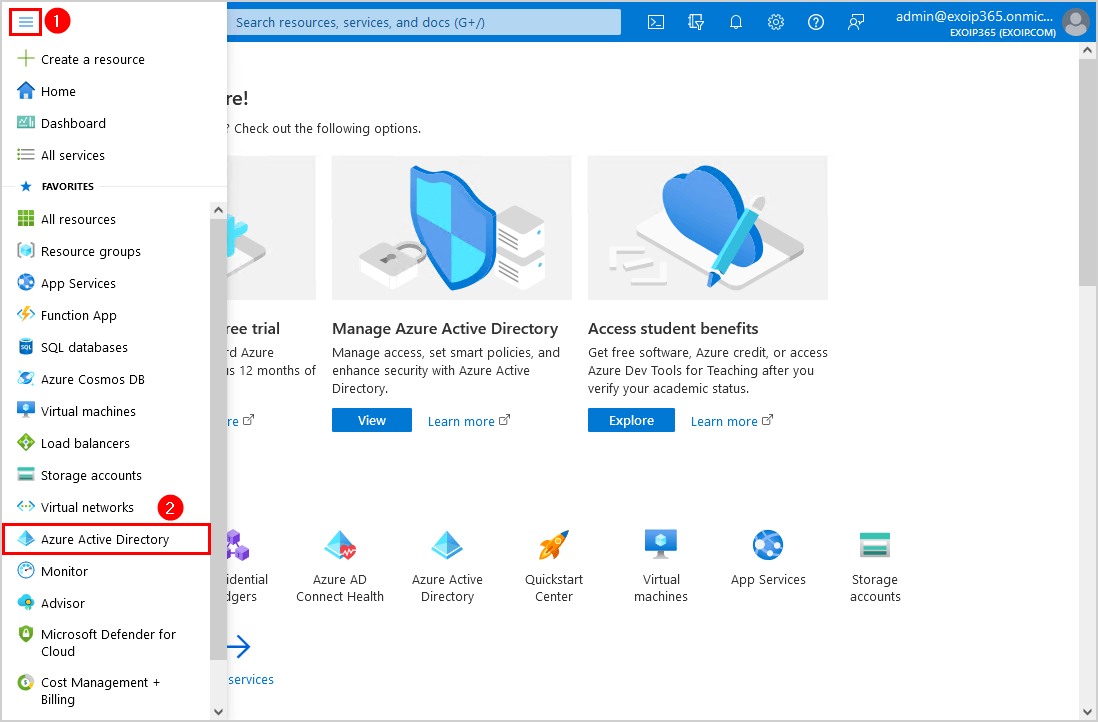
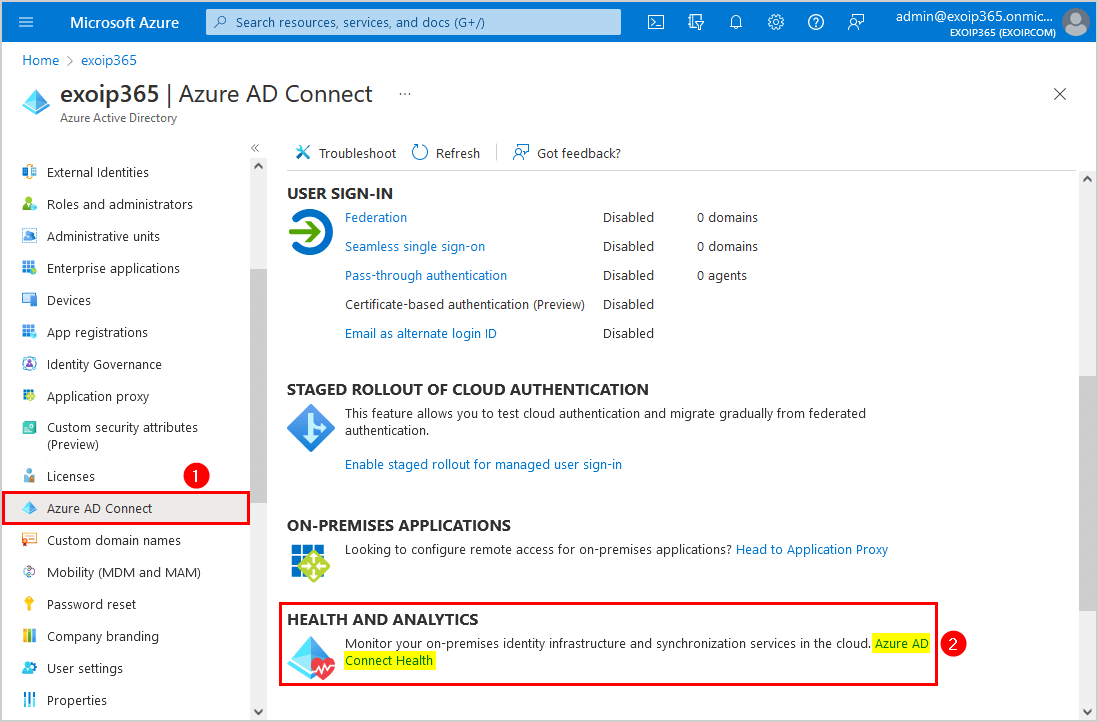
3. Select Azure AD Connect > Azure AD Connect Health
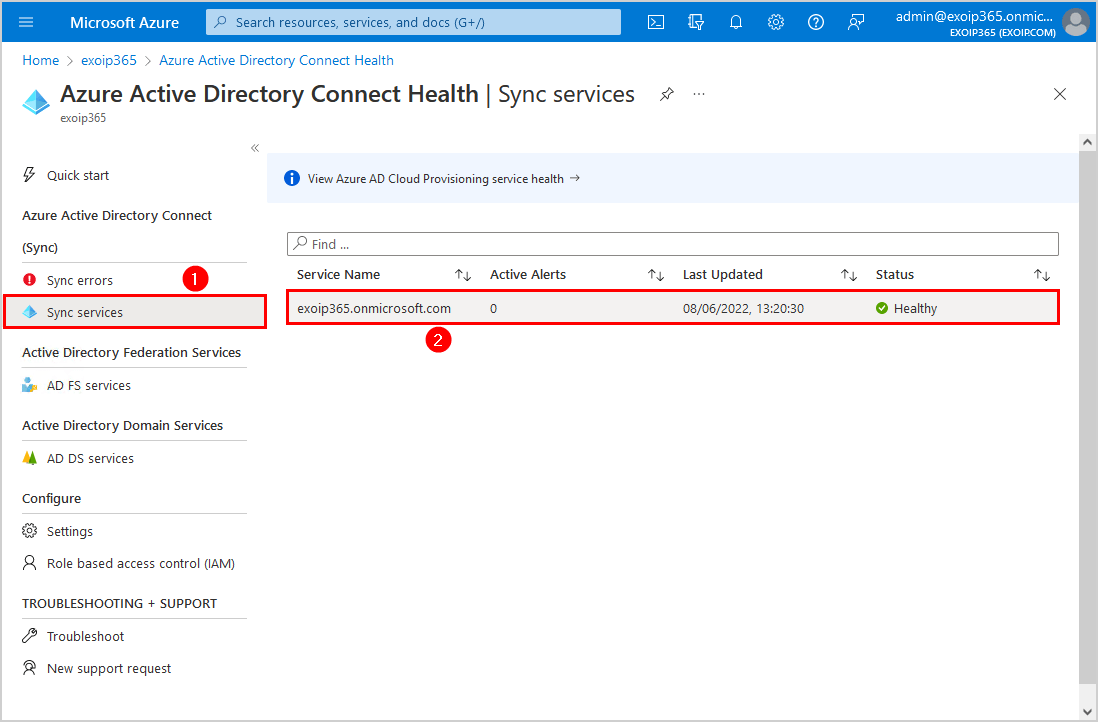
4. Click on Sync services > Service name
In this example, it’s the service name exoip365.onmicrosoft.com
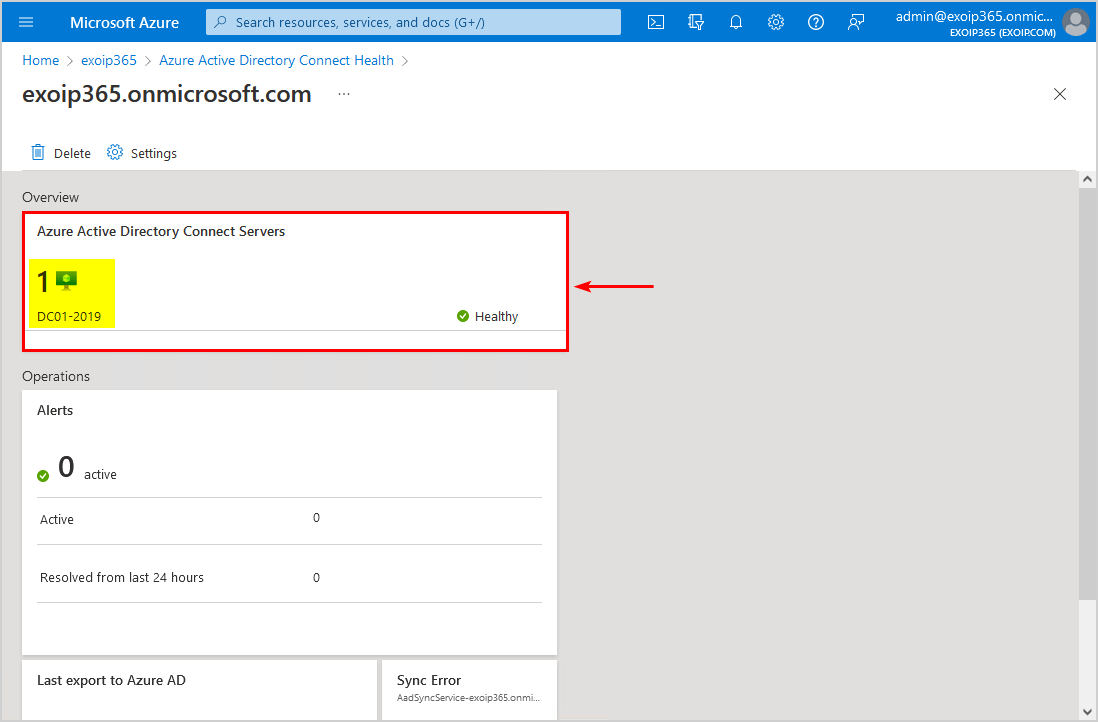
5. The Azure Active Directory Connect Servers appear on the screen in the Overview tile. Suppose you have multiple Azure Active Directory Connect servers; they appear in the same tile.
In this example, Azure AD Connect is installed on Windows Server DC01-2019.
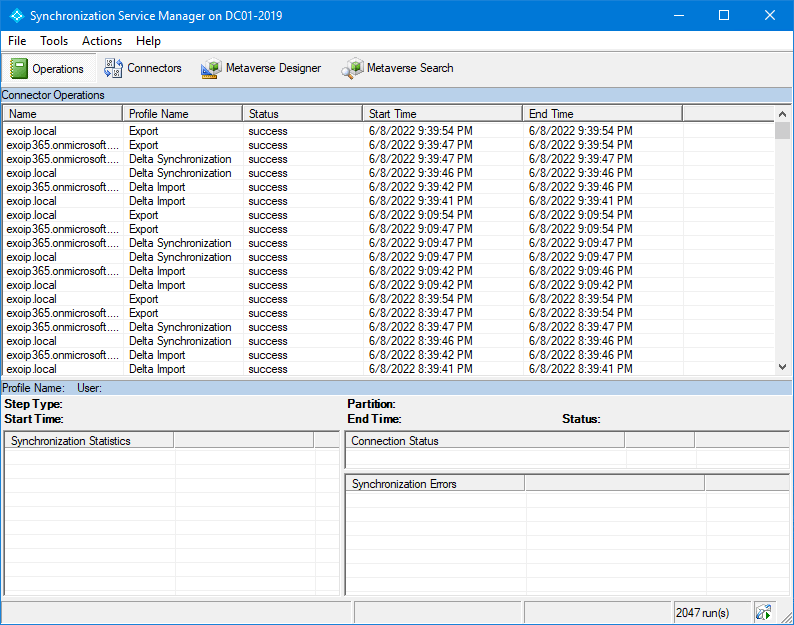
6. Sign in on the Azure AD Connect server, and start the Azure AD Connect software.
In the previous article, we run Microsoft IdFix to identify errors such as duplicates and formatting problems in the on-premises directory. To sync on-premises identity infrastructure to Microsoft Azure AD, we will install and configure Azure AD Connect step by step.
Azure AD Connect is a tool for connecting on-premises identity infrastructure to Microsoft Azure AD. The wizard deploys and configures prerequisites and components required for the connection, including sync and sign on. Azure AD Connect encompasses functionality that was previously released as Dirsync and AAD Sync. These tools are no longer being released individually, and all future improvements will be included in updates to Azure AD Connect.
Download Azure AD Connect for free. Download Microsoft Azure Active Directory Connect from the Microsoft Download Center. In this article, we will install Azure AD Connect version 2.1.1.0, which is the latest.
Make sure that you meet the Azure AD Connect installation prerequisites. The minimum requirements are:
Hardware
Server
IdFix is used to perform discovery and remediation of identity objects and their attributes in an on-premises Active Directory environment in preparation for migration to Azure Active Directory. IdFix is intended for the Active Directory administrators responsible for directory synchronization with Azure Active Directory.
The Microsoft Office 365 IdFix tool allows you to identify and remediate object errors in the Active Directory in preparation for deployment to Azure Active Directory or Office 365. You can then successfully synchronize users, contacts, and groups from the on-premises Active Directory into Azure Active Directory.
[mai mult...]