Pictograma Baterie/Putere lipseste (Windows 10)
Doriți să verificați timpul bateriei rămase pe laptop dar pictograma bateriei lipsește.
Aceasta este o soluție ușoară pentru a remedia lipsa pictogramei baterie / putere pe Windows 10.
[mai mult...]
Soluții pentru problemele tale IT
Doriți să verificați timpul bateriei rămase pe laptop dar pictograma bateriei lipsește.
Aceasta este o soluție ușoară pentru a remedia lipsa pictogramei baterie / putere pe Windows 10.
[mai mult...]În cazul în care vrem o instalare mult mai rapidă a programelor, putem folosi managerul de pachete numit “Chocolately“.
[mai mult...]In PowerPoint, when you type, you may notice that if you enter more text than can fit inside a text placeholder, the text is automatically resized to a smaller size. This is called AutoFit. In some cases, that might be helpful; in other cases, it might not. Here’s how to turn that off.
The best case for turning off AutoFit is when you know how big you want a box (or any shape) to be on your slide and you know the size you want the text to be. In that case, it makes more sense to let the text overflow the box so that you can edit the text down to a point where it fits.
[mai mult...]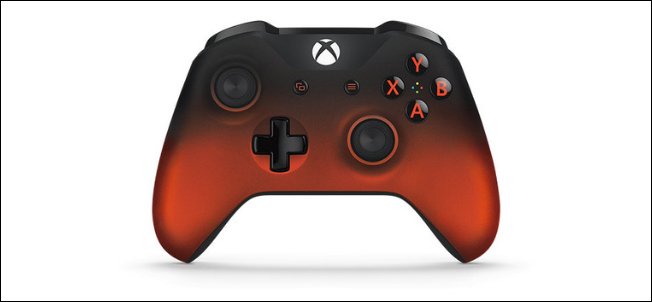
Sometimes gaming with a mouse and keyboard just doesn’t cut it; you need the convenience of a controller to enjoy certain games. Luckily, you can use a variety of controllers on your Mac, including your Xbox One Controller.
While the PlayStation 4’s DualShock 4 will play nicely with your Mac over Bluetooth, the Xbox One controller will take a bit more effort. It’s nothing too tricky, though, and you can pull it off with a bit of patience.
[mai mult...]Pentru a nu fi nevoit să cauți în toate setările vechi si cele noi cu functia “GodMode”, le avem pe toate la un loc.
[mai mult...]The way Windows 10 organizes open apps, it bunches all open windows of a given app under the same taskbar icon, which you then click to bring up thumbnails of all the open windows contained therein.
This is reasonably useful, but you may well prefer it if clicking the taskbar icon took you straight to the last window you had open within the app – cutting out the thumbnail faff.
[mai mult...]